Cliff Pause — A Golden Hour Editorial in Studio
I ran a coastal golden-hour editorial using Studio's form picks alone. Here's exactly what I chose, what it cost, and what surprised me.
I wanted a specific feeling: someone mid-thought, not performing for the camera. Seated on rock, wind off the Atlantic, golden hour raking across the stone. The kind of shot a fashion editorial uses when it wants to say this person exists in the world rather than this person is posing for a photo.
So I went into Studio and built it from the form.
How Studio actually works
Studio is form-first — you don't start by writing a prompt. You work through the sections: Camera Lab for your equipment and lighting setup, Pose Library for body position, Camera Angle for your viewpoint, Background for the environment, and so on. Each pick adds a layer of structured information. When you're ready, Studio assembles all of it into a single prompt for you. You can read that assembled prompt and edit it before generating if you want to — but most users never need to touch it. The form handles the "how it's shot"; your scene description handles the "what to shoot".
What I picked from Studio
Pose — One Knee Up Brace
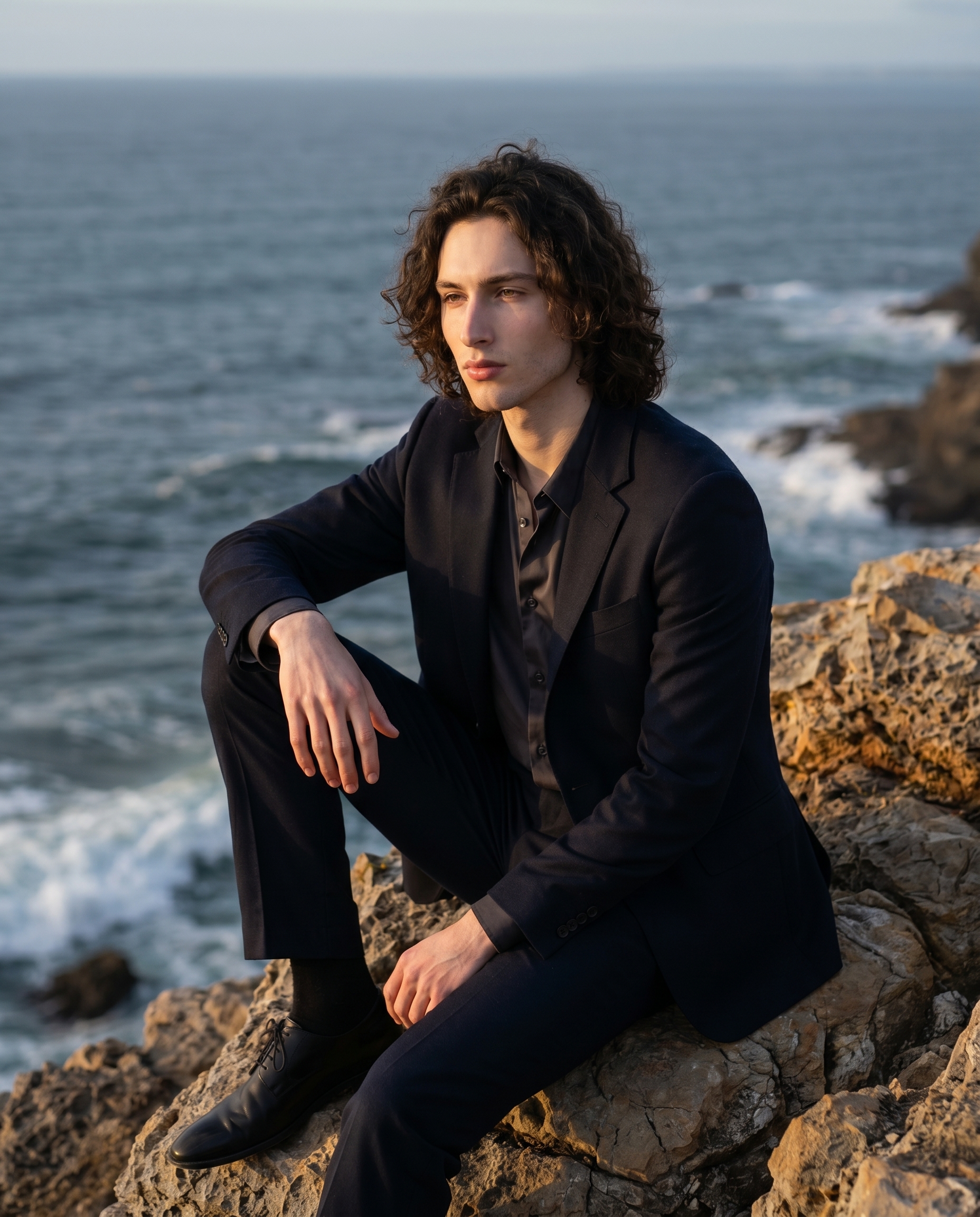
This is a full-body seated pose: one knee raised with the foot flat on the surface, the other leg extended forward, one arm resting on the raised knee. Studio's catalog describes it as having "clear stand-up potential" — there's latent energy in it, even though the subject is still. That's exactly what I wanted. Not a slumped rest. A pause with weight. The arm on the knee gives the composition an anchor point that reads instantly as casual and grounded.
Camera Angle — 3/4 Left
Studio's catalog entry calls this the "classic portrait angle — slightly left and above for natural depth." I picked it because it gives the figure environmental context. Head-on would flatten me against the cliff. A high overhead would shrink the figure. At 3/4 left and slightly above, I'm part of the landscape rather than extracted from it — the Atlantic sits behind my left shoulder and the rock fills the foreground naturally.
One operating tip I leaned on here: Lighting Sets the Mood. I paired the shot with a golden hour lighting setup specifically because that warm amber raking across textured stone does work that no post-processing shortcut can replicate. The light direction creates depth on the rock face and separates the figure from the background without a hard edge.
The assembled prompt
This is what the form composed for me — you don't have to write any of this yourself unless you want to.
A young man with dark curly hair and porcelain skin seated on a rugged coastal cliff, one knee raised with foot flat on the rock and arm resting casually on that knee, other leg extended forward — the classic grounded pause of someone mid-thought. Camera positioned slightly left and above, classic 3/4 portrait depth. Golden hour light rakes across the stone, warm amber on his face, deep blue-grey Atlantic behind him. Editorial fashion mood — relaxed confidence, environmental scale. Cinematic, sharp foreground, soft horizon.The result
What I noticed
What worked: The light is doing exactly what golden hour should do — it's warm without being saturated, and the directionality is believable. The rock texture reads as real. The horizon sits soft in the distance the way a long lens compresses it.
What surprised me: The hand placement. I didn't specify fingers in the prompt — that came from the pose pick alone. The arm resting on the raised knee landed with a natural, slightly loose grip on the shin. Small detail, but it's the kind of thing that makes or breaks a portrait.
What I'd change: I'd push the scene radius out and add a small amount of atmospheric haze at the horizon. The blue-grey Atlantic is doing its job, but a hint of coastal mist would add another layer of depth. That's a Background mood adjustment in the form — grain and blur controls are already there.
Worth knowing while you're in there: Studio loaded my face and body automatically because I selected myself as the character. My reference photos were already saved to my profile — Studio pulled them in and locked my identity before a single setting was chosen. If you have an AI character built on ArtCoreAI, the same thing happens for them. Select your character, and their visual continuity follows every shot.
What it cost
- Credits spent: 2.70
- What you'd pay: $0.27
- Generation time: ~26 seconds
I ran this at 4:5 aspect ratio. For a quick iteration or a social crop test, 1K resolution would bring the cost down further — 4K is where I went because I wanted to see the rock texture at full detail.
If you want to run something like this yourself, go to Studio, pick a lighting setup, pick a pose, pick a camera angle, and hit generate. The form does the rest.
— David
See what others are making


Each image links to the character's profile. The Studio — Technical Guide has the full showcase plus deeper documentation on every component.