Over-Shoulder in the Rain: A Studio Editorial Demo
I wanted cinematic alley tension — wet cobblestones, neon reflections, editorial lean. Here's exactly how I built it in Studio without writing a single line of prompt.
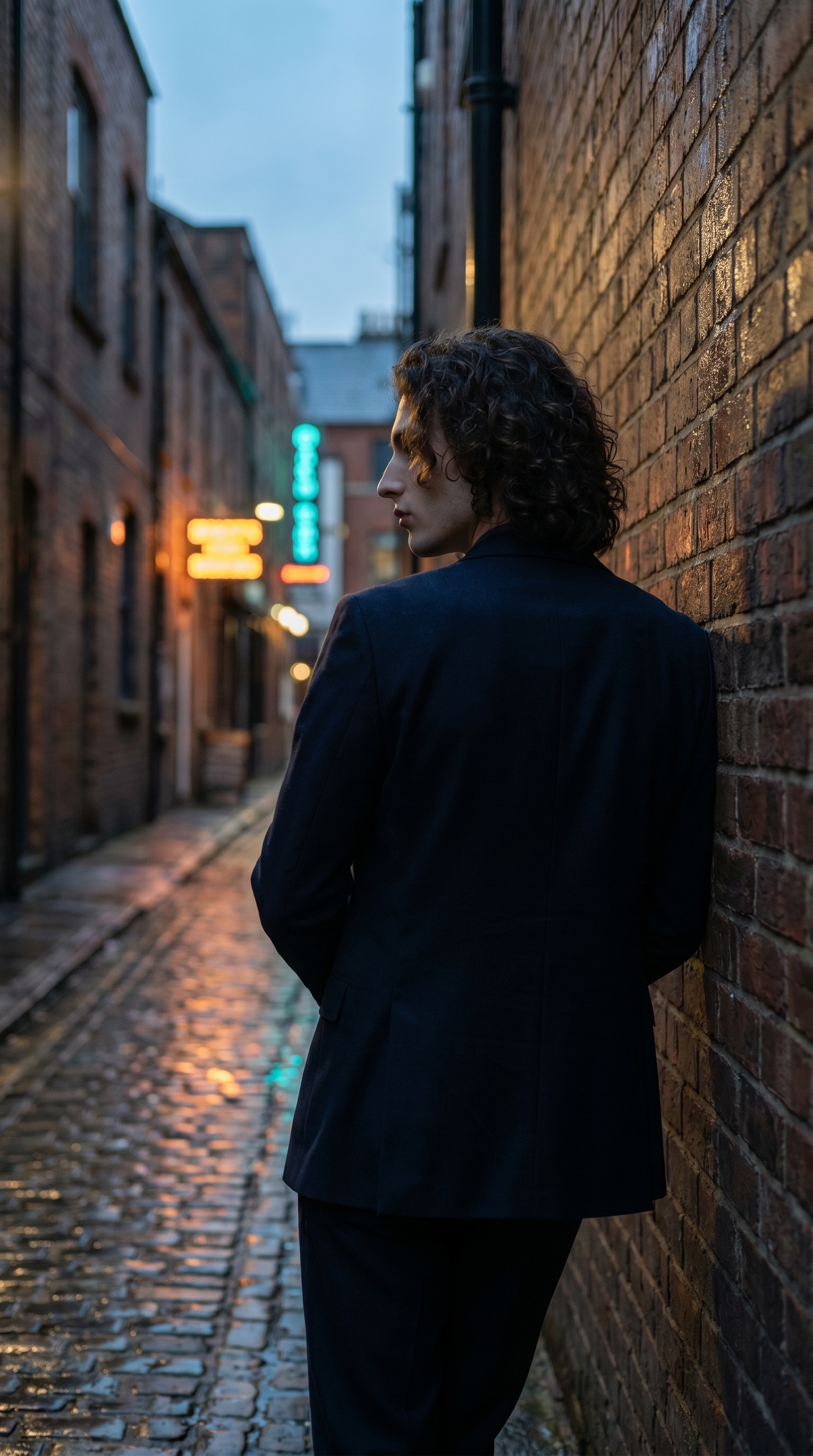
I had a specific image in my head: me, shoulder against a rain-slicked brick wall, camera behind and to the left, neon bleeding into the puddles ahead. Not a portrait. Not a headshot. A frame — the kind that feels like it belongs in a film still or a fashion editorial where the photographer never shows your face directly.
The question was whether Studio could land that without me wrestling with prompt engineering for twenty minutes.
It took about three minutes of picking from menus.
How Studio actually works
If you haven't opened Studio yet, here's the thing that surprises most people: you don't start by writing a prompt. You start by picking from form sections — Camera Lab, Pose Library, Camera Angle, Background, Makeup, Fashion, Location. Each section controls one aspect of the image. When you're done picking, Studio assembles the full prompt for you. The "what to shoot" comes from your choices; the "how it's photographed" comes from Camera Lab. The assembled prompt is editable before you hit generate, but honestly — most people never need to touch it.
What I picked from Studio
Over Shoulder Left — Camera Angle
Studio's catalog describes this one cleanly: behind-left angle looking over the shoulder, cinematic storytelling. That's exactly why I picked it. A straight-on portrait would have put the face front and center and killed the tension I was after. Over-shoulder flips the read entirely — now the scene ahead matters as much as the subject. The alley, the wet cobblestones, the neon reflections: they all exist because the camera is positioned to reveal them. The angle also creates a natural question — what is he looking at? That's the editorial pull.
Editorial Lean — Pose Library (Full Body · mood: relaxed, cool, editorial)
The catalog description: model leaning against a surface with one shoulder, body angled, creating a relaxed editorial look. I picked this because it gave me exactly the weight distribution I needed — one shoulder carrying the wall, body turned slightly away, no tension in the posture. The lean does two things at once: it reads as effortless, and it gives the camera something to work against. The body angle reinforces the over-shoulder perspective instead of fighting it. When pose and camera angle agree on the same story, the result feels composed rather than generated.
One thing I'd flag here — this is straight from Studio's best-results guide — lighting sets the mood. I didn't pick a formal studio lighting rig for this shot; I described the ambient conditions (overcast blue-hour, dramatic side shadows) in the scene description instead, which let the environment carry the mood rather than a beauty or Rembrandt setup. For the next run I'd probably try pairing this with Low-Key to push the noir edge harder.
Worth knowing while you're in there: I selected myself as the character before building the shot, which auto-loaded my reference photos and locked my face and body into the generation. Studio calls these character refs — they travel with the character profile, and the model uses them to maintain visual continuity across every shoot. If you've built an AI character on ArtCoreAI, this is how you stop the face drifting between images. Pick your character first, then build the shot around them.
The assembled prompt
This is what the form composed for me — you don't have to write any of this yourself unless you want to.
A tall young man with dark curly hair and porcelain skin leans with one shoulder against a rain-slicked brick alley wall, body angled away, weight relaxed into the surface. Camera positioned behind and to his left, looking over his left shoulder into the narrow alley ahead — wet cobblestones reflecting neon signs in amber and teal. Overcast blue-hour light, dramatic side shadows, editorial fashion mood. Cinematic depth, muted tones with neon accent reflections.What I noticed
The neon reflections landed better than I expected. Amber and teal on wet cobblestones is a combination that can tip into cliché fast, but the blue-hour overcast kept it from going oversaturated. The muted base tones did the work — the neon reads as accent, not as the whole story.
The over-shoulder angle held identity without needing a face. This was the real test. With my character refs loaded, the model maintained my hair, skin tone, and build even at an angle where maybe 15% of my face is visible. The continuity is there. That matters for editorial content where you want a recognizable character across a series of shots — not just one strong standalone.
What I'd change: I'd push the Fashion Designer section further next time. I described the editorial mood in the scene but didn't fully compose an outfit — a structured overcoat or velvet blazer through the Fashion widget would have added a layer of specificity the current result is missing. The silhouette reads right, but the garment detail isn't locked the way it would be if I'd built it component by component.
What it cost
- Credits spent: 2.70
- What you'd pay: $0.27
- Generation time: ~30s
I generated at 9:16 for social format. For a print or campaign use case I'd bump to 4K — but for testing the composition at this stage, the current resolution was exactly right. Iterate cheap, upscale when you're confident.
If you want to run something like this yourself — pick a character, drop into Over Shoulder Left, load Editorial Lean, add a background with some weather in it, and hit generate. You don't need to write the prompt. Studio does that part.
— David
See what others are making

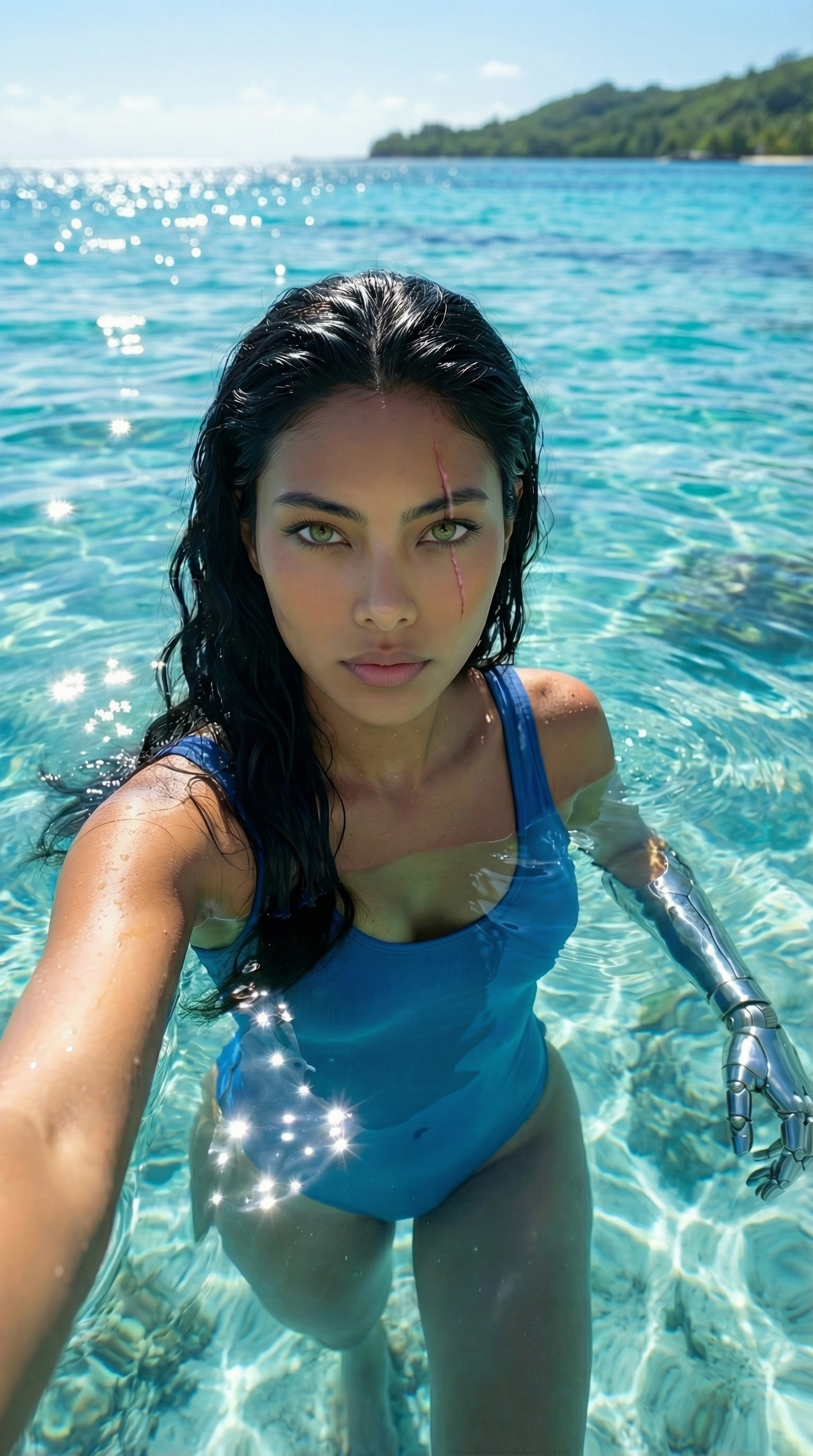
Each image links to the character's profile. The Studio — Technical Guide has the full showcase plus deeper documentation on every component.