Vampy Plum Beauty Portrait Against Neon City Night
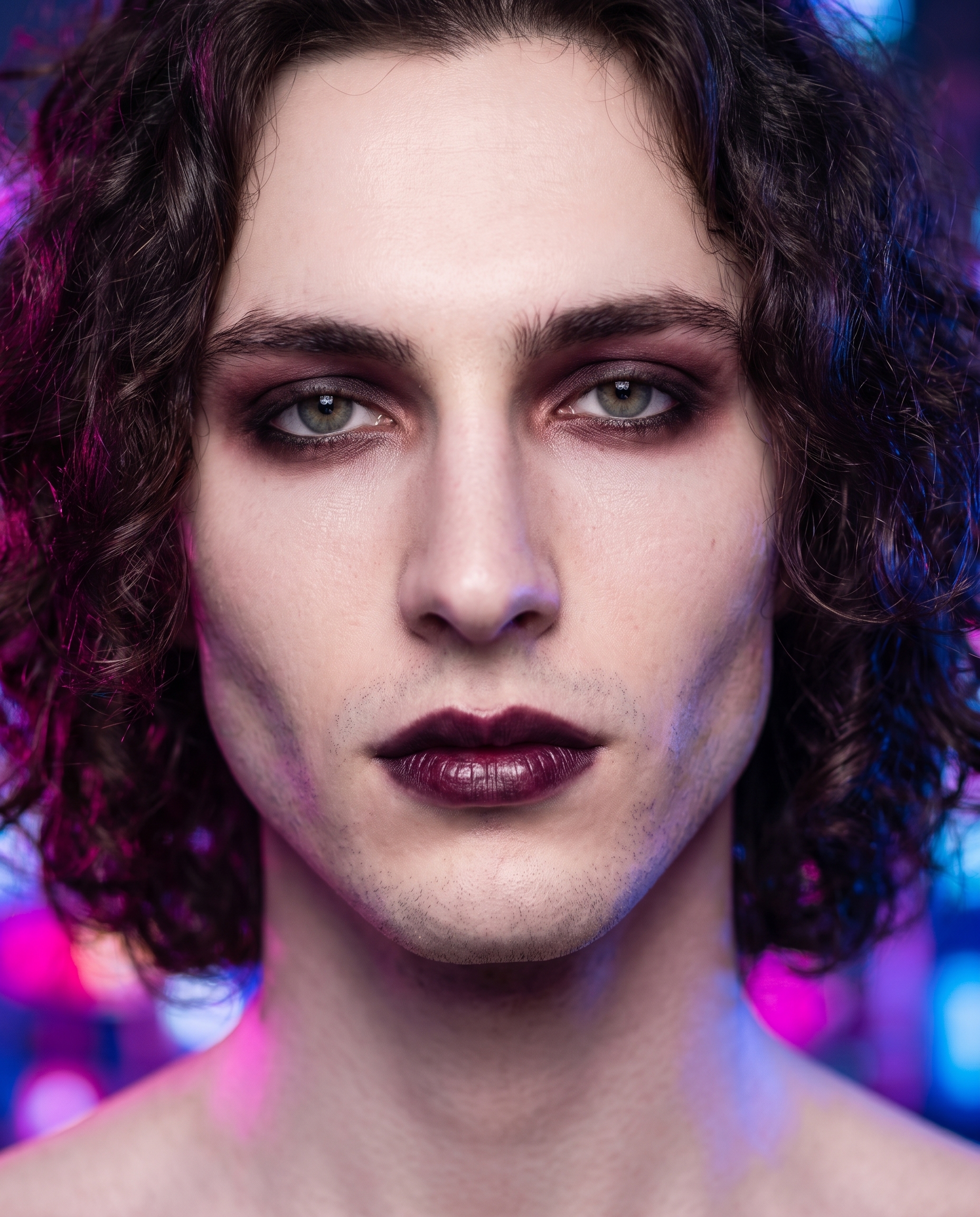
I ran a close-up beauty portrait of myself in Studio — dark romantic makeup, neon bokeh behind me, $0.27 total. Here's exactly what I picked and why.
I wanted to do something I don't see enough in AI portrait work: a genuinely moody beauty shot. Not a clean headshot, not a fashion editorial — a vampy one. Dark lips, smoky eyes, neon bleed, the kind of image that reads like a still from a film that doesn't exist yet. So I opened Studio, picked myself as the character, and started building from the form.
How Studio actually works
If you haven't used Studio before, here's the short version: you don't have to write a prompt. You pick from menus — Camera Lab for your equipment and lighting, Pose Library for body position, Camera Angle, Background, Makeup, Fashion, Location — and Studio assembles the prompt for you. The form picks define what you're shooting; Camera Lab defines how it's shot. There's an assembled prompt you can read and edit before you generate, but most people never touch it. I did tweak mine slightly this session — more on that in a moment.
What I picked from Studio
Background: Neon City Night
The catalog description is "blurred neon city night lights bokeh background, vibrant glow" — which sounds simple until you see it working. What it actually does is dissolve the background into pools of color: magenta, violet, electric blue, all slightly out of focus and bleeding into the edges of the subject. For a dark romantic shoot, that's exactly what you want behind pale skin and deep-toned makeup. The glow doesn't just sit behind you — it wraps around the jaw, catches the edges of curly hair, and creates a rim-light effect that no studio softbox was ever asked to produce. I chose this because the mood I wanted was city night, 2 a.m., somewhere you shouldn't be — and Neon City Night delivered that without me having to explain it.
Makeup: Plum Noir Drama
Catalog description: "Dark romantic vampy — mysterious, smoky, elegant." In the result, this translated to deep plum-stained lips, charcoal and burgundy eyeshadow blended high toward the brow bone, and smudged black liner that gives the whole look a lived-in, slightly dangerous quality. One of the best-results tips I keep coming back to is Lighting Sets the Mood — but makeup is the other half of that equation in a beauty portrait. Plum Noir Drama does what good practical makeup does: it commits. It doesn't hedge toward a safer neutral. The result has presence.
The combination of these two picks — blurred neon behind me, dark vampy makeup on me — created a contrast that I think is the core of why the image works. The background is warm chaos; the makeup is cool control.
What Studio composed for me
This is what the form assembled after I made my picks. I made a few small edits to tighten the crop framing and add the "slightly parted lips" detail — but the majority of this came from the form, not from me typing:
Close-up beauty portrait of a young man with dark romantic makeup — deep plum-stained lips, smoky charcoal and burgundy eyeshadow blended to the brow bone, smudged black liner giving a vampy mysterious edge, skin porcelain-pale and luminous. Behind him: blurred neon city night lights dissolve into vivid bokeh pools of magenta, violet, and electric blue, the glow bleeding softly into his jaw and curly dark hair. Mood is elegant and brooding. Tight crop, eyes center-frame, slightly parted lips.You don't have to write any of this yourself unless you want to.
What I noticed about the result
Three things stood out:
-
The bokeh integration. I expected the neon background to feel pasted-in, the way it often does in inferior AI outputs. It didn't. The color pools bleed into the edge of my hair and jaw in a way that suggests actual light hitting actual subject — not a composite.
-
Lip color fidelity. Plum Noir Drama hit the brief precisely. The lips read as stained rather than lipstick-applied — that particular quality of worn-in, slightly matte pigment. That's a subtle distinction and Studio got it.
-
What I'd change: I'd go tighter on the crop next time — push the eyes even closer to the top third, trim more chin. The composition is good but I think there's a stronger version where the framing is more confrontational. Easy fix: Pose Library has crop refinements I didn't fully use this run.
Worth knowing while you're in there — Studio also has a character reference system. When I started this session, I picked myself as the character, and Studio automatically loaded my reference photos and locked my identity into the generation: my face, my skin tone, my hair. That's how the result looks like me and not a generic portrait. You can do the same with any AI character you've built on the platform — pick them in the character selector and their visual identity locks in before you even touch the form.
What it cost
- Credits spent: 2.70
- What you'd pay: $0.27
- Generation time: ~27s
I generated at 4:5 aspect ratio — the native format for portrait-oriented social content. 4K resolution, which is where you want to be for anything going beyond a screen.
If you want to run this yourself: open Studio, pick your character, select Neon City Night from the Background section, drop Plum Noir Drama into Makeup, and hit generate. You don't need to write a word. The form does the work — you just make the picks.
— David
See what others are making

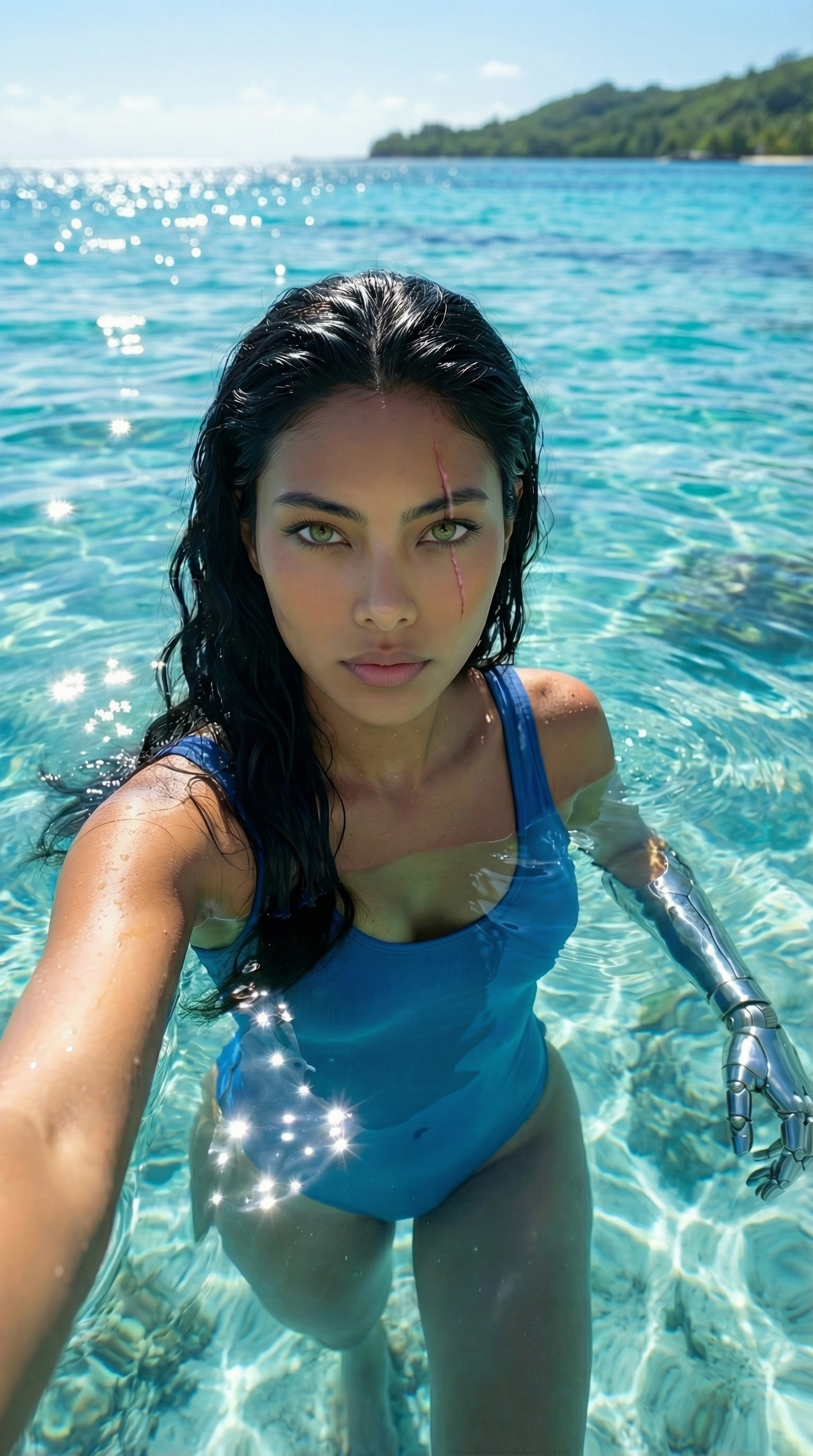
Each image links to the character's profile. The Studio — Technical Guide has the full showcase plus deeper documentation on every component.