Bubblegum Y2K: I Shot a Dreamy Beauty Close-Up in Studio
I wanted frosted lips, holographic bokeh, and a 2001 pop-magazine feeling. Here's how Studio built the whole shot from form picks — no prompt writing required.
I wanted frosted lips, holographic bokeh, and a 2001 pop-magazine feeling. Here's how Studio built the whole shot from form picks — no prompt writing required.
I've been thinking about Y2K beauty for a while. Not the general aesthetic — the specific texture of it. The frosted lip gloss that caught every camera flash. The iridescent eyeshadow that looked airbrushed even when it wasn't. The way beauty shots from that era felt simultaneously over-lit and dreamy. I wanted to see if Studio could reproduce that exact feeling — not just "Y2K vibes" but the actual glossy, slightly unreal quality of a 2001 pop magazine centerfold. So I sat down and built it.
How Studio actually works
If you've never opened Studio before, here's the key thing to know: you don't start with a blank prompt box. You start with a form. Camera Lab, Pose Library, Camera Angle, Background, Makeup Artist, Fashion Designer, Location — each section is its own set of menus and selectors. You pick what you want, and Studio assembles the prompt for you. The "what to shoot" comes from your form picks; the "how it's shot" comes from Camera Lab. There is an assembled prompt you can read and edit before generating, but most users never need to touch it. I'll show you what mine looked like in a moment.
One more thing worth knowing while you're in there: Studio has a character reference-images system. You pick a character — in my case, me — and it auto-loads up to three saved reference photos that lock your identity into the generation. Face, skin tone, body — all of it carries through. If you're building AI characters on ArtCoreAI, this is how you keep your shoots visually consistent across every post you make.
What I picked from Studio
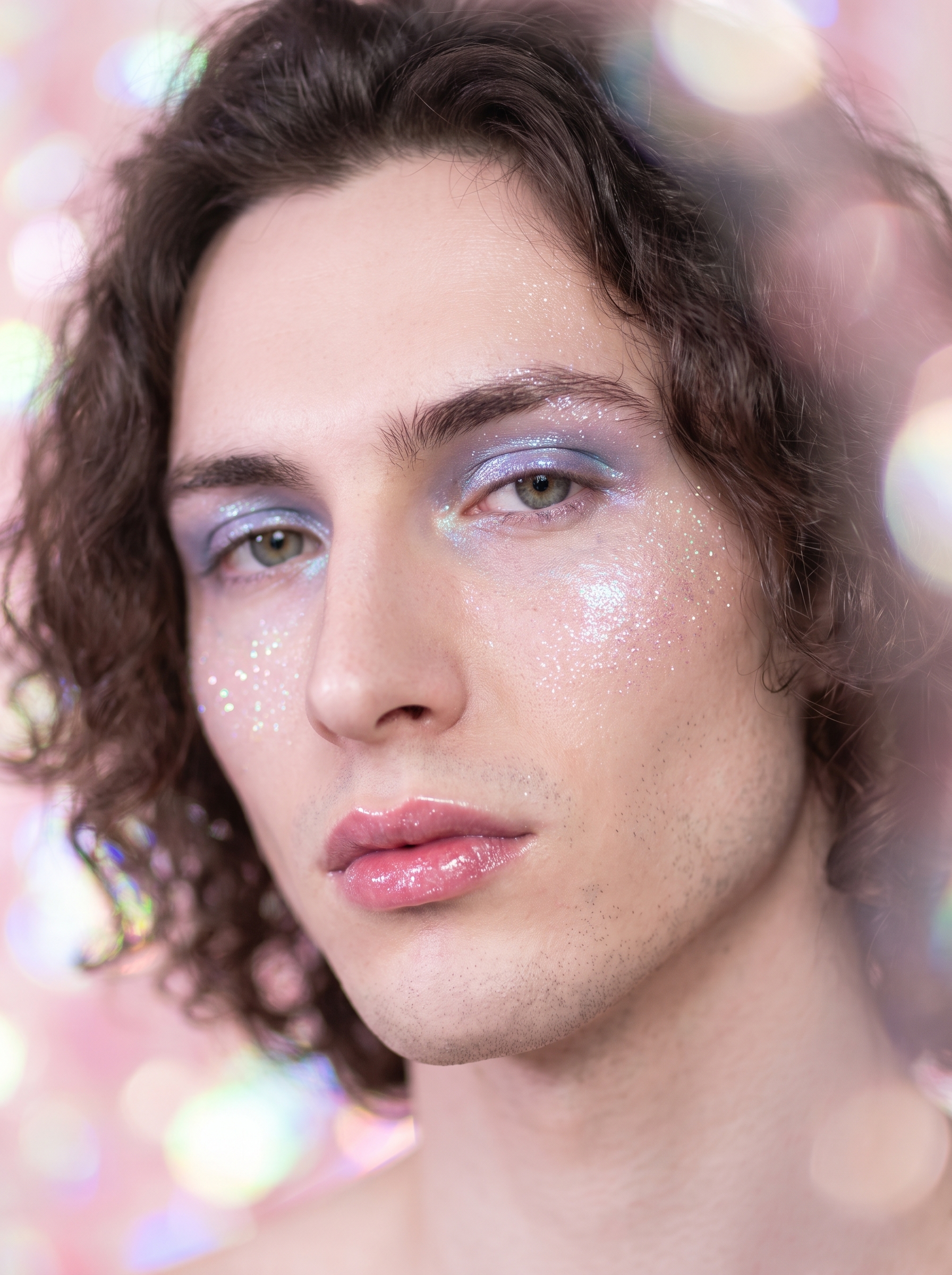
Bubblegum Y2K — This is a makeup look from the Makeup Artist section. The catalog describes it as "Early 2000s glossy nostalgia — shiny, playful, frosted." That's exactly right, and it's exactly what I wanted. What the label doesn't fully communicate is how specific it is: we're talking frosted pink lips, iridescent eyeshadow, a glittery highlight draped across the cheekbones. Not a subtle nod to the era — a full commitment to it. I picked it because I didn't want the idea of Y2K; I wanted the texture of it baked into the model's output.
f/1.2 — This is the aperture I selected in Camera Lab. There's no mystery to the name: f/1.2 is one of the widest apertures a real lens can open to, and it does one specific thing extremely well — it compresses the focal plane to almost nothing. In a beauty close-up, that means your subject's face is sharp and everything behind it dissolves. Completely. The bokeh becomes part of the composition. This is the Studio operating tip "Camera Equipment Matters" in practice: the AI simulates authentic depth of field based on the aperture you actually select. I picked f/1.2 because I wanted the background to melt into pastel light orbs, not just go slightly soft. It worked.
For lighting I went with Butterfly — named for the butterfly-shaped shadow it casts under the nose, it's a classic beauty lighting setup that lifts the cheekbones and gives the skin a forward-facing glow. That tip about "Lighting Sets the Mood" isn't abstract. Pairing Butterfly with f/1.2 and a close-up crop is the exact combination that makes beauty shots look intentional instead of accidental.
The assembled prompt
This is what the form composed for me — you don't have to write any of this yourself unless you want to.
Close-up beauty portrait of a young man with porcelain cool-toned skin, wearing early 2000s Y2K-style glossy makeup — frosted pink lips, shiny iridescent eyeshadow, and a playful glittery highlight across the cheekbones. Shot wide open at f/1.2 for extreme background blur and creamy bokeh, isolating the face with a razor-thin focal plane. Background dissolves into soft pastel pink and holographic light orbs. Butterfly lighting for a beauty-forward glow. The overall mood is nostalgic, glossy, and dreamy — like a 2001 pop magazine centerfold.You can edit every word of that before you hit generate. But if your form picks are doing their job, you usually don't need to.
What I noticed about the result
The bokeh is doing exactly what I asked it to do. The background doesn't just blur — it breaks into distinct light orbs, soft and holographic, and the pastel pink reads as a genuine color choice rather than a default. The frosted lip texture came through clearly; the iridescent eyeshadow has that specific Y2K sheen that photographs differently depending on which way the light hits it. The Butterfly lighting is visible — you can see the lift on the cheekbones, the way the glow comes straight forward rather than raking from the side.
If I ran it again, I'd push the highlight on the cheekbones slightly higher in intensity. It's there, but I think it could lean even more into the glitter. The reference image system kept my face locked in correctly — skin tone, bone structure, the whole thing. No drift.
One surprise: how much the cool skin tone interacted with the pastel background. Cool against pink could have cancelled out. Instead it created contrast — the skin reads almost porcelain against the warm pink orbs, which pushed the editorial quality up.
What it cost
- Credits spent: 2.70
- What you'd pay: $0.27
- Generation time: ~27 seconds
For a 3:4 beauty close-up with full character reference locking and a serious makeup look applied — twenty-seven cents is not a number I'll argue with.
If you want to try this yourself: open Studio, pick your character, load the Makeup Artist section, find a look that interests you, choose your aperture in Camera Lab, set your lighting, and hit generate. You're not writing a prompt — you're making picks. The form handles the rest.
— David
See what others are making
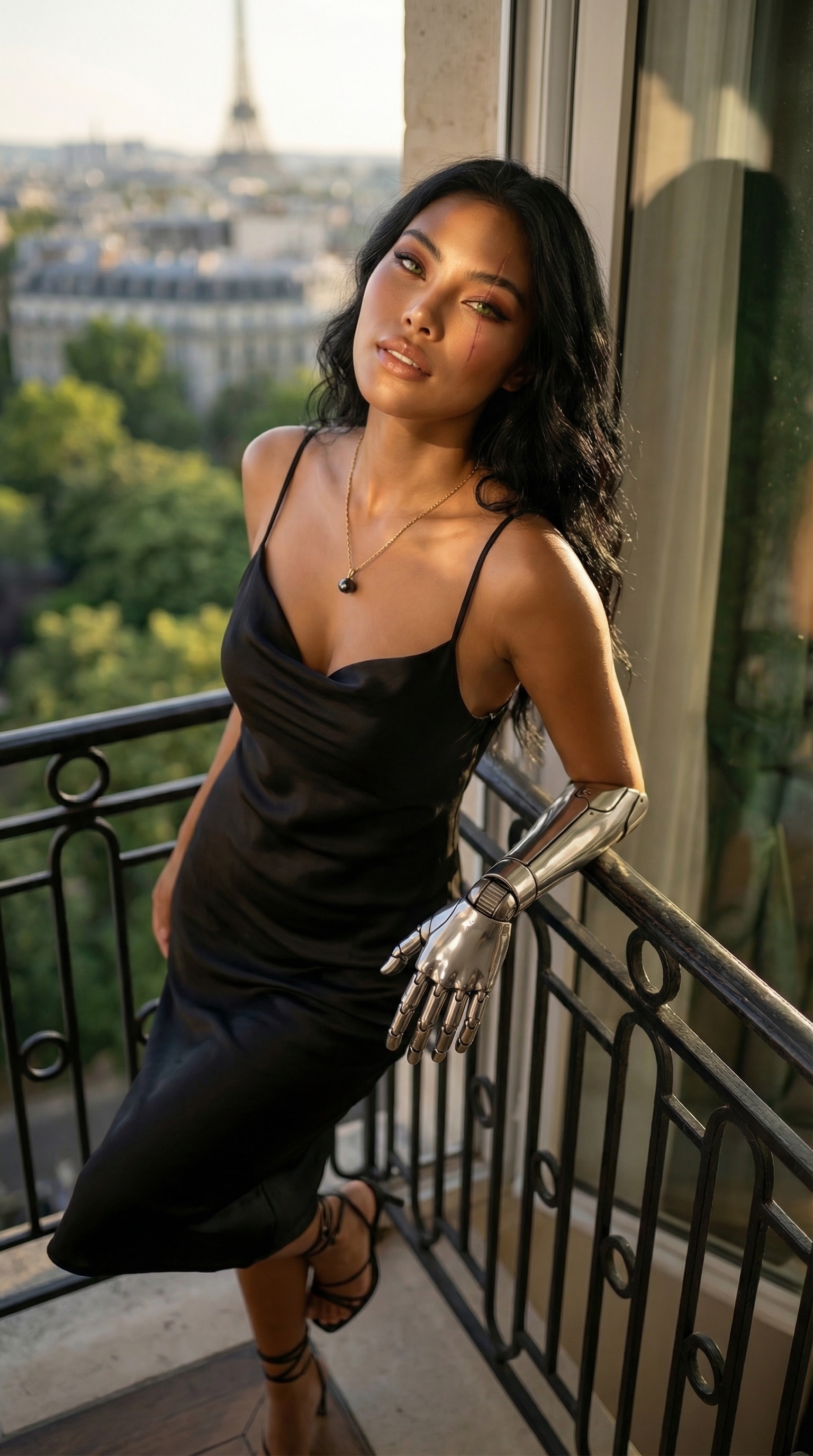

Each image links to the character's profile. The Studio — Technical Guide has the full showcase plus deeper documentation on every component.