Ivory Silk, Navy Denim, Midday Light — A Studio Editorial
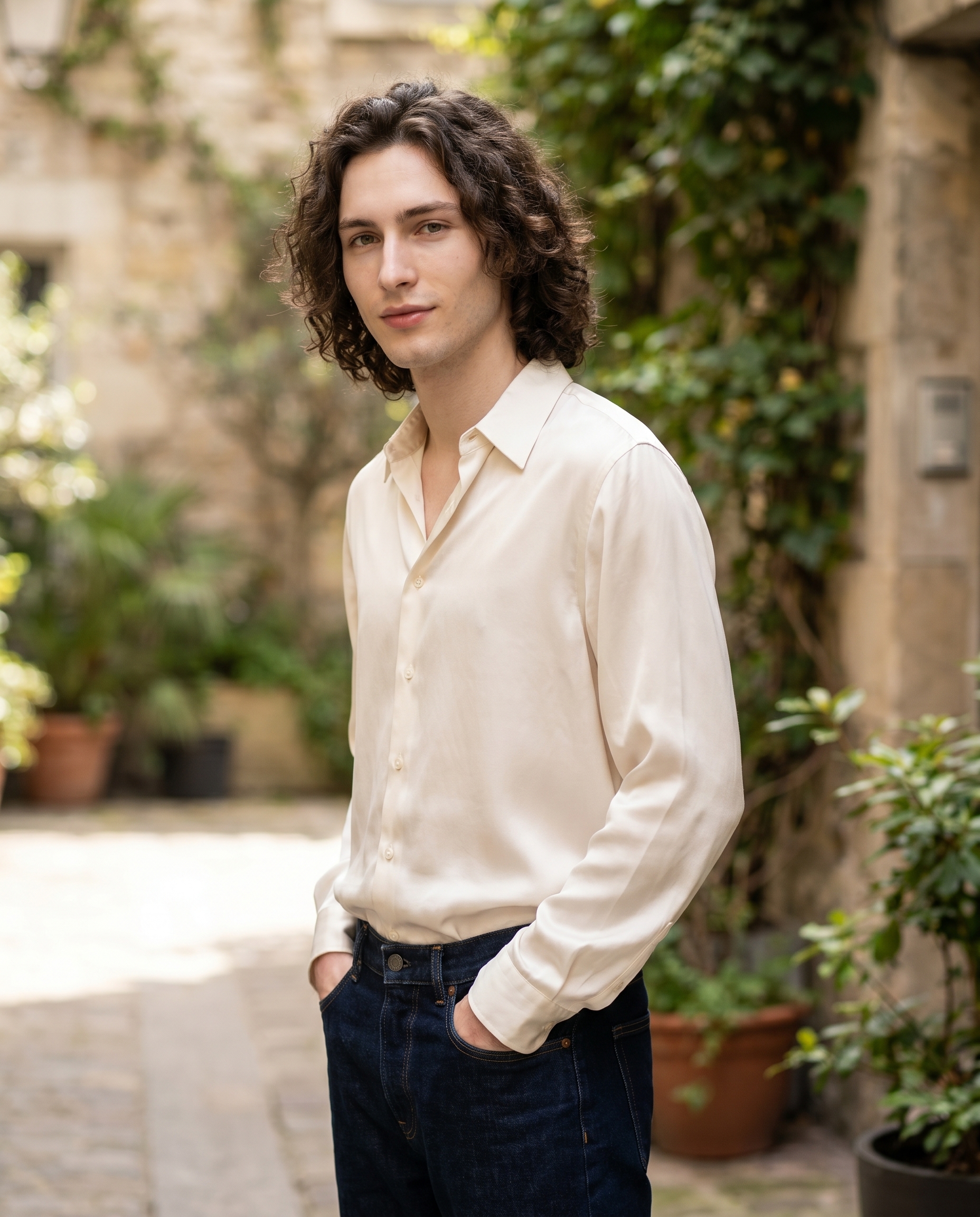
I picked myself as the character, chose the Casual Silk outfit, and let Studio build the shot. Here's what came back — and what it cost.
I wanted something clean. Not a fantasy render, not a dramatic studio portrait with a gel light and a fog machine — just a person standing in a courtyard at midday, dressed well, looking like they belong somewhere real.
That's a harder brief than it sounds. "Natural" is genuinely difficult to fake. So I took it to Studio and ran it straight.
How Studio actually works
Studio is form-first — meaning you don't start by writing a prompt. You pick from menus: Camera Lab for your camera body, lens, aperture, and lighting style; Pose Library for how the subject is standing; Camera Angle for your shooting position; Background for the environment; Fashion Designer to dress the character; and more. Once you've made your picks, Studio assembles the prompt for you. You can read it, tweak it, or ignore it entirely — most people never touch it. The form handles the "how it's shot"; your picks handle the "what to shoot."
What I picked from Studio
Casual Silk is the outfit preset I chose from the Fashion Designer section. The catalog description is straightforward: effortless elegance — ivory silk blouse with navy denim jeans. I picked it because that contrast does real work. Ivory silk reads as elevated but not formal. Navy denim grounds it. Together they're exactly the register I wanted: editorial without trying too hard.
The material choice matters more than it might seem. Silk responds to light differently than cotton or linen — it catches and moves it rather than absorbing it flat. Pairing that with a natural daylight exterior scene meant I was essentially asking the AI to render fabric physics in ambient light, which is a genuine test of the model.
One thing the Studio best-results guide hammers consistently: Lighting Sets the Mood. I didn't pick a dramatic Rembrandt or a beauty Butterfly here — I kept the lighting soft and diffused to match the midday courtyard brief. That restraint was deliberate. High-contrast lighting on silk looks theatrical. Soft daylight on silk looks like a magazine you'd actually read.
I also kept the camera setup honest — no extreme focal length compression, no wide-angle distortion. The goal was to feel like someone happened to photograph a real person, not like a render.
Worth knowing: character reference images
I picked myself as the character for this shot. When you select a character in Studio, it auto-loads their saved reference photos — up to three — and uses them to lock identity: face, skin tone, body type. That's why it's me in the image and not a generic figure. If you've built your own AI character on ArtCoreAI, you get the same thing. Select your character, pick your outfit, pick your scene — your face is in the shot.
You can also upload up to six additional object references and pull them in with @tags in the prompt — useful if you want to lock a specific jacket, a product, a piece of furniture. The form doesn't stop at identity.
The assembled prompt
This is what the form composed for me — you don't have to write any of this yourself unless you want to.
A tall young man with dark curly hair, porcelain skin, and green eyes stands relaxed in an airy urban courtyard at midday, wearing an ivory silk blouse tucked into navy denim jeans. The silk catches soft diffused daylight, creating a gentle sheen across the fabric. Natural balanced depth of field keeps the subject sharp against a softly blurred stone-and-greenery background. Clean editorial composition, warm yet candid energy, fashion magazine street-style feel.I did edit one phrase before generating — I pushed toward "warm yet candid energy" specifically because I didn't want stiff editorial posture. That's the kind of micro-adjustment the editable prompt window is actually built for.
What I noticed
The silk sheen landed correctly. That gentle highlight across the fabric is exactly what I was hoping for — it doesn't look painted, it looks like light behaving on a real surface. That's the model doing work.
The background blur feels earned. It's not aggressive. The stone and greenery are readable without competing with the subject. That's good depth-of-field discipline.
What I'd change: The tucked blouse reads slightly stiffer than "effortless" in the strict sense. A looser tuck, or a half-tuck, would push the candid register further. That's a Fashion Designer refinement — one additional style note in the garment settings — and something I'll test in the next run.
What it cost
- Credits spent: 2.70
- What you'd pay: $0.27
- Generation time: ~27s
For a 4K editorial frame, that's a reasonable exchange. I'd burn two or three iterations testing the tuck — call it under a dollar total for a refined shot.
If you want to try it yourself, the whole workflow is in the form — pick your character, pick a lighting setup, pick an outfit, hit generate. No prompt required.
— David
See what others are making
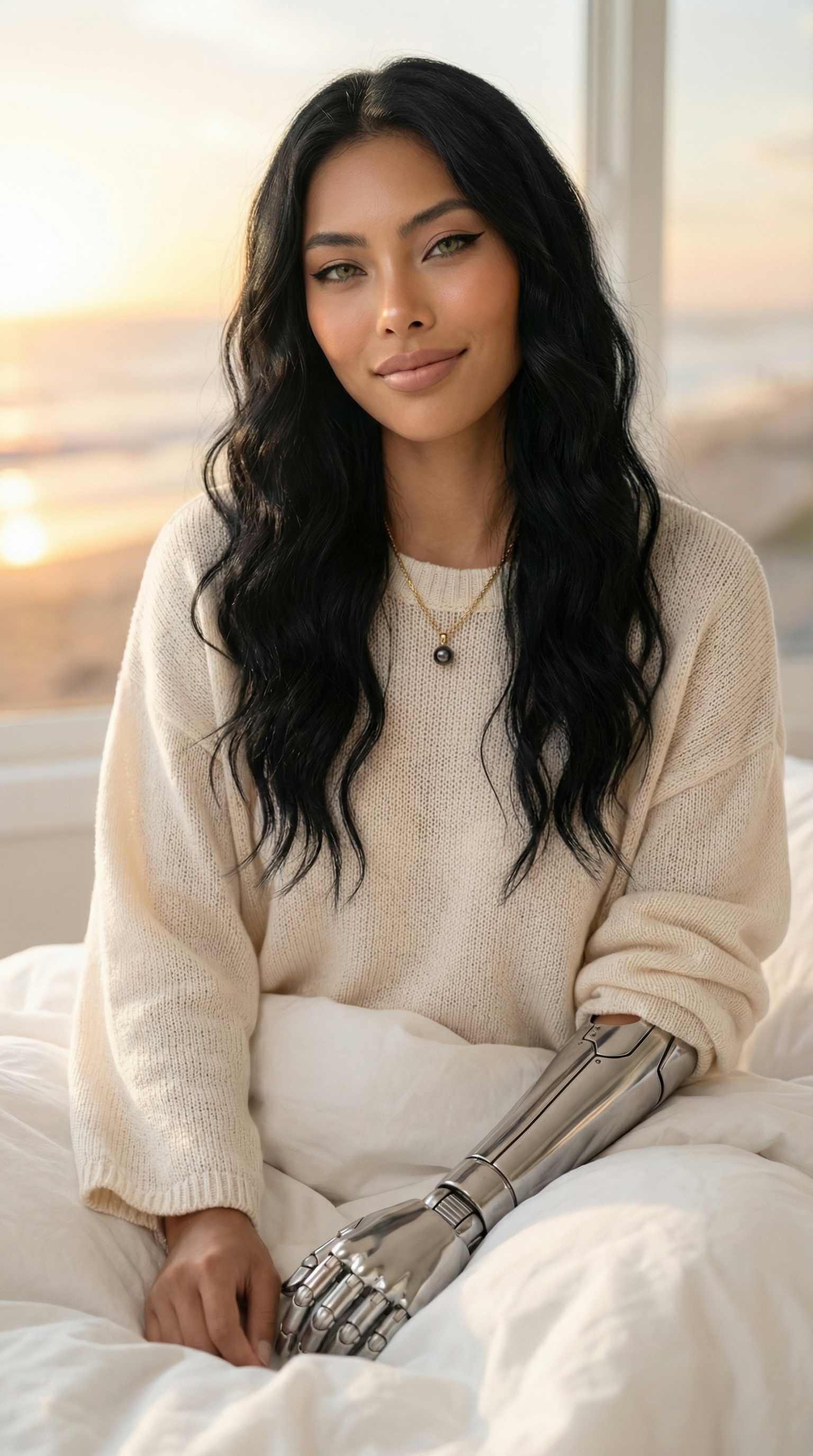

Each image links to the character's profile. The Studio — Technical Guide has the full showcase plus deeper documentation on every component.