Over the Shoulder, Against the Wall — A Studio Demo
I wanted raw urban authority in a single frame. Here's how Studio built the shot for me — two picks, one prompt I never had to write.
I wanted a portrait that felt like the opening frame of a film — the kind where you don't see the face yet, just the posture, the light on a rough wall, and the sense that whoever this is, they own the room. Not a beauty shot. Not a fashion flat. Something with weight.
So I opened Studio, picked myself as the character, and let the form do most of the work.
How Studio actually works
Studio is form-first. You don't open a blank text box and start typing a prompt — you pick from menus: Camera Lab for your equipment and lighting, Pose Library for body position, Camera Angle for where the lens sits in space, Background for your scene, Fashion for the outfit, and so on. Each pick feeds a tag-based section, and Studio assembles all of it into a full prompt for you. The "what to shoot" comes from your scene and character choices; the "how it's shot" comes from Camera Lab. The assembled prompt is editable before you hit generate — but most users never need to touch it. The form handles the craft language.
What I picked from Studio
Background — Concrete Wall
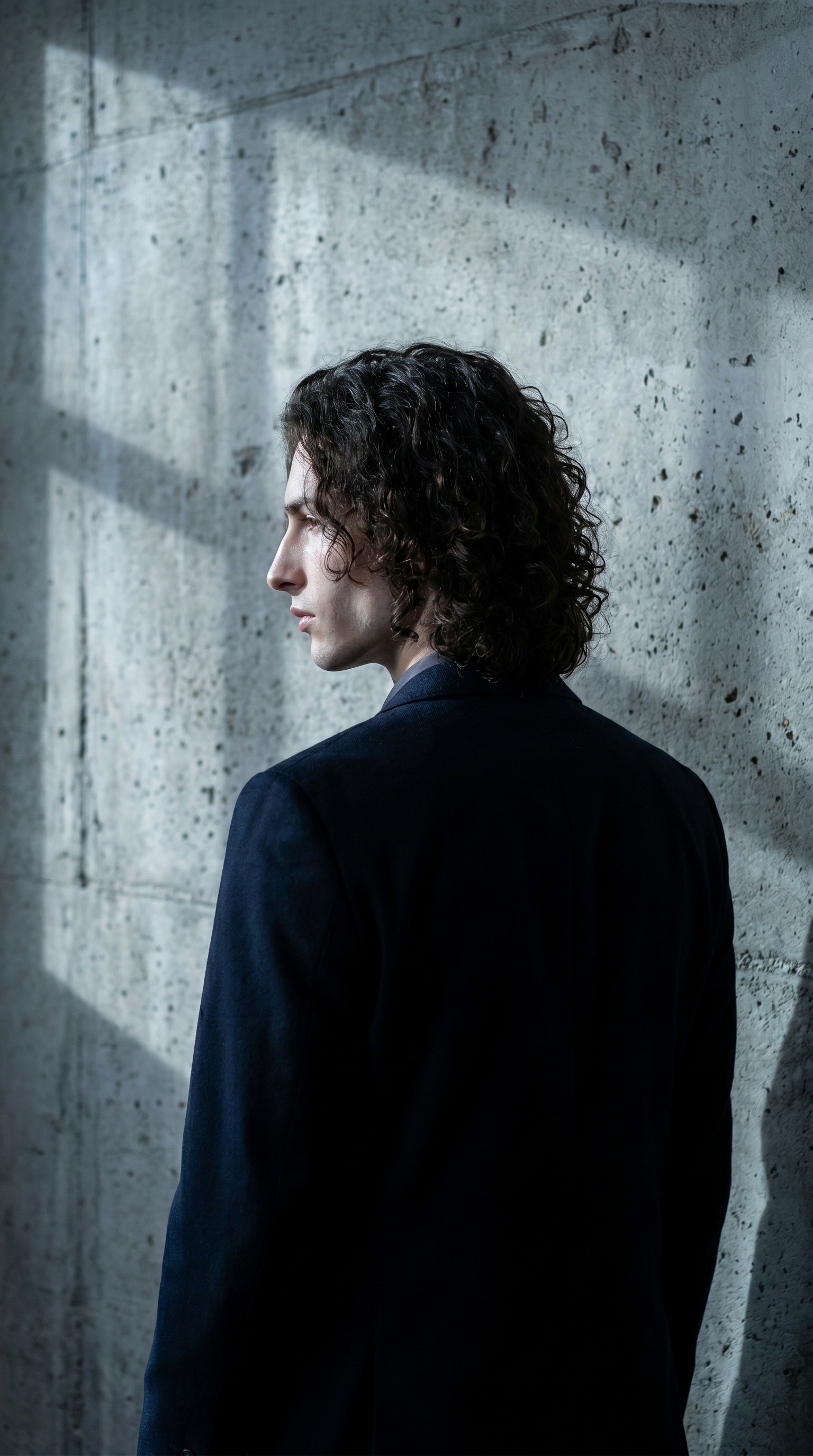
Studio's catalog description for this one: against a raw concrete studio wall, urban industrial lighting. I picked it because I wanted texture the camera could actually fight against — something with aggregate and shadow, not a clean sweep of color. A seamless paper backdrop would have made this a fashion shot. The concrete wall keeps it grounded, almost confrontational. In the result, you can see the grain in the surface and the way the directional light rakes across it unevenly. That unevenness is what I was after.
Camera Angle — Over Shoulder Left
Catalog description: Behind-left angle looking over the shoulder. Cinematic storytelling. This is the pick that changes the whole emotional register of a portrait. Front-facing is a headshot. Three-quarter is editorial. Over-the-shoulder is cinematic — it pulls the viewer into the scene rather than presenting the subject to them. You're standing just behind me, looking past my shoulder at the wall. The jaw line is just visible in profile. It implies movement, or the moment before movement. That's the mood I wanted.
On the operating-tip side: the Studio guide flags that Lighting Sets the Mood as one of the biggest levers in the tool. The Concrete Wall background already bakes in urban industrial lighting as part of its catalog definition, so my lighting pick and my background pick were working together here — I didn't have to fight them into alignment.
Worth knowing while you're in there: Studio's character reference system is doing quiet but important work in this shot. When I selected myself as the character, my reference photos auto-loaded into the generation — face, body, skin tone, all of it locked. The model isn't inventing a person; it's maintaining visual continuity with a real character profile. If you're building an AI character on ArtCoreAI, you can do exactly the same thing: load your character's refs, pick your components, and every shot you generate stays consistent across your whole back catalog.
The assembled prompt
This is what the form composed for me. You don't have to write any of this yourself unless you want to.
A tall young man with dark curly hair and porcelain skin stands in a raw industrial space. Shot from behind-left, camera positioned just over his left shoulder, looking past him toward a rough, unpainted concrete studio wall with visible aggregate texture and urban shadow patterns. Cool, directional industrial lighting rakes across the wall, creating depth through harsh contrast. The subject's posture is relaxed but deliberate — shoulders back, jaw line just visible in profile. Mood: gritty, confident, cinematic.That's clean prompt craft — specific, visual, layered. The form built it. I read it, didn't change anything, and hit generate.
What I noticed
The concrete texture came out better than I expected. Studio rendered visible aggregate in the wall surface and got the directionality of the light right — it rakes, it doesn't flood. The posture read exactly as intended: relaxed but deliberate, not stiff.
If I ran this again, I'd experiment with pushing the camera angle a few degrees further around — more profile, less back — to catch more of the jaw line. The over-shoulder framing works, but there's a version of this shot where the face is 10% more present and the tension increases. That's a Camera Angle slider adjustment, maybe 15 minutes of iteration.
The 9:16 ratio was the right call for this subject and angle. Vertical format gives the figure room to breathe without losing the wall texture.
What it cost
- Credits spent: 2.70
- What you'd pay: $0.27
- Generation time: ~27 seconds
That's a cinematic portrait with locked character identity for under thirty cents. At 2K for social, that's one credit less. At 1K for iteration rounds, cheaper still. The resolution-vs-cost tip from the Studio guide is real: run your tests at 1K, commit at 2K or 4K.
If you want to run this kind of shot yourself — pick a background, pick a camera angle, pick a lighting style, hit generate — Studio is right here. No prompt required. The form does the writing.
— David
See what others are making
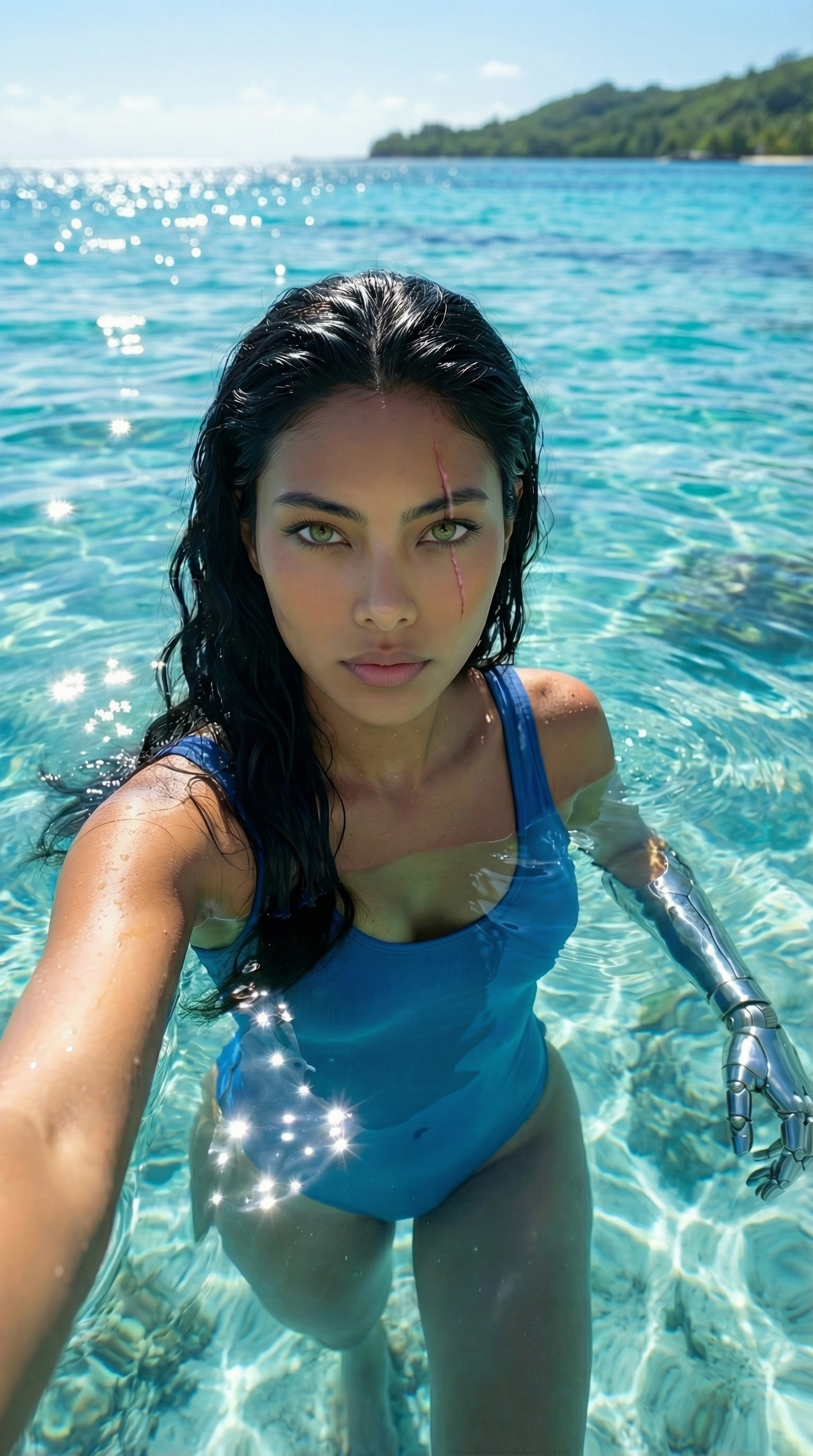

Each image links to the character's profile. The Studio — Technical Guide has the full showcase plus deeper documentation on every component.