Cool Blue Frost: An Editorial Portrait in Studio
I wanted glacial. Futuristic. Neon city night bleeding into icy editorial makeup. Here's how Studio built the whole shot from form picks — no prompt required.
I wanted to make something cold.
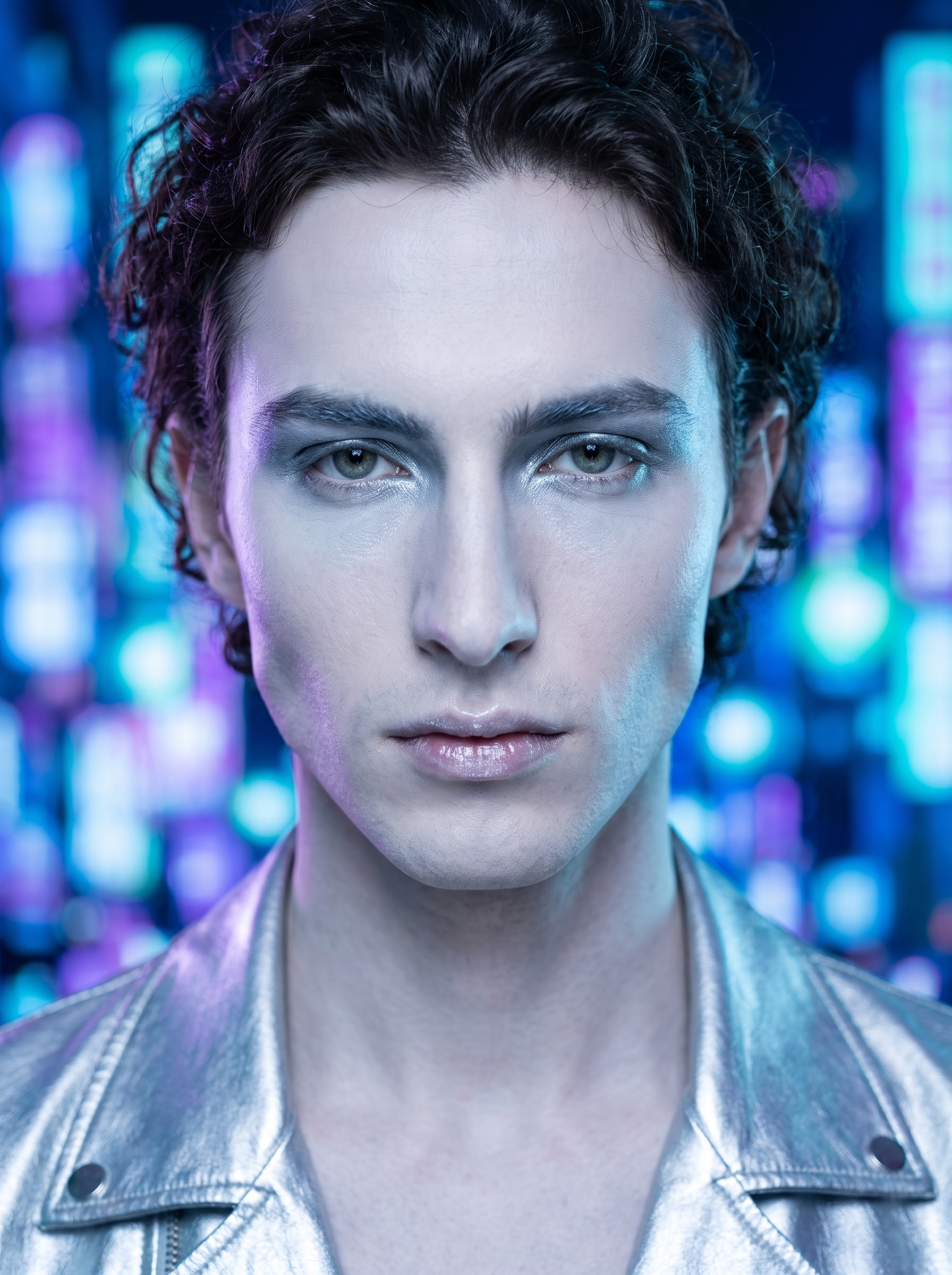
Not moody-cold or melancholy-cold — glacial cold. The kind of image that reads like a fashion editorial from 2026, where the makeup is doing half the storytelling and the background is doing the other half. Icy silver-blue lids, a frost-gloss lip, neon city lights dissolved into bokeh behind me. That was the brief I had in my head before I opened Studio.
The thing I wanted to test: can Studio's catalog picks — a makeup look and a background style — carry that entire mood without me having to engineer anything in the prompt myself?
Spoiler: yes.
How Studio actually works
Before I walk through my picks: if you've never opened Studio, here's the thing that surprises most people. You don't start by writing a prompt. You start by picking from menus.
Camera Lab, Pose Library, Camera Angle, Background, Makeup Artist, Fashion Designer, Location — each one is a structured form. You choose a camera body, a lighting style, a pose, a background. Studio takes everything you picked and assembles the prompt for you. The "what to shoot" comes from what you describe in the prompt field; the "how it's shot" comes from Camera Lab. You can edit the assembled prompt before you hit generate, but most users never need to touch it. The form does the work.
What I picked from Studio
Cool Blue Frost (Makeup Artist)
This is a catalog makeup look in Studio's Makeup Artist section. The catalog description calls it "icy futuristic — cool-toned editorial, 2026 trend" — which is exactly the language I'd use for the mood I was after. In practice, what it loads is a layered makeup profile: cool-toned foundation, silver-blue metallic eyeshadow across the lids, cool-toned brow definition, frost-gloss on the lips. It's not subtle. It's editorial. I picked it because I didn't want to manually dial in twelve makeup zones to get there — the preset exists precisely for this kind of shot.
This connects directly to one of Studio's best-results principles: Lighting Sets the Mood. The same logic applies to makeup. The look you pick from the Makeup Artist catalog isn't a texture overlay — it's a full editorial brief that shapes the character of the image. Cool Blue Frost told the model this face belongs in a fashion shoot, not a casual portrait.
Neon City Night (Background)
The catalog description: "with blurred neon city night lights bokeh background, vibrant glow." That phrase "blurred neon city night lights bokeh" is doing real photographic work — it tells the model the background should be out of focus, light-source rich, and color-forward. Electric blues, cold purples, cyan halos. Against porcelain cool-toned skin and silver-blue eye makeup, the color palette locks together. I picked this background because it extends the cool color story behind me instead of cutting against it.
The pairing of Cool Blue Frost makeup and Neon City Night background is the whole image strategy in two picks.
The assembled prompt
This is what the form composed for me — you don't have to write any of this yourself unless you want to.
A tall young man with long dark curly hair and porcelain cool-toned skin, wearing a sleek silver metallic jacket, standing with a composed, icy gaze directly into the lens. His face carries an editorial makeup look: icy pale foundation, silver-blue metallic eyeshadow fanning across the lids, sharp cool-toned brows, and a faint frost-gloss on full lips. Behind him, the background dissolves into a bokeh wash of blurred neon city lights — electric blues, cold purples, and cyan halos bleeding softly out of focus. The mood is futuristic and glacial. Tight portrait framing, cool high-contrast lighting.You can read that and understand exactly what came from where. The makeup detail came from Cool Blue Frost. The background came from Neon City Night. I added the jacket and the gaze in the prompt field — those were my only manual additions.
One more thing worth knowing
I picked myself as the character before I touched any of those form sections. Studio auto-loaded my reference photos and locked my identity — face, skin tone, hair — into the generation. That's the character reference system working. If you've built an AI character on ArtCoreAI, your reference photos work exactly the same way. Pick your character, and Studio keeps their face consistent across every shot you generate.
What I noticed
Three things stood out when the image came back.
First: the bokeh color temperature matched the makeup. I didn't specify that relationship anywhere in my picks — the cool purples and blues in the background locked into the cool-toned silver makeup naturally. The two catalog picks talked to each other.
Second: the frost-gloss lip read clearly even in tight portrait framing. Subtle finishes can disappear at this scale. Frost-gloss didn't.
Third: I'd push the camera angle lower next time. I used standard portrait framing here, but a slight worm's-eye elevation would add another layer of the "glacial authority" mood I was going for. That's a one-click change in Studio's Camera Angle section — 12 presets or full manual azimuth/elevation sliders. I'll run that variation tomorrow.
What it cost
- Credits spent: 2.70
- What you'd pay: $0.27
- Generation time: ~25 seconds
I ran this at 2K resolution — right for a blog post and social media. If I were taking this to print, I'd step up to 4K. That changes the credit cost, but the form picks and workflow are identical.
If you want to run this yourself: open Studio, pick your character, find Cool Blue Frost in the Makeup Artist section, find Neon City Night in Background, and hit generate. You don't need to write a word of prompt to get somewhere close. Pick a lighting setup, pick a look, pick a background — and see what comes back.
— David
See what others are making


Each image links to the character's profile. The Studio — Technical Guide has the full showcase plus deeper documentation on every component.