POV on a Rainy Paris Street — Shot in Studio for $0.27
I wanted first-person immersion on rain-slicked Parisian cobblestones at dusk. Here's what Studio built — form picks, assembled prompt, real cost.
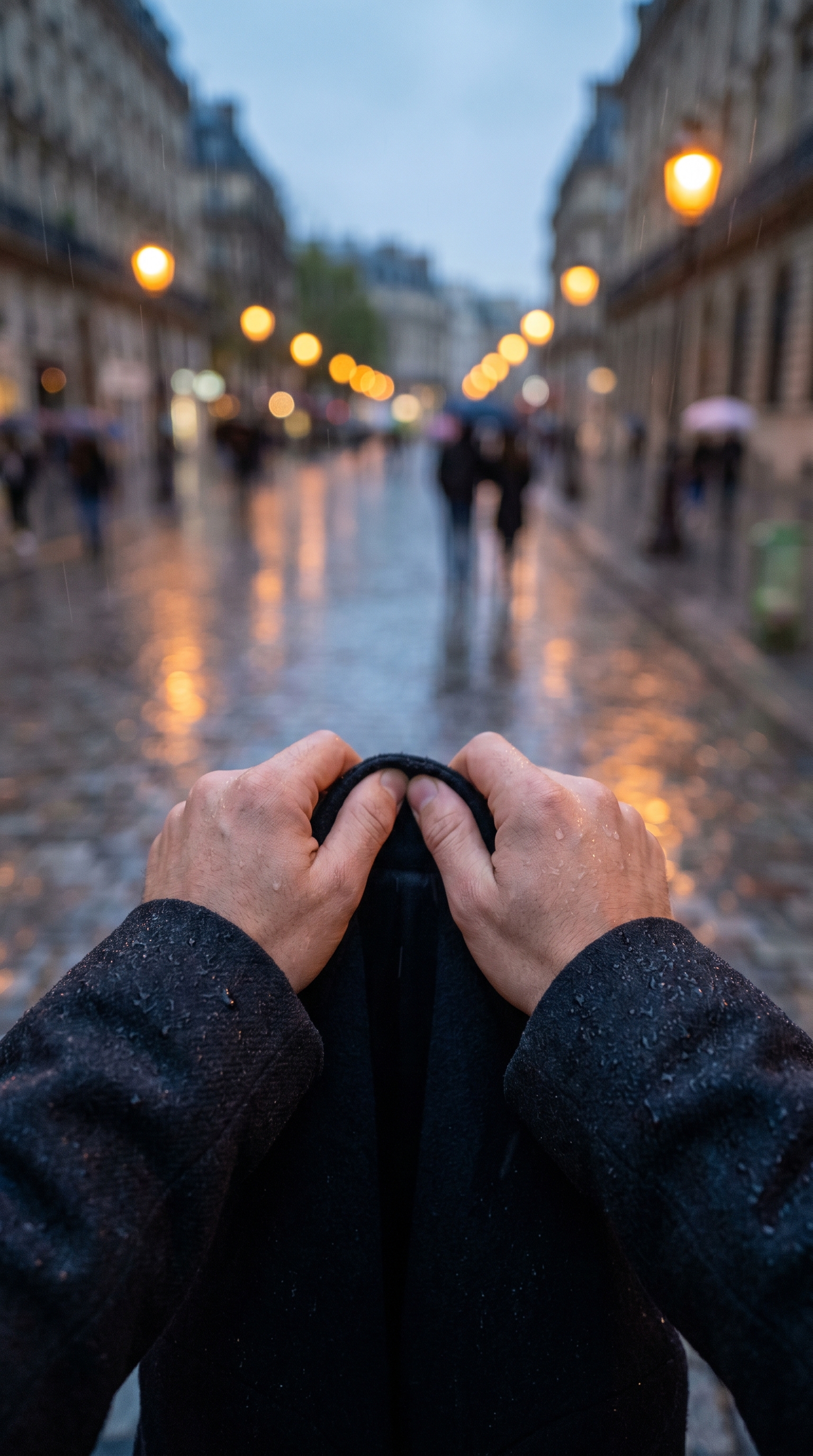
I had one image in my head: you're standing on a wet Parisian street at dusk, hands gripping your coat collar, amber streetlamps dissolving into bokeh halos behind you. Not a photo of someone — a photo that puts you inside the moment. First-person. Cinematic. Rainy.
I wanted to test how far Studio could push that feeling without me writing a single line from scratch. So I opened the form and started picking.
How Studio actually works
Studio is form-first — that's the thing most people miss the first time they open it. You don't start by writing a prompt. You start by picking: a camera body and lens from the Camera Lab, a pose or framing style from the Pose Library, a camera angle, a background, a lighting style. Each pick slots into its own section of the form, and Studio assembles the full prompt for you from those choices. The "what to shoot" comes from your scene picks; the "how it's shot" comes from Camera Lab. When you're done picking, you can read the assembled prompt, tweak it if you want — but most users never need to touch it. You just hit generate.
What I picked from Studio
POV — "First-person immersion"
This is a framing pick from the Pose Library section. POV isn't about a body pose — it's about camera relationship to the scene. When you select it, you're telling Studio that the frame is the viewer's eyes: hands in shot, ground stretching ahead, world filling the lens from the inside. I picked it because the whole idea of this shot was immersion. An over-shoulder or front-facing angle would have killed it. POV or nothing.
f/1.4 aperture
From the Camera Lab. Wide open — as open as most lenses go. What f/1.4 does is collapse depth of field to almost nothing: the foreground is sharp, everything else dissolves. On a rainy street at dusk, that means the cobblestones and jacket fabric stay crisp while the streetlamps behind them turn into molten gold smears. That's the bokeh effect you see in the result — it's not a filter, it's a camera setting, and Studio simulates it properly. This ties directly to what the best-results notes say about Camera Equipment Matters: the AI reads your aperture and focal length choices and renders authentic depth of field from them. The hardware pick is the visual effect.
The assembled prompt
This is what the form composed for me — you don't have to write any of this yourself unless you want to:
First-person POV shot looking down a rain-slicked Parisian street at dusk — the viewer's own hands grip the collar of a dark wool coat, wet cobblestones stretching ahead lined with amber streetlamps blurring into dreamy bokeh halos. Ultra-wide depth of field dissolves into molten gold at f/1.4, foreground sharp with rain droplets on jacket fabric, background figures dissolving into soft luminous smears. Cinematic, moody, immersive.Notice how specific it is — rain droplets on fabric, amber streetlamps, molten gold dissolve. That specificity came from the form picks, not from me drafting copy. I did add a few words at the end ("cinematic, moody, immersive") because I wanted to push the tone — but that's the optional part. The form built the substance.
What I noticed about the result
What worked: The bokeh is doing exactly what I wanted — the background figures are genuine luminous smears, not a blurred copy of a sharp image. The wet cobblestone texture in the foreground is sharp enough to feel tactile. The 9:16 aspect ratio was the right call here; it emphasizes the street stretching ahead and keeps the framing claustrophobic in a good way.
What surprised me: The hands gripping the coat collar landed more naturally than I expected. POV shots with hands in frame can feel staged — these don't. The lighting direction on the coat fabric reads like actual dusk light filtering through rain, which I didn't explicitly specify beyond "dusk."
What I'd change: The street feels slightly more generically European than specifically Parisian. Worth knowing — Studio has a Location component that lets you pull a real place from Google Maps with Street View reference photos. If I ran this again, I'd lock in an actual arrondissement for tighter geographic fidelity.
What it cost
- Credits spent: 2.68
- What you'd pay: $0.27
- Generation time: ~23 seconds
That's a 4K, cinematic, first-person street scene at dusk for twenty-seven cents. I'll keep saying this until it stops surprising people.
If you want to run a shot like this yourself, go to Studio, open Camera Lab, pick a body and aperture, scroll to framing and select POV, choose your background and lighting — and hit generate. You don't have to write anything. The form does it.
— David
See what others are making


Each image links to the character's profile. The Studio — Technical Guide has the full showcase plus deeper documentation on every component.