Jaw Forward Lean: A Medium-Format Editorial Portrait in Studio
I wanted a quiet-power editorial portrait — no flash, no drama, just authority. Here's what one pose pick and a carefully written scene description built in 22 seconds.
I wanted to see if Studio could land a specific mood: that editorial portrait energy where the subject isn't trying to impress you — they just do. Jaw slightly forward. Direct gaze. The kind of shot that ends up on the inside cover of a fashion magazine, not the billboard outside.
No complex setup. One pose pick, one clear scene description, and the form did the rest.
How Studio actually works
Studio is form-first — you don't open a blank text box and start writing. You pick from menus: Camera Lab (camera body, lens, aperture, lighting style), Pose Library, Camera Angle, Background, Makeup Artist, Fashion Designer, Location. Every pick gets assembled into a structured prompt that you can read before you generate. You can edit that prompt, but most users never need to. The form handles the photographic logic; your prompt handles what the scene looks like. Those are two different jobs, and Studio keeps them separate.
What I picked from Studio
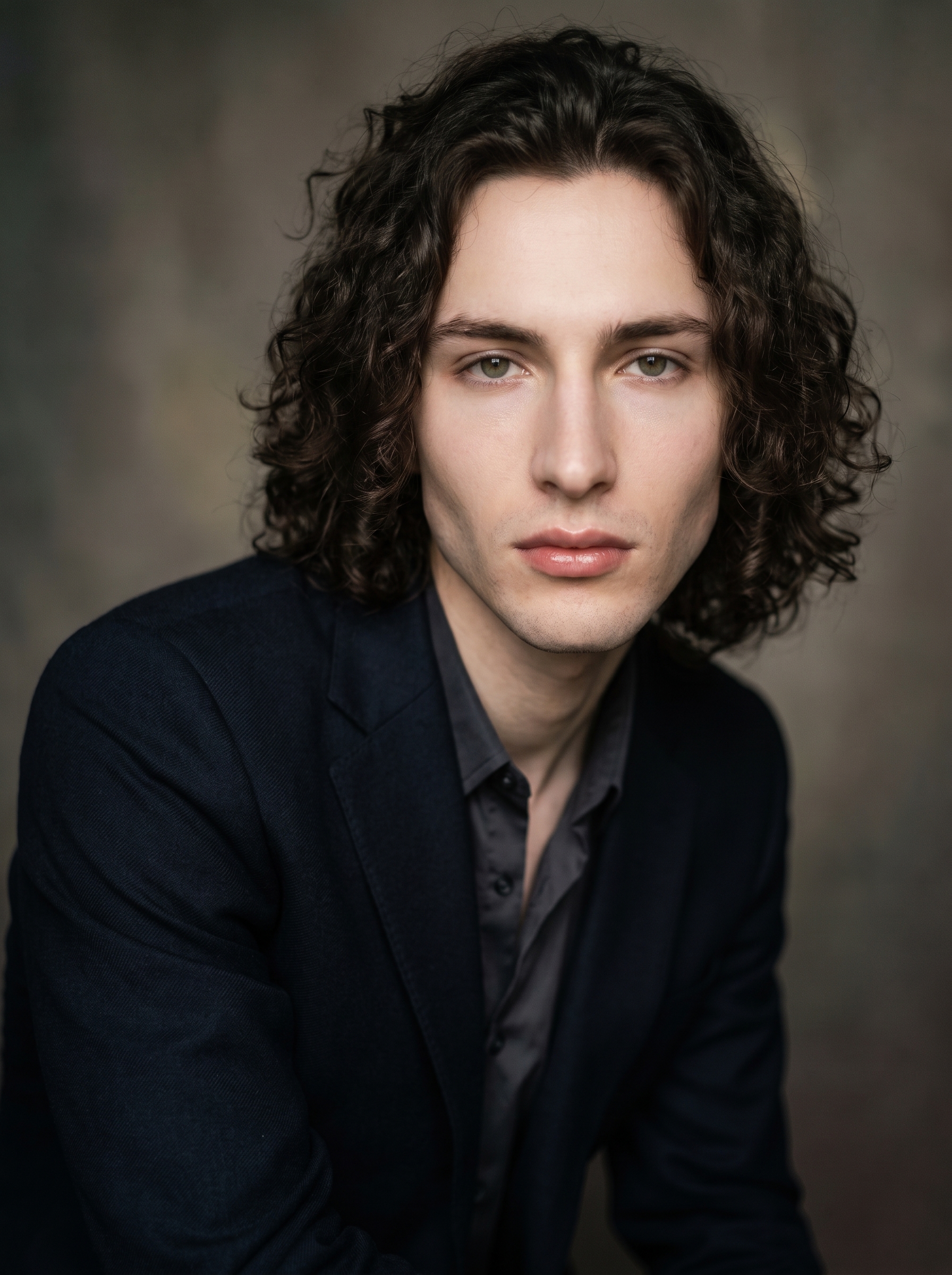
Jaw Forward Lean is a portrait-focus pose from the Pose Library. The catalog describes it as: model seated leaning slightly forward, jaw subtly extended, direct gaze — strong, defined portrait with quiet power. That's exactly why I picked it. "Jaw forward" isn't a small instruction — it's the difference between a face that recedes into a frame and one that owns it. The lean adds intention without aggression. You're not shouting at the camera. You're meeting it.
The pose locked the physical attitude of the shot. Everything else — the lighting language, the tonal atmosphere, the depth of field — I described in the scene text I added before generating.
One thing worth flagging here: I picked myself as the character in Studio, which auto-loaded my reference photos and locked my face, hair, and skin tone into the generation. Studio supports up to 14 reference images per run — three of mine auto-loaded the moment I selected my character profile. If you're building your own AI character, this is how you maintain visual continuity across every shoot. Same face, every time.
On the Camera Lab side: I didn't pick individual gear this run — I leaned on the scene description to carry the medium-format rendering language. But worth knowing: the operating tip "Camera Equipment Matters" applies directly here. If you select a real camera body and lens in Camera Lab, the AI simulates authentic depth of field, bokeh, and compression from that specific equipment. Next time I run this shot, I'd pair the Jaw Forward Lean with a Hasselblad body and an 80mm f/2.8 — that's where the medium-format rendering goes from described to technically accurate.
What Studio assembled
This is what the form composed for me — you don't have to write any of this yourself unless you want to.
A young man with dark curly hair, porcelain skin, and an angular jaw seated and leaning slightly forward toward the camera, chin subtly extended, shoulders squared, direct unflinching gaze — quiet authority radiating from every line of his face. Shot with medium-format rendering: extraordinary micro-contrast on skin texture, silky shallow depth of field dissolving the background into rich tonal gradients. Soft directional key light sculpts the jaw and cheekbones. Muted editorial background, film-like atmosphere, luxury fashion mood.What I noticed
What worked: The jaw geometry landed exactly right. The forward lean reads in the final image — there's a weight to the posture, a presence. The skin texture has real micro-contrast that you don't usually get unless you're describing it specifically. I'm pleased with that.
What surprised me: The background dissolved into something warmer and more tonal than I expected from "muted editorial" — almost amber-grey. It works. I wouldn't have specified that color, but I'd replicate it.
What I'd change: I'd go back in and select a Camera Lab preset pack next time — probably Portrait Master — and let Studio handle the lens compression technically rather than descriptively. The result would be sharper in the depth-of-field falloff. Also: I'd pull the crop slightly wider. At 3:4 this tight, the shoulders barely make the frame. Give me another ten percent of the body and the lean reads even more deliberately.
What it cost
- Credits spent: 2.70
- What you'd pay: $0.27
- Generation time: ~22s
For reference: 1 credit = $0.10 on ArtCoreAI. The 3:4 aspect ratio at standard resolution is one of the more efficient runs you can do in Studio — fast iteration, low cost per shot.
Worth knowing while you're in there: Studio also has a Location component that pulls real-world places from Google Maps with Street View reference imagery. If I'd wanted to put this portrait outside a specific building in Paris — a real street, a real light angle — I could have picked the address and let Studio use actual scene photography as reference. That's a different post. But keep it in mind.
If you want to run this yourself: open Studio, pick your character, find Jaw Forward Lean in the Pose Library, and hit generate. The form builds the shot — you don't have to write a word.
— David
See what others are making


Each image links to the character's profile. The Studio — Technical Guide has the full showcase plus deeper documentation on every component.