Jump Shot: A Rooftop Editorial Built in Studio
I wanted mid-air joy over Paris. Here's how Studio built the shot from form picks — no prompt-writing required.
I wanted to be airborne over Paris
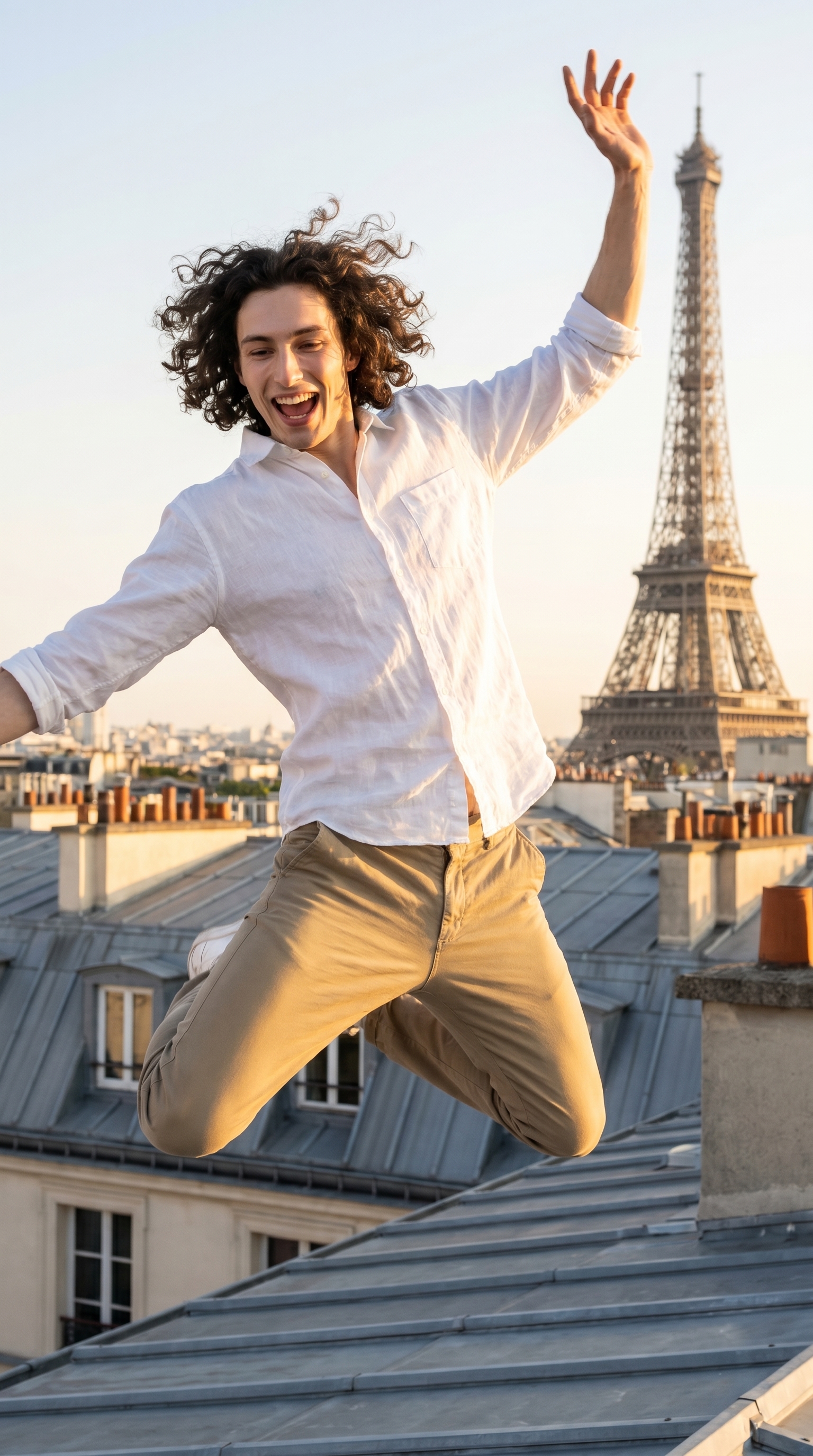
Not in a metaphorical way. I wanted an actual jump shot — body fully off the ground, arms thrown up, the kind of frame that makes you feel something before you've read a single word. And I wanted the city behind me, warm afternoon light, the whole thing.
So I loaded Studio, picked myself as the character, and let the form do its job.
How Studio actually works
If you've never opened Studio before, here's the thing to understand: you don't start with a blank text box. You start with a form. Camera Lab, Pose Library, Camera Angle, Background, Makeup, Fashion, Location — each section is a set of menus and pickers. You make your selections, and Studio assembles a prompt from all of them. The "what to shoot" comes from your picks; the "how it's shot" comes from Camera Lab. Most users never touch the assembled prompt at all. It's there if you want to edit it — but you don't have to.
What I picked from Studio
Jump Shot — The Pose Library names this one exactly as it sounds. Catalog description: Model captured mid-air with legs bent or extended, arms up, expressing pure joy and energy. I set the mood tags to joyful, energetic, playful, and the body focus to Full Body. That last part matters. A lot of poses are built around the face or upper body, and they're great for that — but if I want the whole frame to be kinetic, I need the model thinking about feet and hands and air, not just a face. Jump Shot delivers that.
f/8 — In real photography, f/8 is the workhorse aperture. Narrow enough that you get genuine depth across the scene — subject sharp, background sharp, the whole environment readable. I chose it specifically because I didn't want soft bokeh washing out the Paris skyline. The city is part of the story. f/8 keeps it in the frame. This connects directly to one of Studio's core operating principles: Camera Equipment Matters. The AI simulates real depth of field based on your aperture choice. f/8 isn't a style tag — it's a technical instruction the model actually follows.
One thing worth knowing: I picked myself as the character before touching any of these controls, and Studio auto-loaded my reference photos — my face, my build, my skin tone — and locked them into the generation. That's the character reference system at work. If you have your own AI character on ArtCoreAI, you get the same thing: select them from the character picker, and their identity travels into the shot automatically. No uploading, no tagging. It just loads.
What the form composed
This is what Studio assembled from my picks — you don't have to write any of this yourself unless you want to.
A young athletic man with dark curly hair, tall and muscular build, porcelain skin, captured mid-air in a Jump Shot — legs bent, arms thrown upward, pure exhilaration on his face. Shot on a sun-drenched Parisian rooftop, warm golden afternoon light, city skyline stretching behind him. Aperture f/8 keeps the entire frame razor-sharp — his expression, his outstretched hands, the rooftops in the distance all in crisp focus. Loose white linen shirt, relaxed khaki trousers. Lifestyle editorial energy, warm and alive.What I noticed
The sharpness across the frame is real. f/8 did exactly what I asked. My hands are in focus, the rooftop ledge is in focus, there's actual city behind me that you can read. That's not always a given with AI image tools — soft backgrounds are the default because they're easier to generate cleanly. This held.
The Jump Shot pose delivered the full body. Arms up, legs bent mid-air, the posture reads as genuinely airborne rather than just standing with lifted heels. The "pure joy" mood tag is visible on the face. That specificity in the pose library is doing real work.
What I'd change: The light is beautiful but almost too golden — I'd dial the warmth back slightly on a second pass, or try pairing it with a Butterfly lighting setup from Camera Lab to see if a more neutral beauty light gives the shot a crisper editorial feel rather than a lifestyle-warm one. Worth a 9:16 re-run at some point.
What it cost
- Credits spent: 2.70
- What you'd pay: $0.27
- Generation time: ~27s
Twenty-seven cents for a full-body jump shot at 9:16 with a Parisian skyline behind me. I find that hard to argue with.
Try it yourself
Open Studio, select your character, pick a pose from the Pose Library, choose your aperture in Camera Lab, and hit generate. The form composes everything — you're making creative choices, not writing copy.
— David
See what others are making


Each image links to the character's profile. The Studio — Technical Guide has the full showcase plus deeper documentation on every component.