Wake-Up Frame: A Morning Light Floor Shot in Studio
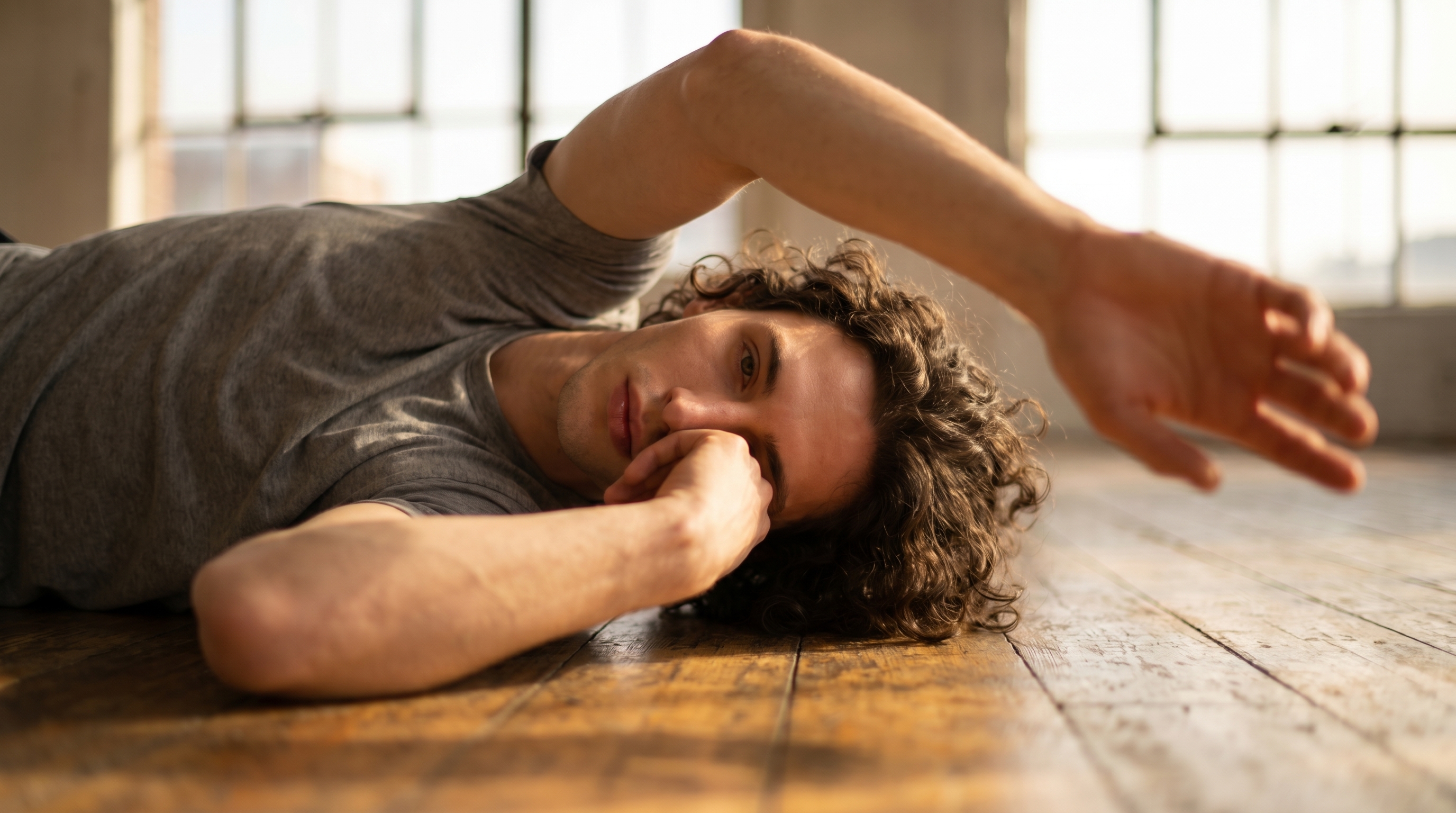
I wanted a cinematic morning wake-up shot — me on a gym floor, shallow focus, golden light. Here's what Studio built from a handful of form picks.
I wanted a specific feeling: the first second of waking up, caught mid-arch, before the day has any intention to it. Not a gym photo. Not a portrait. Something in between — editorial, quiet, a little dreamy. The kind of frame you'd see opening a short film about an athlete's morning routine.
So I took it into Studio and built it from the form.
How Studio actually works
Studio is form-first — you don't start with a blank prompt, you start with menus. Camera Lab, Pose Library, Camera Angle, Background, Makeup, Fashion, Location — you pick from each section, and Studio assembles the prompt for you. The Camera Lab defines how the shot is photographed. The rest of the form defines what's in it. Once you've made your picks, there's an assembled prompt you can preview and edit before generating — but most users never need to touch it. The form does the work.
What I picked from Studio
Wake-Up Frame is a pose from the Pose Library, Close Up body focus, tagged with moods: narrative, morning, natural. The catalog describes it as: model lying on back, one hand near face as if rubbing eye, other arm stretched overhead, body beginning to arch — the universal first frame of a morning wake-up video. That last phrase is what sold me. It's not a static resting pose and it's not an action pose. It's a transition — and transitions are harder to direct than either. Studio named it, cataloged it, and I just picked it.
ƒ/1.4 is the aperture I set in Camera Lab. That number tells you everything: at f/1.4, the lens is nearly wide open, which produces extreme shallow depth of field — the narrowest plane of focus, the creamiest blur outside it. Studio uses real camera parameters to simulate authentic optical behavior, so picking f/1.4 isn't cosmetic. It directly shaped the result: face sharp, outstretched hand dissolving into bokeh, that soft gradient between the two. This is exactly what the Camera Equipment Matters tip is about — select real camera bodies, lenses, focal lengths, and apertures, and the AI simulates how that equipment actually renders a scene.
Worth knowing while you're in there: Studio also loaded my identity automatically. I selected myself as the character, which pulled in my saved reference photos and locked my face, skin tone, and body type into the generation. Any character on the platform works the same way — pick them, and their references travel with the shot.
What the form composed
This is what Studio assembled from my picks. You don't have to write any of this yourself — the form builds it. I left it exactly as generated:
A tall athletic man with dark curly hair lies on a wooden gym floor, one hand drifting near his face as if rubbing a just-opened eye, other arm stretched long overhead, torso beginning a slow morning arch. Soft golden morning light streams through large industrial windows, wrapping his porcelain skin in warm glow. Shot with extreme shallow depth of field — the face is tack-sharp while the outstretched hand dissolves into creamy bokeh, dreamlike and soft. Cinematic lifestyle editorial mood.You can edit it before you generate. I didn't need to.
What I noticed
The bokeh gradient worked better than I expected. f/1.4 on a floor-level shot is a real test — there's not much distance between the face and the outstretched hand in actual space, so shallow focus either looks convincing or it looks like a filter. Here it read as optical, not digital. The hand dissolves at a rate that feels true to the focal plane.
The golden morning light landed exactly where I wanted it. The prompt specified industrial windows, and the model placed the light source accordingly — it wraps the torso rather than flattening it. That's the lighting doing real work, not just a tint.
If I ran this again, I'd experiment with a slightly higher camera angle — right now it reads as a near-floor perspective, which fits the wake-up mood, but a Camera Angle adjustment (Studio gives you 12 presets plus full manual azimuth and elevation control) might give me more of the gym floor's texture in frame.
What it cost
- Credits spent: 2.70
- What you'd pay: $0.27 (1 credit = $0.10 on ArtCoreAI)
- Generation time: ~27 seconds
For a 16:9 editorial-quality frame with character identity locked in — that's a useful price point to have in your head.
If you want to try this yourself: open Studio, pick a pose from the Pose Library, set your aperture in Camera Lab, choose a lighting style, and hit generate. You don't need to write a word.
— David
See what others are making
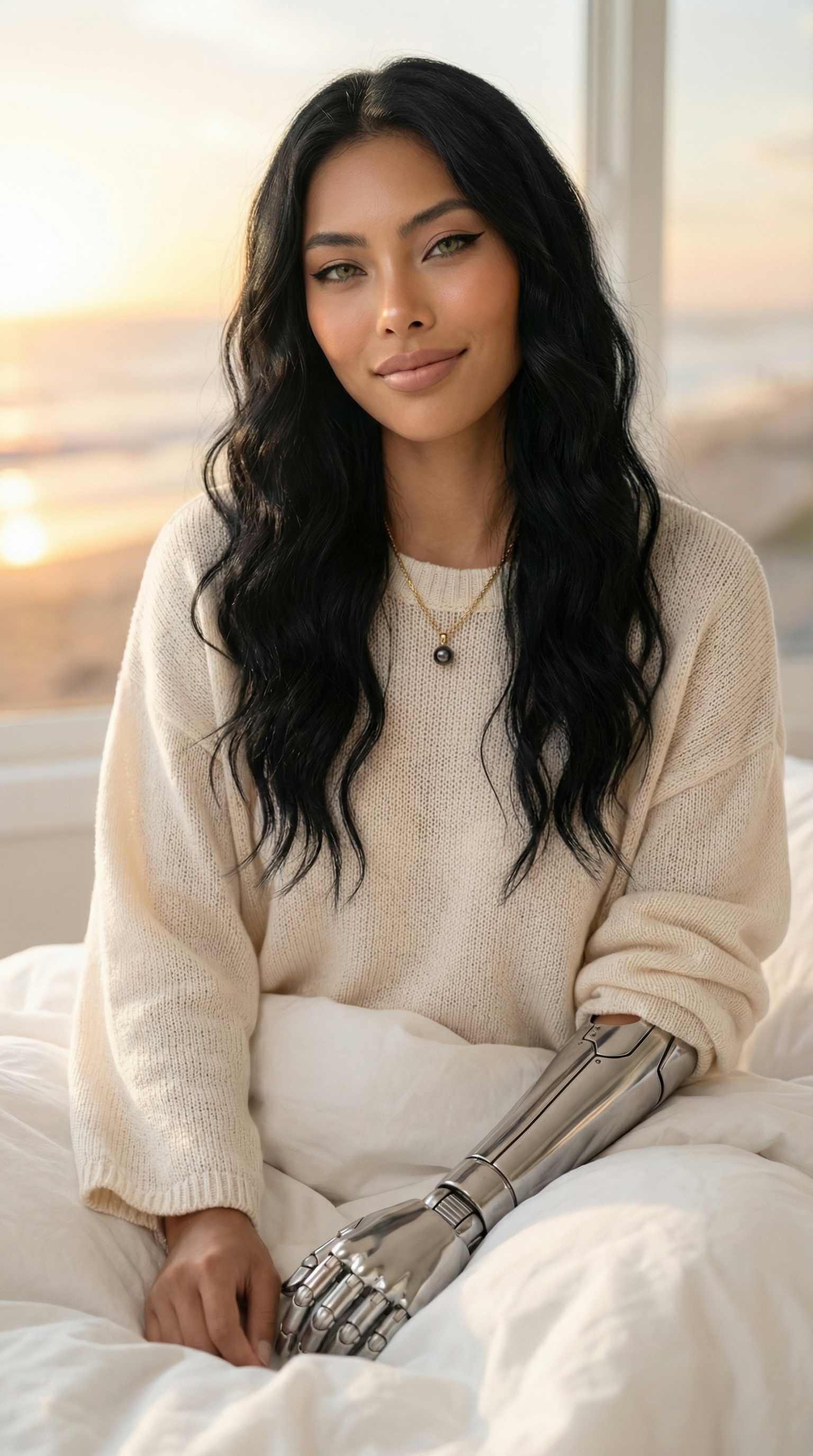

Each image links to the character's profile. The Studio — Technical Guide has the full showcase plus deeper documentation on every component.