Home أدوات الذكاء الاصطناعي أدلة الذكاء الاصطناعي نماذج IA مبدعو IA 🛒 شراء ابدأ الآن
🎬 KLING AI ⏱ 11 min read 🔊 Kling Video

Kling Video — Technical Guide

إنشاء مقاطع فيديو باستخدام الذكاء الاصطناعي من النصوص أو الصور — مع حوار منطوق مدمج، وstoryboards متعددة اللقطات، والتحكم في الكاميرا، وعناصر الشخصيات لضمان هوية متسقة عبر المشاهد

🔊

Kling Video

klingai video /app/kling-video →
إنشاء مقاطع فيديو باستخدام الذكاء الاصطناعي من النصوص أو الصور — مع حوار منطوق مدمج، وstoryboards متعددة اللقطات، والتحكم في الكاميرا، وعناصر الشخصيات لضمان هوية متسقة عبر المشاهد
Kling Video هو الأداة الأساسية لإنشاء الفيديو. وصف مشهد بالنص والذكاء الاصطناعي ينشئ فيديو من الصفر، أو تحميل صورة والذكاء الاصطناعي يحركها إلى حركة. يمكن للشخصيات التحدث مع حركات شفاه متزامنة، والخلفيات تتحرك بشكل طبيعي، وزوايا الكاميرا تتبع توجيهاتك — كل ذلك يتم إنشاؤه بواسطة الذكاء الاصطناعي في ثوانٍ.

ما يميز هذا عن أدوات الفيديو الأبسط هو الصوت الأصلي المدمج. اكتب الحوار في طلبك باستخدام مراجع الصوت، والشخصيات تتحدث فعليًا في الفيديو الناتج مع شفاهها متزامنة تمامًا. لا حاجة لخطوة مزامنة الشفاه المنفصلة — الفيديو يأتي مع الصوت والصورة معًا.

وضع اللقطات المتعددة يتيح لك بناء تسلسلات storyboard تصل إلى 6 مشاهد في جيل واحد. كل مشهد يحصل على طلبه ومدة خاصة به، مما يخلق سردًا مصغرًا — لقطة افتتاحية، رد فعل، تغيير مشهد، لقطة قريبة، كشف. يمكنك كتابة كل مشهد بنفسك أو ترك الذكاء الاصطناعي يقسم طلبك إلى لقطات مثالية تلقائيًا.

العناصر تتيح لك الإشارة إلى الشخصيات المدربة مسبقًا حتى يعرف الذكاء الاصطناعي بالضبط كيف تبدو. مراجع الصوت تتيح لك تعيين أصوات محددة للشخصيات في الحوار. تحكمات الكاميرا تعطيك حركات دفع، بان، ميل، دوران، ولقطات رافعة. وضع بدء وانتهاء الإطار يتيح لك تحديد الإطار الأول والأخير للفيديو، وينشئ الذكاء الاصطناعي الانتقال بينهما.

ستة إصدارات نموذجية تعطيك خيارات من المسودات السريعة إلى أعلى جودة سينمائية، مع تقديم الإصدار 3 أحدث القدرات وأعلى دقة.
✦ Best Results Tips
🎬 وصف الحركة، وليس فقط المظهر
يجب أن يصف طلبك ما يحدث في الفيديو — الحركة، الإيماءات، التعبيرات، حركة الكاميرا. امرأة تمشي نحو الكاميرا مبتسمة بينما تهب الرياح شعرها مما ينتج عنه فيديو ديناميكي. امرأة جميلة واقفة بلا حركة تنتج فيديو ثابت.
🔊 وضع المحترفين للصوت
الصوت الأصلي — حيث تتحدث الشخصيات فعليًا في الفيديو — يتطلب وضع المحترفين في الإصدار 2.6 أو أحدث. الوضع القياسي ينشئ فيديو صامت فقط. استخدم دائمًا وضع المحترفين عندما تريد حوارًا أو مؤثرات صوتية.
📸 استخدم صورة لشخصيات متسقة
وضع الصورة إلى الفيديو يمنحك السيطرة على كيفية ظهور الشخصية بالضبط. قم بتحميل صورة لشخصيتك ووصف الحركة — يقوم الذكاء الاصطناعي بتحريك تلك الشخصية المحددة بدلاً من تخيل واحدة من النص فقط.
🎞️ اللقطات المتعددة لرواية القصص
استخدم وضع اللقطات المتعددة لإنشاء تسلسلات من 2 إلى 6 مشاهد. يمكن أن تحتوي كل لقطة على زاوية مختلفة، حركة، وموقع — مما يحول طلبًا بسيطًا إلى سرد مصغر مع تغييرات في المشهد وتنوع بصري.
🎥 أضف حركة الكاميرا
تحكمات الكاميرا تحول الفيديو الذي يبدو مسطحًا إلى محتوى سينمائي. دفع ببطء يبني التوتر، بان يكشف عن مشهد، لقطة دوران تضيف قيمة إنتاجية. اختر حركة الكاميرا التي تتناسب مع مزاج مشهدك.
⏱️ 10 ثوانٍ كحد أدنى للمحتوى الاجتماعي
مقاطع قصيرة مدتها 5 ثوانٍ تبدو مفاجئة على وسائل التواصل الاجتماعي. اضبط المدة على 10 أو 15 ثانية لإعطاء المشهد مساحة للتطور — خاصة لمحتوى الحوار حيث تحتاج الشخصية إلى وقت للتحدث.

Kling Video — Available Models

Kling v3
Flagship Default
kling-v3
Top-tier cinematic video with native multilingual audio and lip-sync. Multi-shot storyboards up to 6 scenes with AI Director. Physics-aware motion, 3+ character consistency, flexible 3-15s duration. Best quality available for prompt-driven creative work.
3 aspect ratios
Kling v3 Omni
Recommended
kling-v3-omni
Industrial-grade character and voice consistency using Elements 3.0 references. Native audio with voice binding and cloning, perfect lip-sync across shots. Multi-shot via references. The model you choose when your character must look identical in every frame.
3 aspect ratios
Video O1
Multimodal
kling-video-o1
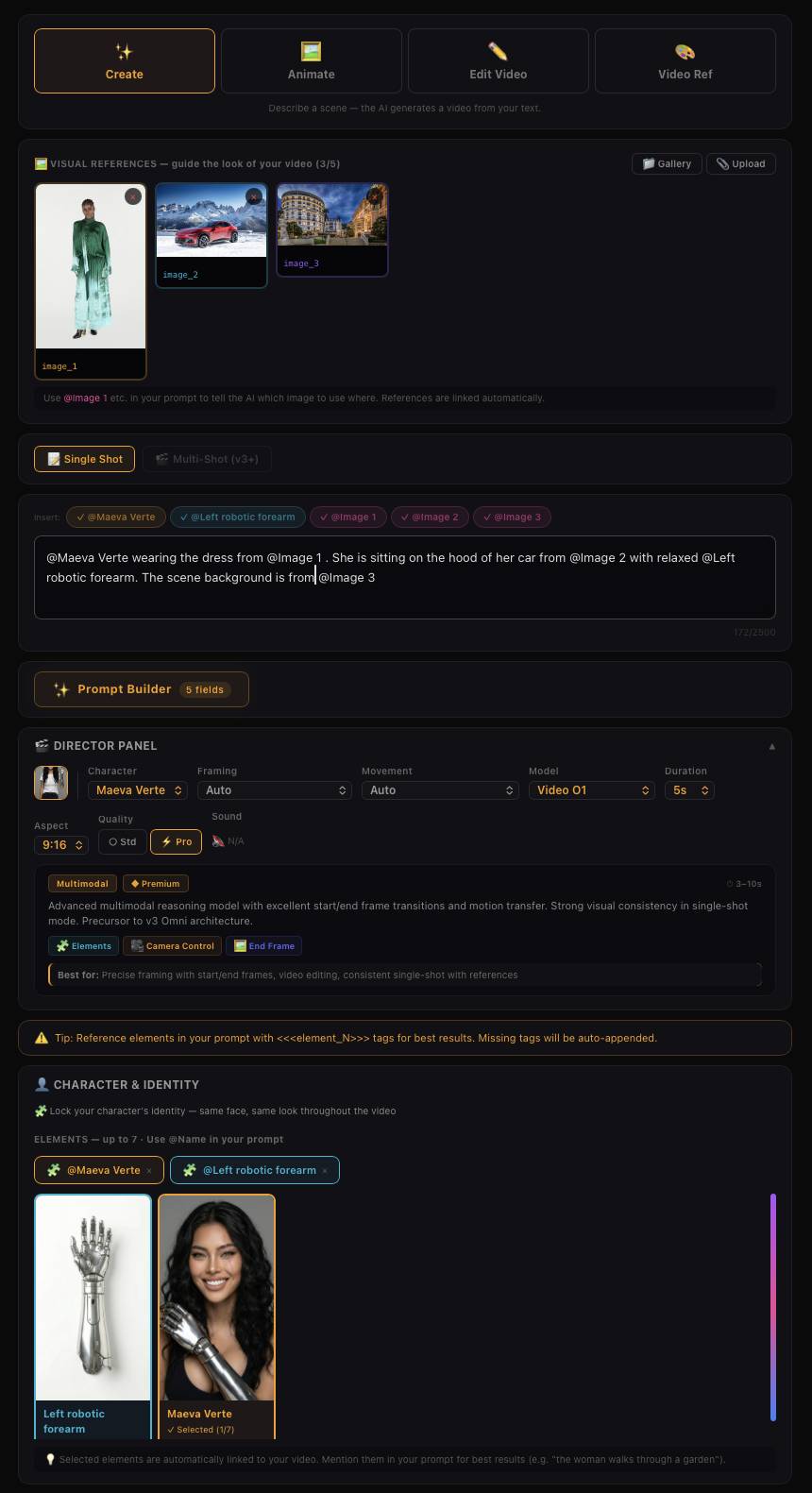
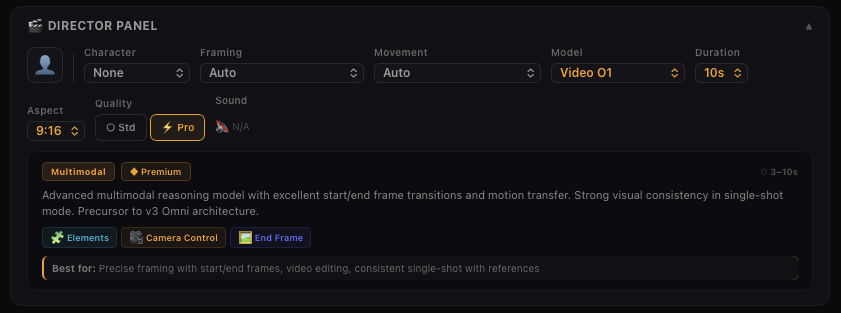
Advanced multimodal reasoning model with excellent start/end frame transitions and motion transfer. Strong visual consistency in single-shot mode. Precursor to v3 Omni architecture.
3 aspect ratios
Kling v2.6
Voice Control
kling-v2-6
Advanced motion engine with fluid actions and stable camera. First model with native audio support and voice control — characters can speak with assigned voices. Strong temporal coherence for cinematic final clips.
3 aspect ratios
Kling v2.5 Turbo
Fast
kling-v2-5-turbo
Speed-optimized model for rapid iteration. Decent cinematic motion at significantly lower cost and faster generation. Ideal for testing prompt ideas before committing to a higher-tier model.
3 aspect ratios
Kling v2.1 Master
Pro Only
kling-v2-1-master
Master quality tier with improved character motion stability. Professional mode only — designed for polished output rather than quick drafts.
3 aspect ratios
Kling v2 Master
Pro Only
kling-v2-master
Original master quality tier. Professional mode only. Superseded by v2.1 Master with better stability, but still available for existing workflows.
3 aspect ratios
Kling v1.6
Elements
kling-v1-6
Reliable mid-generation model at lower cost. Supports Element references for character consistency and camera controls. Good balance of features and affordability.
3 aspect ratios
Kling v1
Legacy
kling-v1
Original Kling model. Lowest cost for quick experiments and testing basic concepts. Simple text-to-video and image-to-video at minimal credit cost.
3 aspect ratios

Model Comparison — Which Model Should I Use?

Each model shares the same Kling Video engine but unlocks different features. Pick the tier that matches your needs.

Best cinematic quality?
🎬 Kling v3
Voice dialogue?
🎙️ Kling v2.6
Consistent characters on a budget?
🧩 Video O1
Quick draft / test?
⚡ Kling v2.5 Turbo
★ Flagship Maximum quality and features
Kling v3 Flagship Default
⏱ 3–15s
kling-v3 · Standard / Professional
Top-tier cinematic video with native multilingual audio and lip-sync. Multi-shot storyboards up to 6 scenes with AI Director. Physics-aware motion, 3+ character consistency, flexible 3-15s duration. Best quality available for prompt-driven creative work.
🔊 Native Audio 🎬 Multi-Shot 🎙️ Voice Control 🧩 Elements 🎥 Camera Control 🖼️ End Frame
Best for: Cinematic shorts with dialogue, multi-scene storytelling, creative narratives
Limitation: Prompt-driven — less locked consistency without element references. Higher cost per second.
Kling v3 Omni Recommended
⏱ 3–15s
kling-v3-omni · Standard / Professional
Industrial-grade character and voice consistency using Elements 3.0 references. Native audio with voice binding and cloning, perfect lip-sync across shots. Multi-shot via references. The model you choose when your character must look identical in every frame.
🔊 Native Audio 🎬 Multi-Shot 🎙️ Voice Control 🧩 Elements 🎥 Camera Control 🖼️ End Frame
Best for: Brand-consistent characters, serialized content, commercial ads, e-commerce videos
Limitation: Optimized for 1-2 element references. Higher cost, especially with HD audio.
◆ Premium High quality with specialized strengths
Video O1 Multimodal
⏱ 3–10s
kling-video-o1 · Standard / Professional
Advanced multimodal reasoning model with excellent start/end frame transitions and motion transfer. Strong visual consistency in single-shot mode. Precursor to v3 Omni architecture.
🔊 Native Audio 🎬 Multi-Shot 🎙️ Voice Control 🧩 Elements 🎥 Camera Control 🖼️ End Frame
Best for: Precise framing with start/end frames, video editing, consistent single-shot with references
Limitation: T2V limited to 5s and 10s only. No multi-shot, no AI Director, no native audio. No voice control.
Kling v2.6 Voice Control
⏱ 5s / 10s
kling-v2-6 · Standard / Professional
Advanced motion engine with fluid actions and stable camera. First model with native audio support and voice control — characters can speak with assigned voices. Strong temporal coherence for cinematic final clips.
🔊 Native Audio 🎬 Multi-Shot 🎙️ Voice Control 🧩 Elements 🎥 Camera Control 🖼️ End Frame
Best for: Talking head videos, cinematic final clips, expressive characters with voice
Limitation: No multi-shot. Voice control requires Pro mode. End frame not available with audio enabled. Fixed 5s or 10s duration.
● Standard Good balance of quality and cost
Kling v2.5 Turbo Fast
⏱ 5s / 10s
kling-v2-5-turbo · Standard / Professional
Speed-optimized model for rapid iteration. Decent cinematic motion at significantly lower cost and faster generation. Ideal for testing prompt ideas before committing to a higher-tier model.
🔊 Native Audio 🎬 Multi-Shot 🎙️ Voice Control 🧩 Elements 🎥 Camera Control 🖼️ End Frame
Best for: Quick drafts, rapid prototyping, high-volume generation at lower cost
Limitation: No native audio or voice control. No multi-shot. Slightly less polish than v2.6+. Fixed 5s or 10s.
Kling v2.1 Master Pro Only
⏱ 5s / 10s
kling-v2-1-master · Master
Master quality tier with improved character motion stability. Professional mode only — designed for polished output rather than quick drafts.
🔊 Native Audio 🎬 Multi-Shot 🎙️ Voice Control 🧩 Elements 🎥 Camera Control 🖼️ End Frame
Best for: High-quality single-shot video with stable character motion
Limitation: Pro mode only (no Standard). No audio, no multi-shot, no camera controls, no end frame, no elements. Fixed 5s or 10s.
○ Budget Lowest cost for testing and experiments
Kling v2 Master Pro Only
⏱ 5s / 10s
kling-v2-master · Master
Original master quality tier. Professional mode only. Superseded by v2.1 Master with better stability, but still available for existing workflows.
🔊 Native Audio 🎬 Multi-Shot 🎙️ Voice Control 🧩 Elements 🎥 Camera Control 🖼️ End Frame
Best for: Legacy workflows requiring the original master rendering
Limitation: Pro mode only. No audio, no multi-shot, no camera controls, no end frame, no elements. Fixed 5s or 10s.
Kling v1.6 Elements
⏱ 5s / 10s
kling-v1-6 · Standard / Professional
Reliable mid-generation model at lower cost. Supports Element references for character consistency and camera controls. Good balance of features and affordability.
🔊 Native Audio 🎬 Multi-Shot 🎙️ Voice Control 🧩 Elements 🎥 Camera Control 🖼️ End Frame
Best for: Budget-friendly generation with element references and camera control
Limitation: No native audio or voice control. No multi-shot. Basic motion physics compared to v2+. Fixed 5s or 10s.
Kling v1 Legacy
⏱ 5s / 10s
kling-v1 · Standard / Professional
Original Kling model. Lowest cost for quick experiments and testing basic concepts. Simple text-to-video and image-to-video at minimal credit cost.
🔊 Native Audio 🎬 Multi-Shot 🎙️ Voice Control 🧩 Elements 🎥 Camera Control 🖼️ End Frame
Best for: Quick tests, concept validation, lowest-cost experiments
Limitation: Basic motion and physics. No audio, no multi-shot, no camera controls, no elements. Poor character consistency. Fixed 5s or 10s.
Model 🔊
Native Audio
🎬
Multi-Shot
🎙️
Voice Control
🧩
Elements
🎥
Camera Control
🖼️
End Frame
Duration Modes
Kling v3 Flagship
3–15s Standard / Professional
Kling v3 Omni Recommended
3–15s Standard / Professional
Video O1 Multimodal
3–10s Standard / Professional
Kling v2.6 Voice Control
5/10s Standard / Professional
Kling v2.5 Turbo Fast
5/10s Standard / Professional
Kling v2.1 Master Pro Only
5/10s Master
Kling v2 Master Pro Only
5/10s Master
Kling v1.6 Elements
5/10s Standard / Professional
Kling v1 Legacy
5/10s Standard / Professional
📥 You Give
📝Text Prompt 🖼️Start Frame Image (optional) 🖼️End Frame Image (optional) 🔊Sound / Voice (optional) 📐Aspect Ratio ⏱️Duration
AI Magic
klingai
🎬 You Get
🎬 Video
Aspect ratios
16:9
9:16
1:1
Duration
3s
15s
Quality modes
Standard
Professional
Master
Generation modes
Text-to-Video
Image-to-Video
🔊
Sound
Audio generation
🎙️
Voice control
Preset voices in prompt
🎬
Multi-shot
2-6 scene storyboard
📷
Camera control
Preset movements
🖼️
End frame
Start + end transitions
🧩
Elements
Reference in prompts

💰 Kling Video — Pricing

Estimated cost
Failed jobs are automatically refunded
KLING V2.6
🎬 Video

Kling V2.6 Model

With the VIDEO 2.6 Model, we are introducing the "Native Audio" feature for the first time: a single generation that simultaneously produces video visuals and complete audio, including voiceovers, sound effects, and ambient sounds. This feature achieves seamless coordination in rhythm, emotion, and narrative expression, delivering a true "see what you hear" audio-visual experience.

This upgrade focuses on:

Audio-Visual Coordination: Voice rhythm, ambient sounds, and visual actions are closely aligned, eliminating the disconnect between "visuals and separate audio."

Audio Quality: Supports various sound types such as voice, sound effects, and ambient sounds, with cleaner sound quality and richer layers, closely mimicking real mixing effects.

Semantic Understanding: Strong semantic comprehension of text descriptions, spoken language, and complex storylines in different contexts, ensuring more accurate interpretation of creator intentions and delivering content that better meets needs.

For the creation process, KLING 2.6 provides two efficient creation paths centered around the core need of "fast audio-video content generation from text/images":

Text-to-Audio-Visual: From a sentence to a complete audio-visual video. Input text to generate a video with voiceovers, sound effects, and ambient sounds.

Image-to-Audio-Visual: Bring static images to life with sound and motion. Upload images/text to instantly create audio-visual content, perfect for expanding existing images into full audio-visual experiences.

Image-to-Video
🎬 Video

Image-to-Video

By inputting an image, the "Kling" large model generates a 5-second or 10-second video that animates the image into moving visuals. With the addition of a text description, the "Kling" large model can produce a video sequence that integrates the text's narrative with the image.

It currently supports two modes of generation:

Standard Mode for quicker video output
- Professional Mode for enhanced visual quality

Moreover, it accommodates three aspect ratios: 16:9, 9:16, and 1:1, catering to a wider range of video creation requirements.

Why Image-to-Video?

Image-to-Video is currently the most utilized feature by users, primarily because it offers greater control over the video creation process. Users can utilize pre-generated images to create dynamic videos, greatly reducing the professional video production costs and entry barriers.

From a creative perspective, "Kling" offers a new platform for creativity, enabling users to direct the motion of the subjects within images through text. Trends such as "reviving old photos," "embracing your younger self," and the whimsically termed "hallucinogenic mushroom video" where mushrooms appear to turn into penguins, showcase "Kling" as a creative tool. It provides infinite possibilities for users to bring their creative visions to life.

The Prompt Formula

For Image-to-Video generation, controlling the motion of the subject within the image is the core aspect. Here's the formula for Kling prompts:

💡 Prompt Format = Subject (Main Focus) + Movement (Motion Description) + Background (Scene Movement)

Subject: The main focus in the video, serving as an important embodiment of the theme. It can be people, animals, plants, objects, and so on.

Movement: Descriptions of the subject's movement status.

Background: Background of the scene.

Key Principles

The most fundamental elements of the formula are the subject and the movement. In contrast to Text-to-Video, which necessitates scene description, Image-to-Video is already provided with a scene. Thus, it only requires the depiction of the subjects in the image and the intended movement for these subjects.

Should there be several subjects with various movements, list them sequentially. "Kling" will then extrapolate from our expressions and its comprehension of the image to produce a video that aligns with the anticipated outcome.

Example: The Mona Lisa

If you want to have Mona Lisa in the painting wear sunglasses, when we simply input "wear sunglasses", the model may have difficulty understanding the instruction, and thus is more likely to generate a video based on its own judgment.

When "Kling" determines that it is a painting, it is more likely to generate a video with panning effects of the painting exhibition, which is also the reason why photos are prone to generating static videos.

💡 Solution: We need to describe "subject + movement" to help the model understand the instruction:
Single subject: "Mona Lisa puts on sunglasses with her hand"
Multiple subjects: "Mona Lisa puts on sunglasses with her hand, and a ray of light appears in the background"

The model will respond more easily to these specific instructions.
As we mentioned before, the purpose of the formula is to help everyone more effectively describe the video scenes they envision. Please feel free to communicate with Kling! Here are some excellent examples shared by creators, let's check them out~

Some high-quality examples - Video examples below are shared by Kling creators
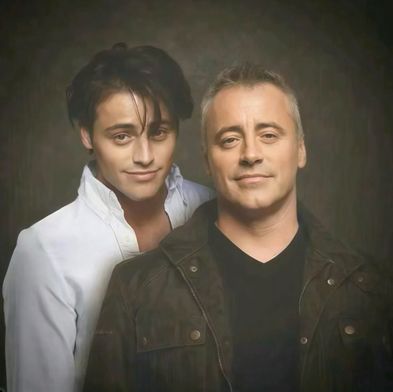
Prompt Two people hugging each other
Input
Input
Output
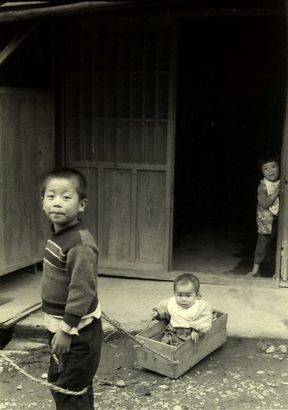
Prompt Two boys hugging each other
Input
Input
Output
Prompt The little boy smiles at the camera
Input
Input
Output
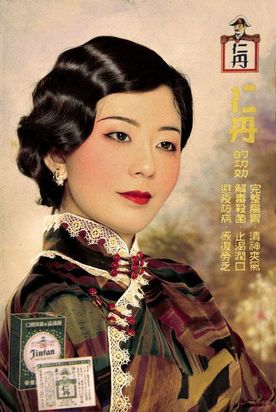
Prompt A beautiful Chinese girl looks into the distance and smiles.
Input
Input
Output
Prompt A cat is kneading dough in the kitchen.
Input
Input
Output
Prompt No input
Input
Input
Output
Prompt The red-crowned crane is looking for food.
Input
Input
Output
Prompt No input
Input
Input
Output
Prompt The model is smiling with her hair blown by the wind.
Input
Input
Output

Best Practices for Image-to-Video Prompts

As we mentioned before, the purpose of the formula is to help everyone more effectively describe the video scenes they envision. Please feel free to communicate with Kling! Here are some excellent examples shared by creators, let's check them out~

• Use simple words and sentence structures, avoiding overly complex language
- Movement should comply with the laws of physics, and it's best to describe movements that are likely to occur in the image
- A description that significantly deviates from the image may cause a camera cut or transition
- At the current stage, it is challenging to generate complex physical movements, such as the bouncing of a ball or the trajectory of a high-altitude throw

💡 Tip: Keep your prompts grounded in realistic motion that naturally fits the scene. Simple, physics-compliant movements yield the best results.
Text-to-Video
🎬 Video

Text-to-Video

By inputting a text passage, the Kling large model generates a 5-second or 10-second video that translates the text into visual imagery. It currently supports two modes of generation: "Standard Mode" for quicker video production and "Professional Mode" for superior image quality. "Kling" also supports three aspect ratios: 16:9, 9:16, and 1:1, to more diversely meet everyone's video creation requirements.

We recognize that "Prompt" serves as the key interactive language for the text-to-video model, and it directly dictates the content of the video produced by the model. Consequently, understanding and learning how to use effective Prompts for AI video creation is a goal for all users. As the new incarnation of the AI video model 2.0, "Kling" continues to evolve and improve. It's essential to explore continuously and tap into the full potential of Kling to adeptly utilize it and excel in AI video production. We have crafted a formula for Kling prompts for your reference:

💡 Prompt Format = Subject (Subject Description) + Subject Movement + Scene (Scene Description) + (Camera Language + Lighting + Atmosphere)
— optional

Subject: The subject is the main focus in the video, serving as an important embodiment of the theme. It can be people, animals, plants, objects, and so on.

Subject Description: Descriptions of the subject's appearance details and body posture can be listed using multiple short sentences. For example: Athletic performance, Hairstyle and color, Clothing and accessories, Facial features, Body posture and so on.

Subject Movement: Descriptions of the subject's movement status, including stillness and motion, should be straightforward and suitable for a 5-second video.

Scene: The scene represents the environment in which the subject is situated, encompassing the foreground, background, and other elements.

Scene Description: Scene descriptions for the subject's environment can be concise and focused, using a few short sentences to outline the setting without overwhelming the viewer. It should be suitable for what can be displayed within a 5-second video. Such as Indoor scene, Outdoor setting, Natural scene.

Camera Language: It pertains to employing various applications of the camera lens, along with the transitions and edits between shots, to communicate a narrative or message and to generate particular visual impacts and emotional tones. Techniques include ultra-wide angle shots, bokeh (background blur), close-ups, telephoto shots, low-angle shots, high-angle shots, aerial views, and depth of field, among others. (Note: This should be differentiated from camera motion control.)

Lighting: Light and shadow are the vital elements that imbue photographic works with soul. The application of light and shadow can make photos more profound and emotionally resonant, enabling us to create works with a rich sense of depth and expressive power. Techniques include: Ambient lighting, Morning light, Sunset, Interplay of light and shadow, Tyndall effect, Artificial lighting.

Atmosphere: Describing the atmosphere of the anticipated video footage can involve various elements to set the mood and tone.

Key Principles

The most fundamental components of the aforementioned formula are the subject, motion, and setting, which constitute the most straightforward and essential units for depicting a video scene. To provide a more detailed description of the subject and setting, one should enumerate various descriptive short sentences, maintaining the integrity of the elements intended to appear in the Prompt. "Kling" will then extrapolate from our expressions to produce a video that aligns with our vision.

Example: The Giant Panda

Given "A giant panda is reading a book in a café," we can enrich the details of the subject and scene by adding: "A giant panda, wearing black-rimmed glasses, is reading a book in a café, with the book resting on a table where a steaming cup of coffee sits beside it, next to the café's window." This creates a more specific and manageable image.

If you want to add some cinematic language and lighting ambience, we can also try: "Shot in medium range, with a blurred background and atmospheric lighting, a giant panda, adorned with black-rimmed glasses, is seen reading a book in a café. The book lies on a table, accompanied by a steaming cup of coffee, steaming hot, next to the cafe windows, movie-level color palette." The texture of the video generated in this way will be further enhanced, and it is possible to get results beyond expectations.

Panda exemple

A giant panda is reading a book in a café.
A giant panda wearing black-framed glasses is reading a book in a café, with the book placed on the table. On the table, there is also a cup of coffee emitting steam, and next to it is the café's window.
In the shot, a medium shot with a blurred background and ambient lighting captures a scene where a giant panda, adorned with black-framed glasses, is reading a book in a café. The book rests on the table, accompanied by a cup of coffee that's steaming gently. Beside the cozy setting is the café's window, with a cinematic color grading applied to enhance the visual appeal.
The purpose of the formula is to help everyone more effectively describe the video scenes they envision. We can also let our imagination run wild and not be limited by the formula, to communicate freely and boldly with "Kling," which might yield even more astonishing outcomes! Here are some excellent examples shared by creators, let's check them out~

Best Practices for Text-to-Video Prompts

• Use simple words and sentence structures, avoiding overly complex language
- Keep the visual content as simple as possible, aiming for a completion within 5 to 10 seconds
- Using words like "Oriental mood," "China," and "Asia" can more easily generate a Chinese style and depict Chinese people
- Current large video models are not sensitive to numbers, making it difficult to maintain consistency in counts, such as "10 puppies on the beach"
- For a split-screen scene, you can use a prompt like: "4 camera angles, representing spring, summer, autumn, and winter"
- At the current stage, it is challenging to generate complex physical movements, such as the bouncing of a ball or the trajectory of a high-altitude throw

💡 Tip: Keep prompts simple and focused. Avoid precise counting or complex physics. For cultural specificity, use clear regional descriptors.
START & END FRAMES
🎬 Video

Start and End Frames

The Start and End Frames function allows you to upload two images, and the model will use these two images as the starting and ending frames to generate a transition video. Experience it by clicking on the "Add End Frame" option located at the top right corner of the Image to Video function.

The first and last frame functions can achieve finer control over videos. At this stage, they are mainly used in video creation for generating videos with control requirements for the first and last frames, which can better achieve the desired dynamic transition of the generated video. However, it should be noted that the content of the first and last frame videos should be as similar as possible, as significant differences may cause a lens switch.

Some tips

• Choose two similar images with the same theme for smoother transitions within 5 seconds. Large differences may trigger a shot switch.

Start and End Frames

Start Frame
End Frame
Output
Reference
Element
Start Frame
End Frame
Output
Reference
Element
Start Frame
End Frame
Output
Reference
Element
Start Frame
End Frame
Output
Reference
Element
Start Frame
End Frame
Output
Reference
Element

Solo Monologue - Product Showcase

Display products and highlight key selling points. Clear speech, natural tone, and a match to the product's atmosphere are key.

In a beauty live-streaming room, warm yellow lighting illuminates the table, with lipstick samples displayed on either side.[Caucasian beauty influencer] raises a matte dusty rose lipstick. [Caucasian beauty influencer, sweet and fresh voice] says: "Perfect for yellow undertones! Brightens the complexion without drying, and the finish looks beautifully soft all day." Background: Soft beauty BGM playing.
Visual: In a fashion live-streaming room, clothes hang on a rack, and a full-length mirror reflects the host's figure. Dialog: [African-American female host] turns to show off the sweatshirt fit. [African-American female host, cheerful voice] says: "360-degree flawless cut, slimming and flattering." Immediately, [African-American female host] moves closer to the camera. [African-American female host, lively voice] says: "Double-sided brushed fleece, 30 dollars off with purchase now."

Some high-quality examples

Video examples below are shared by Kling creators
A giant panda is eating hot pot with chopsticks, with the street as the background. Ratio: 16:9 Mode: Standard Mode length: 5s
A Pikachu is sitting on a chair, drinking coffee and reading a newspaper. Ratio: 16:9 Mode: Standard Mode length: 5s
A polar bear is playing the violin in the snow. Ratio: 16:9 Mode: Standard Mode length: 5s
A bee with a puppy's head Ratio: 16:9 Mode: Standard Mode length: 5s
Morning mist, sunrise, lens flare, and a cool breeze. A young Chinese woman with exquisite facial features, her long hair blown by the wind, strands of hair scattered across her face, dressed in summer attire, with a seaside beach as the backdrop. Ratio: 16:9 Mode: Standard Mode length: 5s
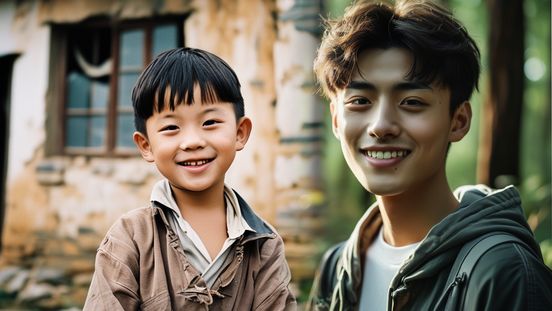
Indoor shooting, close-up, a Chinese child is eating dumplings. Ratio: 16:9 Mode: Standard Mode length: 5s
A beautiful girl with Chinese style Ratio: 16:9 Mode: Standard Mode length: 10s
A Chinese little girl is holding a pink balloon and smiling happily in the playground, with a slide in the background. Ratio: 16:9 Mode: Standard Mode length: 10s
Aerial shot, blue waves pounding against the rocks, a magnificent and magnificent scene. Ratio: 16:9 Mode: Standard Mode length: 10s
A medieval sailing ship sailing on the sea, a foggy night, bright moonlight, and an eerie atmosphere. Ratio: 16:9 Mode: Standard Mode length: 5s
First-person perspective, high-speed flight, symmetrical composition, rotation, countless lightning bolts amidst dark clouds, motion blur. Ratio: 16:9 Mode: Standard Mode length: 5s
The camera zooms into a beacon tower on the Great Wall, first-person perspective, high-speed flight, symmetrical composition, motion blur, and atmospheric lighting. Ratio: 16:9 Mode: Standard Mode length: 5s
A space fighter jet speeds through a huge sci-fi internal tunnel, rushes out of the tunnel into space, and a space battle can be seen at the end of the tunnel. Ratio: 16:9 Mode: Standard Mode length: 5s
A racing car is racing on the surface of the moon against a space backdrop, with tilt-shift zoom effect. Ratio: 16:9 Mode: Professional Mode length: 5s
Aerial shot of a cyberpunk city. Ratio: 16:9 Mode: Standard Mode length: 10s
On an alien planet, the streetscape of a cyberpunk city, with futuristic buildings, the camera slowly advances forward, and there are pedestrians on the street. Ratio: 16:9 Mode: Professional Mode length: 5s
A woman is engaged in a gunfight with someone in an alley, with a Blade Runner-style atmosphere, neon lights, and ambient lighting. Ratio: 16:9 Mode: Professional Mode length: 5s
First-person perspective, a man driving a car on a night street with fireworks blooming ahead. Ratio: 16:9 Mode: Standard Mode length: 5s
A circling camera shot captures a handsome young man dressed in ancient clothing, wearing white, seated by the pond with his eyes closed, meditating. Ratio: 16:9 Mode: Professional Mode length: 5s
The back view of a woman, in a red long gown, standing on the rooftop, with buildings smoking in the distance. Ratio: 16:9 Mode: Standard Mode length: 5s

Solo Monologue - Lifestyle Vlog

Showcasing easy, natural moments from daily life.

On the beach, the waves crash against the shore. [Young Caucasian male] wearing a backward baseball cap, holding a camera and taking a selfie, with a smile at the corner of his mouth. [Young Caucasian male, sunny voice] says: "The weather is amazing today! All my worries feel totally gone. I've been needing a day like this—sun, breeze, just the sound of the waves." The camera is in vlog close-up style.
In a kitchen, the oven door is half open, revealing a golden chiffon cake resting on the table. [Latina girl] gently breaks the cake with her hands (cake crumbs fall off), her eyes shining with excitement. [Latina girl, proud and sweet voice] says: "My first success. Look at that crumb!" Background: Upbeat BGM plays.

Supported Audio Types

Dialogue : Multi-person voice dialogue
Voice Narration : Character voice narration
Singing/Rap : Characters singing or rapping with lyrics
Ambient Sound Effects : Background sounds like wind, ocean waves, street noise, traffic
Object/Action sound effects : Sounds like glass breaking, footsteps, knife slicing, machine rumble
Mixed Sound Effects : A combination of voice, background sounds, and sound effects for an immersive audio-visual experience.

Prompt

Put on sunglasses
Mona Lisa puts on sunglasses with her hand
Mona Lisa puts on sunglasses with her hand, and a ray of light appears in the background

Solo Monologue - News Reporting

Emphasizes professionalism, formality, and stable tone.

Visual: In front of an outdoor shopping mall, a crowd gathers, cheering. Dialog: [African-American male reporter] stands next to the crowd, holding a microphone, his body slightly turned. [African-American male reporter, steady voice] says: "Now we can see the atmosphere here is absolutely electric. Let's go check it out together! There's so much happening all at once." Background: Cheerful crowd noises and event BGM, with occasional close-ups of the event.
In a sports news studio, the screen behind the sports anchor is showing a basketball game replay.[Sports anchor] sits behind the news desk, tapping his fingers lightly on the table. [Sports anchor, clear and strong voice] says: "Look at this clutch play! He stepped up when it mattered most, hitting the shot that decided the championship! This game-winning shot sealed the victory outright." Background: Cheers from the live game, with the camera focusing on the sports anchor's face.

Solo Monologue - Public Speaking

Shows strong, persuasive delivery.

The main venue of an international tech summit, with delegates from various countries filling the seats. [Indian entrepreneur] stands at the center of the stage. [Indian entrepreneur] gazes steadily at the audience, his hands naturally hanging by his sides. [Indian entrepreneur, loud voice] says: "A decade ago, the world saw India through call centers." After a brief pause, he extends his hands upward. [Indian entrepreneur, passionate voice] says: "Now, Indian innovation is reshaping the world with tech!" The camera slowly zooms in on the Indian entrepreneur's face, and as he finishes his speech, he joins his hands together in a prayer gesture. The audience bursts into applause.
Visual: A TED-style circular stage, with the speaker sitting, and the audience hidden in the shadows. Dialog: [Speaker] leans slightly forward, resting his hands lightly on the podium. [Speaker, sincere and gentle voice] says: "Your biggest limitation isn't your ability; it's the story you tell yourself about your ability." Background: Light chuckles from the audience followed by applause, with the camera holding a slow, subtle zoom in on the speaker in mid-close-up.

Narration - Product Explanation

Static visuals + professional narration, ideal for e-commerce videos.

Visual: In a tidy living room, a white robotic vacuum sits in the center, with no clutter around it. Dialog: [Narrator, soft female voice] accompanied by the gentle sound of vacuuming: "Are you still troubled by dust in hard-to-reach corners? This robotic vacuum features edge-to-edge cleaning, leaving no gaps behind—making your life easier and effortless!" The camera closely follows the vacuum's path as it cleans.
Visual: On a bright weekend morning, the living room is filled with light, and a vintage green Bluetooth speaker rests on the coffee table. Dialog: [Young Caucasian man] walks over to the speaker with a coffee cup in hand, gently tapping the switch. [Young Caucasian man, casual voice] says: "Good morning. With 360-degree surround sound, you can enjoy rich, full music from anywhere in the room." After speaking, the young man walks away, and the camera focuses on the speaker.

Narration - Event Commentary

Requires dynamic pacing and event atmosphere.

Visual: At the World Cup final, the lights are dazzling, and the stands are roaring with excitement. Dialog: (No characters, just narration) [Narrator, excited male voice] as the ball hits the net: "The game is over!" Background: Fans erupt in cheers, and the camera captures the moment the ball enters the net from the goalkeeper's perspective.
In front of the main grandstand at an F1 racetrack, the cars zoom by. [Narrator, excited male voice] says: "Final lap! He's on the inside! Oh, what a move! They are side by side to the line! Unbelievable!" Background: The roar of engines and the screech of tires, with the camera following the two cars nearly side by side.

Multi-Character Dialogue - Interview Show

Two people sit down for an interview with natural tone switching.

Visual: A modern industrial-style recording studio with brick walls covered in soundproof panels, equipment neatly arranged. Dialog: [Caucasian male host] sits in front of the microphone, slightly leaning forward. [Caucasian male host, steady voice] says: "Today we're excited to have Dr. Sarah Miller from Stanford AI Lab. Sarah, your research on neural networks is groundbreaking." During this, [African-American female guest] remains silent. Immediately, [African-American female guest] raises her chin slightly, holding the microphone. [African-American female guest, gentle voice] says: "Thank you for having me." During this, [Caucasian male host] remains silent.
A modern podcast studio in Los Angeles, with a warm yellow filter wrapping around a beige fabric sofa. [Caucasian female host] looks at the camera, her fingers gently resting on the armrest of the sofa. [Caucasian female host, sweet voice] says: "The Santorini sunset in Greece is absolutely breathtaking! Highly recommend adding it to your bucket list." During this, [African-American male host] remains silent. Immediately, [African-American male host] nods slightly. [African-American male host, gentle voice] says: "Exactly, that's the perfect spot to unwind and escape the daily grind." During this, [Caucasian female host] remains silent. The camera focuses on the interaction between the Caucasian female host and the African-American male host.

Multi-Character Dialogue - Scripted Performance (Short Play)

For short stories and emotional dialogue.

Visual: A dimly lit casino VIP room with a green-felt poker table at the center, surrounded by swirling smoke. Wall lamps cast warm, silhouetted glows.Dialog: [Man in suit, elbows on the table leaning forward, deep male voice]: "Three rounds to decide. Win, and all the chips are yours. Lose, and tell me the real reason you're getting close to him."[Woman with curly hair, fingers gently tracing the edge of the table, red lips curling into a faint smile, cool and glamorous female voice]: "I don't care about the chips."
A frigid wilderness. Explorers are starting a fire, with firewood crackling. [Explorer A, exhausted yet resolute]: "The fire is lit."[Explorer B, voice brimming with hope, as the speaker switches]: "We're saved!"Sound Effects: Crackling of the burning flame, distant wolf howls, howling cold wind sweeping past.

Multi-Character Dialogue - Daily Conversation

Casual, Natural, and Conversational

Visual: In an office area of a New York office building, cool-toned lighting illuminates the workspace, and a printer is running. Dialog: [Foreign male employee] and [Foreign female employee] stand next to the printer, facing each other. [Foreign male employee, calm voice]: "How's the project report coming along? Manager needs it this afternoon." During this, [Foreign female employee] remains silent. Immediately, [Foreign female employee, efficient voice] responds: "Almost done. I'll send it in 10 minutes." During this, [Foreign male employee] remains silent. The camera focuses on their interaction, with the sound of the printer and the office background ambiance.
A kitchen in the morning, sunlight streaming through the window onto the countertop, with a frying pan sizzling. [Boyfriend] places a blackened fried egg on the table, raising an eyebrow proudly. [Boyfriend, cheerful voice]: "Try my breakfast made with love!" During this, [Girlfriend] remains silent. Immediately, [Girlfriend] leans in, takes a light sniff, and raises an eyebrow. [Girlfriend, teasing voice]: "The love is definitely felt, it's just a bit burnt." During this, [Boyfriend] remains silent. Then, the two make eye contact, and together, both smile and say: "It's just a bit burnt." The camera cuts from a close-up of the fried egg to [Boyfriend and Girlfriend] sharing a smile.

Multi-Character Dialogue - Comedy Skit

Fast-paced, with Strong Contrast

Visual: On a comedy stage, the spotlight is focused on the center, while the audience remains in the shadows. Dialog: [Stand-up comedian] holds a microphone on stage, slightly swaying his body. [Stand-up comedian, humorous male voice]: "My gym trainer said the first step is the hardest... Lies! The first step is easy. It's the 5,000th step that's trying to murder you!" After finishing, the comedian shrugs and raises his hands. Background: Laughter and applause from the audience, with the camera focused on the comedian's face.
Visual: In a cherry blossom plaza, pink petals fall, and there are faint ruins near the fountain. Dialog: [Pink Mecha Girl] extends her energy wings (with a loud alarm sound), hurriedly looks down at her control screen. [Pink Mecha Girl, panicked voice]: "Oh no, only five percent battery left!" Immediately, the Pink Mecha Girl lands near the fountain, fumbles to plug in the mobile power bank, and glances at the giant monster. [Pink Mecha Girl, embarrassed voice]: "Um, could you please wait while I recharge?" The giant monster tilts its head and makes a confused low growl, retracting its claws and sitting down in the ruins. The camera focuses on the Pink Mecha Girl's frantic movements

Music Performance - Sing

Visual: A sunlit garden path, with daisies in full bloom and butterflies fluttering gently. Dialog: [Asian woman] walks slowly with loose braids, her floral dress brushing against the daisies. [Asian woman, gentle voice] sings: "In this tranquil morning, I've found my way. With dreams in my heart, there's light in my days." The Asian woman reaches out to brush past the flowers, startling a white butterfly into flight.
Visual: In a livehouse, bathed in blue light, a high barstool is placed in the center, with the audience hidden in the shadows. Dialog: [Short-haired female singer] sits on the high barstool, holding a wooden guitar, her fingers gently strumming the strings. [Short-haired female singer, heartfelt voice] sings: "And I will try to fix you, all night long..." When she reaches the chorus, [Short-haired female singer] looks out toward the audience. Background: The sound of clinking glasses. The camera switches between focusing on the short-haired female singer's fingers on the strings and her facial expression.

Music Performance - Rap

Visual: Brooklyn, New York – in front of a graffiti-covered wall, the street vibe is intense, with breakdancers freestyling nearby.Subject: An African-American rapper wearing a gold chain and an oversized hoodie, grooving to the beat while facing the camera.Audio: [African-American rapper, energetic male voice] Rapping over a drum beat: "Yeah, from the bottom to the top, I’m shining bright like a star. Brooklyn streets raised me tough, fought through the dark. Gold chain swingin’, flow hits hard, grindin’ daily, never bored. Now I’m livin’ in the light, this is my life, raw and hardcore!"Background: Layered with deep bass and turntable scratches. Camera cuts rapidly between close-ups of his facial expressions, hand gestures, and the breakdancers.
On a street stage, the audience stands around. [Young rapper] wears a silver chain and a black hoodie, swaying his body to the beat. [Young rapper, dynamic male voice] raps: "Yo, pavement to stage, flow lit, crowd goin’ wild! Mic in my grip, dreams unchained, let the rhythm ride! Raw vibe, sharp rhymes, keep the energy high—this is how we fly, no need to deny! Grind hard, spit fire, make the moment mine, street-born rhythm, let times shine!" The camera focuses on the young Caucasian rapper's movements.

Music Performance - Group Chorus

In a bright rehearsal room, sunlight streams through the window, and a standing microphone is placed in the center of the room. [Campus band female lead singer] stands in front of the microphone with her eyes closed, while the other members stand around her. [Campus band female lead singer, full voice] leads: "I will try to fix you, with all my heart and soul..." The background is an a cappella harmony, and the camera slowly circles around the band members.
Visual: On a university rooftop at sunset, the golden glow of the setting sun wraps around the ground. Dialog: [Asian male and female students] sit in a circle, playing acoustic guitars, their expressions deeply immersed. [Asian male and female students, youthful chorus] sing: "Starlight all over the sky, please light the way ahead; let our youthful voices sail away with the wind." The camera slowly circles each person's face, and the guitar strings gleam with golden light in the sunset.

Music Performance - Instrumental Performance

In a traditional study room, a scroll hangs on the wall, and a guqin rests on the desk, bathed in soft light. [Scholar] sits calmly at the desk, gently plucking the strings of the guqin with his fingertips, his expression serene. Background: The sound of the scroll turning and the melody of the guqin. The camera focuses on the scholar's fingers as he plucks the strings.
Visual: On a neon-lit rainy street at night, raindrops fall to the ground. Dialog: [Cellist] stands under a streetlight, raindrops on the tips of his hair, playing the cello. Background: A slow, emotional solo cello piece. The camera focuses on the water droplets vibrating on the cello strings and [Cellist]'s closed eyes.

Creative Scene - Visual Effects

Visual: In a cozy living room, the firewood is burning in the fireplace, and the sofa is placed next to a coffee table. Dialog: [Male protagonist] enters the living room and speaks. [Male protagonist, gentle voice]: "Babe, taking a break from work?" During this, [Female protagonist] remains silent and smiles, nodding. Immediately, the male protagonist walks over to the sofa, gently sets down his cup, and reaches out to ruffle the female protagonist's hair. The camera focuses on their interaction.
A scene in Antarctica with towering ice formations, the overall tone being a cold, white, frigid color palette. The glacier cracks with a loud noise, followed by the sound of ice shattering, as the engines of the research team's snowmobiles roar. The camera follows the retreating research team and the collapsing ice towers.

Creative Scene - Life Scene Atmosphere

In an afternoon room, sunlight filters through the blinds, creating striped light spots on the floor. A [ginger cat] lies on the windowsill. The [ginger cat] breathes slowly, with background sounds of distant birds and rustling leaves. The camera focuses on the light spots shifting with the cat's breath.
Visual: In a late-night diner scene, only the counter lights are on, and the TV shows a scene titled "Man Wandering in the Park at Midnight." Dialog: [African-American owner] looks at the TV. [African-American owner, deep voice]: "I wonder who needs help this time?" The African-American owner stares at the TV for a moment before his expression softens. [African-American owner, gentle voice]: "I see. It's a father carrying his daughter in his heart." The camera switches between focusing on the African-American owner's face and the TV screen.

Creative Scene - ASMR

Visual: In the library's restoration room at night, a warm desk lamp illuminates ancient books, and the restorer wears white gloves. Dialog: [Book restorer] gently sweeps a soft brush across the cover of the ancient book (with a subtle brushing sound), bringing the brush closer to the microphone. [Book restorer, whispering voice]: "These pages have been asleep for two hundred years. Today, we wake them gently." Background: The soft rustling of book pages, with the camera focusing on the cleaning motion.
A clean live-streaming desk, with props such as a crystal glass and wooden blocks neatly arranged. The makeup brush lightly sweeps across the crystal glass and wooden blocks, producing a "shh-shh" sound. The camera focuses on the props and the details of the action.

Creative Scene - Creative Ads / Material

Visual: In a product display scene, with a simple, bright background, a [raisin] is placed in the center. Dialog: [Raisin] twists and is hydrated, transforming into a plump green grape. [Off-screen voice, crisp female voice]: "Don't want to end up shriveled like I was? Hydrating face cream quenches your skin's thirst and turns back time." Background: The sound of water splashing, and the camera pulls back to show the face cream.
In a cinematic rainy-day café, rain splashes against the window, with a cool, blue-green tone overall. [Blonde French woman] walks in and sits down, her hair slightly damp, gazing directly at the camera. [Blonde French woman, low voice]: "You don't remember the moment, you just remember the feeling." The camera then focuses on a bottle of golden perfume that appears in the center, zooming in on the blonde French woman's face.
How to Write Effective Prompts
🎬 Video

How to Write Effective Prompts

When using the VIDEO 2.6 Model, simply write down the scene you want to see + the action that happens + the sound you want to hear, and you'll generate high-quality audio-visual output videos. You can refer to the following formula:

💡 Prompt Format = Scene (Scene Description) + Element (Subject Description) + Movement (Movement Description) + Audio (Dialogue / Singing / Sound Effects / Pure Music) + Other (Style / Emotion / Camera)
💡 Dialogue: "Sentence" + Emotion + Speech Speed + Tone + Character Label
Single Character: Specify voice attributes (e.g., [Man speaking], "Sentence" + Deep + Fast)
Multiple Characters: Use clear labels to distinguish (e.g., [Character A, angrily] says, "Sentence" — [Character B, calmly] replies, "Sentence")

Singing: "Lyrics" + Singing Style + Accompaniment Description + Emotion
Style: Pop, Opera, Country, etc.
Emotion/Techniques: High-pitched, Vibrato, Gentle singing

Rap: "Sentence (Rhyming)" + Rhythm Style + Emotion
Rhythm Style: Intense Boom Bap, Trap Style Beat, Fast Flow
Content: "Sentence" should reflect Rhyme and Meter

Sound Effects: Sound Source (Action/Object) + State + Professional Sound Effects
Structure: [Object: Wooden Door] suddenly [Action: Slams] + [Sound Effect: Bang]
Material/State: Glass Breaking, Metal Impact, Screeching Brakes

Ambient Sound: Scene + Sound Elements + Spatial Reverb
Elements: Rain, Insects, Crowd Murmurs, Traffic
Spatial Feel: Echo in an Open Hall (Reverb), Small Room Acoustics

Pure Music: Instrument Type + Music Genre + Emotion
Structure: Piano Performance + Jazz + Melancholy
Genres: Classical, Rock, Electronic

💡 Tip: It is recommended to use quotation marks " " to clarify sound content when writing prompts.

Key Tutorial — Multicharacter Dialogue Prompt Examples and Guidelines

Guidelines Core Principles Prompt Guidelines and Examples Incorrect Example (Prone to Model Failure)
P1. Structured Naming Character labels must be unique and consistent. [Character A: Black-suited Agent] and [Character B: Female Assistant]. ❌ Avoid using pronouns or synonyms. [Agent] says… Then, he says…
P2. Visual Anchoring Bind the dialogue to the character's unique actions. First describe the action, then follow with the dialogue: The black-suited agent slams his hand on the table. [Black-suited Agent, angrily shouting]: "Where is the truth?" [Black-suited Agent]: "Where is the truth?" (The model won't know who slammed the table)
P3. Audio Details Assign unique tone and emotion labels to each character. [Black-suited Agent, raspy, deep voice]: "Don't move." [Female Assistant, clear, fearful voice]: "I'm scared." [Man] says… [Woman] says… (The voice characteristics are too vague and can confuse the model)
P4. Temporal Control Use clear linking words to control the sequence and rhythm of dialogue. …. [Black-suited Agent]: "Why?" Immediately, [Female Assistant]: "Because it's time." ⚠️ (Optional strong constraint: Insert "this is when the speaker switches" between the two.) [Black-suited Agent]: "Why?" [Female Assistant]: "Because it's time." (The model may generate a continuous speech from one character)

Common Audio Trigger Words

Audio Type Category Trigger Words Examples
Speech Core Speech Speaking / Talking A woman is sitting at a desk, calmly speaking into a microphone.
Asking / Querying A curious boy in the garden asking his father a question.
Telling / Narrating An old man sitting by the fireplace, slowly telling a story.
Explaining A tour guide pointing at a map, clearly explaining the route.
Volume / Clarity Whispering Two friends leaning in close in a crowded room, whispering a secret.
Softly Speaking A student in the quiet library is softly speaking on the phone.
Clearly Speaking / Crisp Voice A radio announcer with a clear voice is speaking the news.
Emotion / Tone Excitedly Speaking The award winner is holding a trophy, excitedly speaking their acceptance speech.
Complaining A customer at the counter complaining about poor service.
Sighing A tired worker sitting by a window, letting out a heavy sighing sound.
Gently Speaking A mother is rocking a baby, gently speaking a lullaby.
Vocal Quality Hoarse Voice A patient waking up, requesting help with a hoarse voice.
Deep Voice A middle-aged man telling a scary story in a deep voice.
Pace / Rhythm Fast Talking / Rapid Speech A fast-talking salesperson rapidly describing the product features.
Slow Talking An old professor slow talking while carefully elaborating on a complex theory.
Performance Reciting / Reading Aloud A poet on a stage, reciting a dramatic poem.
Monologue An actor standing alone on stage, performing a sad monologue.
Speech (cont.) Performance (cont.) Narration / Voiceover A film scene cuts to a background sound of a deep narration.
Dialogue Interaction Answering / Responding The interviewee is answering the question immediately.
Arguing / Quarrelling A couple in the kitchen, arguing loudly.
Shouting / Yelling A father standing at the door is shouting / yelling at his children playing outside.
Discussing A group of students gathered around a table, discussing a difficult problem.
Vocal Action Crying / Sobbing A little girl sitting on the ground crying / sobbing after falling down.
Speech (cont.) Vocal Action (cont.) Screaming A woman seeing a mouse, letting out a sharp screaming sound.
Laughing / Chuckling Three people sharing a joke and laughing / chuckling loudly.
Singing Core Form A Capella A singer on an empty stage performs the first line a capella.
Humming A chef happily humming a tune while cooking in the kitchen.
Loud Singing A rock musician singing loudly from the mountaintop.
Technique / Style Bel Canto / Opera A soprano in a gown performing a bel canto / opera piece.
Pop Vocals A young artist in a studio, recording a new track with pop vocals.
Vibrato A singer adding a beautiful vibrato to the high note.
Falsetto A male vocalist using falsetto to hit a very high note.
Harmony / Layered Vocals A quartet performing a section with perfect harmony.
Rap Terminology Rapping / Hip-Hop A street performer rapping / hip-hop under neon lights.
Flow / Rhyme A rapper performing a verse with a smooth flow and tight rhyme.
Singing (cont.) Rap Terminology (cont.) Fast Rap / Rapid Delivery A section of the song is a high-speed, machine-gun like fast rap / rapid delivery.
Strong Rhythm / Heavy Beat A Hip-Hop track with a strong rhythm / heavy beat.
Sound Effects — SFX Daily Actions Tapping / Knocking A carpenter is tapping / knocking a nail with a hammer.
Footsteps Slow and heavy footsteps walking in an empty hallway.
Chewing / Munching A person chewing / munching on crunchy chips.
Material Impact Glass Shattering A rock hitting a window, followed by the sound of glass shattering.
Metal Clanging Two large iron blocks metal clanging in a factory.
Friction / Rubbing Friction sound of two pieces of rough fabric rubbing together.
Natural Elements Thunder A flash of lightning, followed by a low thunder rumble.
Fire Crackling A campfire fire crackling and burning brightly.
Bubbling / Gurgling Hot soup on the stove, bubbling / gurgling as it heats up.
Mechanical Noise Alarm / Siren A police car driving by at night, its alarm / siren wailing.
Braking A car performing an emergency stop, with a screeching braking sound.
Gears Whirring The internal workings of an old clock, with subtle gears whirring sound.
Musical Instruments Instruments Piano Music A pianist playing classical piano music in a concert hall.
Guitar Plucking A street artist gently plucking a guitar string.
Ambient Soundscapes Urban Traffic Noise / Car Flow Continuous traffic noise / car flow at a busy intersection.
Crowd Murmur The background sound of crowd murmur in a museum.
Subway Noise Subway noise as a train arrives and departs from the station.
Construction Noise Distant, persistent construction noise in the city during the day.
Nature Ocean Waves The soothing sound of ocean waves hitting the beach in the morning.
Bird Chirping Various bird chirping sounds in a morning forest.
Wind Sound (Nature) Wind sound blowing across an open field.
Rainforest A hot and humid rainforest, filled with unique bird calls and dripping water.
Indoor Space Library Silence The deep library silence punctuated by the occasional book drop.
Café Background Music A casual café background music with quiet chatter.
Air Conditioner Hum The steady, low air conditioner hum in a quiet office.
Fireplace Burning The warm, comforting sound of a fireplace burning in a winter cabin.
Kling VIDEO 2.6: Voice Control
🎬 Video

Kling VIDEO 2.6: Voice Control for Image to Audio & Video

Have you ever struggled with inconsistent voices or a lack of personalisation when creating content across multiple videos or characters? With Kling VIDEO 2.6, we're introducing the all-new Voice Control feature. Simply select a target voice, and the model will accurately replicate its vocal characteristics to perform your specified content. The workflow is effortless — just provide visual input + voice prompt + target voice, and generate high-quality audio-visual content in seconds.

With Voice Control, you can now achieve:

Stable, High-Fidelity Voice Output: The voice remains consistent throughout the entire video, accurately preserving the target timbre. Ideal for long-term voice consistency across IP characters, brand personas, and recurring roles.

Flexible Style Adaptation: A single voice can be seamlessly applied to multiple scenarios — such as narration, conversation, or speeches — automatically adapting tone, rhythm, and delivery style to match the context.

Natural Cross-Language Performance: No additional configuration required. Voices trained in one language can naturally perform dialogue in another (e.g., Chinese ↔ English), with smooth pronunciation and expressive consistency. Currently supports bidirectional Chinese–English adaptation.

Prompt-Based Voice Binding: With simple prompts like [Character@VoiceName], the model automatically binds voices to specific characters — making multi-character dialogue with distinct voices effortless.

With Voice Control, you can now achieve

Signature Voice for Avatars
Product Demos & Explanations
Multi-Character Voice Control
Storytelling & Performance

Voice Control Prompt Guide

Prompt = Scene (scene description) + [Element (element description) @Voice Name] + Motion (motion description) + Audio (dialogue / singing / sound effects / music) + Others (style / emotion / camera)

Recommended Prompt Format:

Type Prompt Format Prompt Example
Single person speaking/singing [Role Name] @Voice: "Dialogue." Police interrogation scene. In a tense police interrogation, [Detective Li @Mr. Wang's voice] stands and demands, "Where's the evidence?" [Suspect Zhang @Xiaohong's voice] lowers his head, trembling slightly, and replies, "I don't know anything." The overall tone is serious and intense, with close-up shots focusing on their exchange.
Multi-character conversation/singing

Recommended for two-person dialogues; performance may degrade in scenes with three or more speakers.
[Role A] @Voice A: "Line A."
[Role B] @Voice B: "Line B."
Family farewell scene. In an emotional family farewell, [Father @My Own Voice] lowers his head slightly and says, "The train is about to depart." [Daughter @My Best Friend's Voice] wipes away tears and responds, "Dad, please don't go." The scene carries a sorrowful tone, captured in a medium shot that frames the moment of separation.

Voice Binding Rules:

Specified Voice Binding: To assign a specific voice to a specific character, add @VoiceName immediately after the character name in the prompt, using the format: Element@VoiceName
— Example: [Livestream Host] @Sweet Female Voice: "This top is a trending must-have!"

Multiple Voice Usage: @VoiceName are independent for each character and will not override one another. Recommended for two-character dialogue scenarios; performance may degrade in scenes with three or more characters.
— Example: [Teacher] @Intellectual Female Voice: "Turn to page 20." [Student] @Teen Voice: "Okay, teacher."

Current Limitations: Voice creation and usage currently support Chinese and English audio/video content only. Voice consistency may be weaker in singing scenarios.


Not Recommended Prompt Formats:

Please avoid the following formats — the model may fail to correctly recognise voice bindings, resulting in incorrect or inconsistent voice application.

Error Type Prompt Format Example
Missing character entity
(using voice as the element)
@Voice: "Dialogue" Weather forecast scene. [@Female Narrator Voice] calmly says: "Welcome to today's weather forecast."
Multiple characters bound to the same voice [Character A] @Voice1.
[Character B] @Voice1.
Security booth scene. [Guard A@My College Friend's Voice] reports in a low tone: "The gate is locked." [Guard B@My College Friend's Voice] nods: "All clear." Calm, serious tone; close-up shot capturing the dialogue.
Incorrect voice tag placement [A]: "Line A." [B]: "Line B." @Voice

[A]: "Line A." [B]: "Line B." @Voice bound to [B]

@Voice. [Character]: "Dialogue"
Home conversation scene. [Man]: "Where did you go?" (Speaker switches) [Woman]: "I went out for a walk." @My Own Voice

Security booth duty scene: [Guard1]: "Yes." [Guard2]: "Copy that." @Voice bound to [Guard1]

Street rap scene. @Rapper A's voice. [Young Man]: "The streets never sleep, the beat never fades." Cool, urban style with street traffic ambience and light drum beats.
Voice tag embedded inside dialogue text [Character]: "Dialogue @Voice"

[A]: "Line 1 @Voice." Then the speaker switch to [B]: "Line 2."
[Protagonist]: "I've decided @My Voice to leave this place." Firm and restrained tone, close-up shot, with soft breathing ambience in the background.

Family farewell scene. [Father]: "Are you really leaving, @My Own Voice?" (Speaker switches) [Daughter]: "Yes, this is my decision." Emotional farewell atmosphere, medium shot, with low indoor ambient sound.
Voice bound to visual actions or non-human audio @Voice [Visual Action], [Character]: "Dialogue"

[Non-human object] @Voice, [Character]: "Dialogue"
Indoor standoff scene: [@Zhang San's voice] slowly walks into the room. [Man]: "Who are you?" Side-angle shot, with faint footsteps in the background.

Police chase scene: Sound effect: [police siren @my voice] wailing. [Officer]: "We're almost there." Overall tense, fast-paced tone, handheld tracking shot, with tire screeching layered into the background audio.
Invalid binding
(silent character or attribute conflict)
[A]: "Line A." (Bind to [B]) (B does not speak)

[Character with conflicting attributes] @Voice Attribute: "Line"
Clothing store scene. [Main character]: "This outfit looks great." [A silent clerk] looks at him. [@My colleague's voice] is bound to the silent clerk.

Indoor interrogation scene. [A tall man @a sharp, high-pitched female child voice]: "You've caught me." Overall style is suspenseful with strong contrast, using a close-up shot.

FAQ

Q: What languages does the current model support for voice output?

The current model only supports voice output in Chinese and English. If you input other languages, we will automatically translate them into English and generate the corresponding audio, which won't affect the overall experience. We are also rapidly expanding support for additional languages, so stay tuned!

Q: Can I generate audio only, without video?

Yes! You can go to the platform's [Sound Effect Generation] module, where you can choose either Text-to-Sound Effects or Video-to-Sound Effects:

— Input text to generate standalone audio.
— Upload a video to extract sound effects.
— This allows you to create pure audio content without needing to generate a video.

Q: How can I improve generation results?

To achieve better generation results, we recommend optimising in the following ways:

Optimise your prompt: Keep the description clear and specific, detailing the scene, sound effect type, style, etc. Avoid overwhelming the prompt with too many complex instructions; it's best to describe each element separately.

Enhance image-text alignment: If you're using reference images, ensure the image content matches the text description. For example, if describing "outdoor camping," avoid using indoor photos as reference images to reduce conflicting information.

Set parameters accurately: Adjust the video duration, resolution, and other settings according to your specific needs. Avoid using default settings if they don't meet your expectations.

Simplify the creation scene: Focus on one core theme in each creation to avoid stacking too many elements (e.g., multiple ambient sounds + complex speech), which helps the model generate more stable and ideal content.

KLING VIDEO O1
🎬 Video

Kling AI Video O1

Kling AI Video O1 — the world's first unified multimodal video model — is a brand-new creative engine for creators to unlock endless creative possibilities.

Kling O1, based on the Multi-modal Visual Language (MVL) concept, uses natural language to combine videos, images, elements, and other multimodal descriptions to precisely understand your intentions, making the creative process more intuitive and efficient.

1. Input Anything: World's First Unified Multimodal Video Model

The KLING O1 Video Model marks an industry first by integrating diverse video tasks into a single unified architecture.

Capabilities include Reference-based Generation, Text-to-Video, Keyframe Interpolation (Start/End Frame), Video Inpainting, Transformation, Stylization, and Video Extension. This integration eliminates the need to jump between multiple models or tools, allowing users to execute an end-to-end creative pipeline—from ideation to modification—in one place.

2. Understand Everything: Multimodal Input, All-in-one Creation & Modification

With the model's deep semantic understanding, everything — including images, videos, elements, texts, etc — could be included in your input to Kling O1. The model goes beyond the limitations of modality, integrating and understanding different perspectives of an image, video, or character you upload, to return outputs with precision.

Kling Video O1 - Images Reference + Elements

Preview

Kling Video O1 - Images Reference + Elements
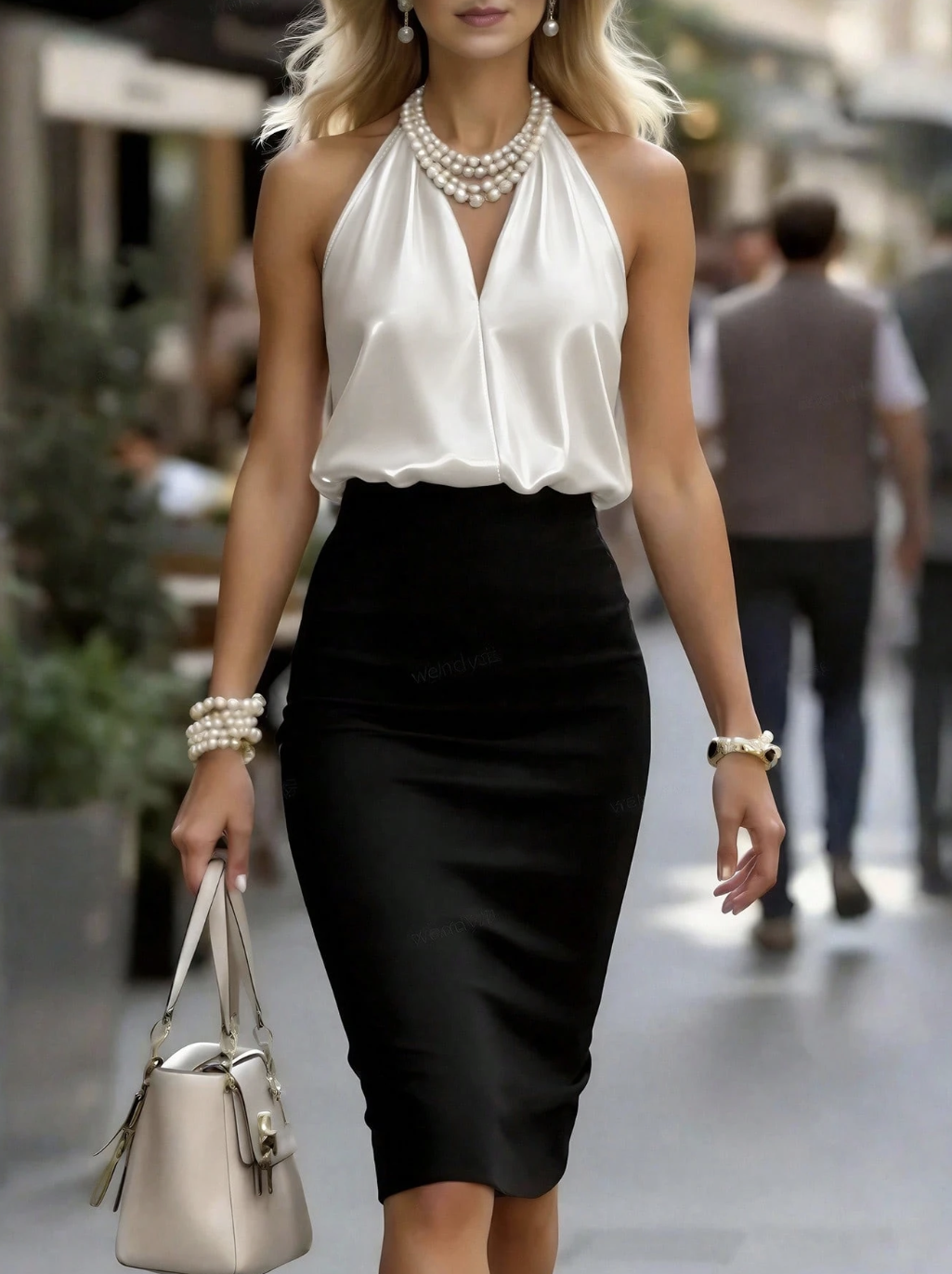
Reference Image
Element
Output with Element Binding
Reference Reference Reference
Element
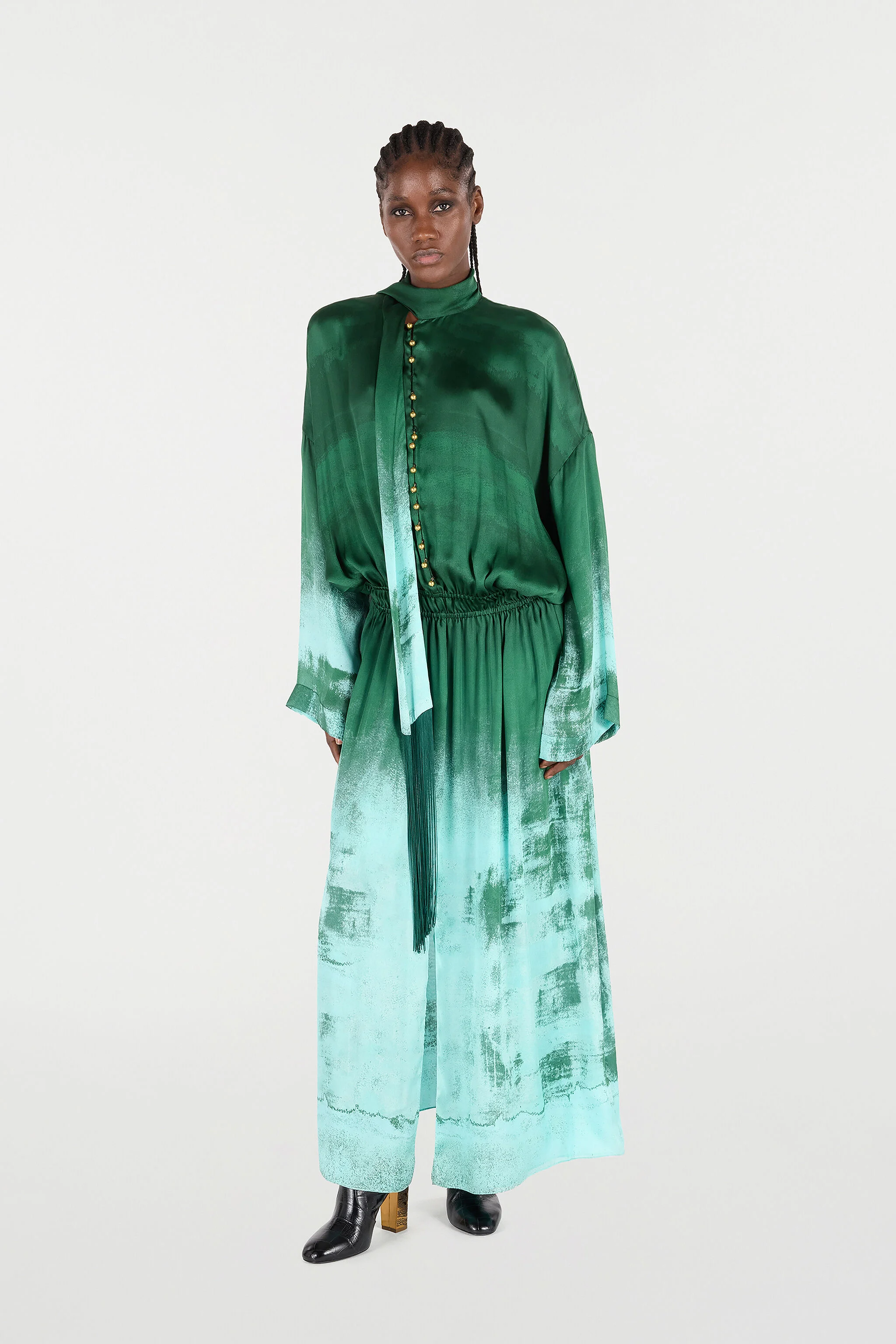
@element_1 walking on the streets of new york. she is wearing the exact dress from @image_1 @image_2 @image_3 She is walking towards the camera then doing a 180 degrees tun and shows off her new dress
At the same time, Kling O1 turns tedious post-production processes into simple conversations. There’s no need for manual masking or keyframing; simply input prompts like “remove bystanders”, “change daytime to dusk”, or “replace the main character’s outfit”, and the model will understand the visual context. From local subject replacement to entire-video restyling, the model will automatically complete pixel-level semantic reconstruction. Your prompts become the most efficient editing tool.

Kling Video O1 - Images Reference + Elements
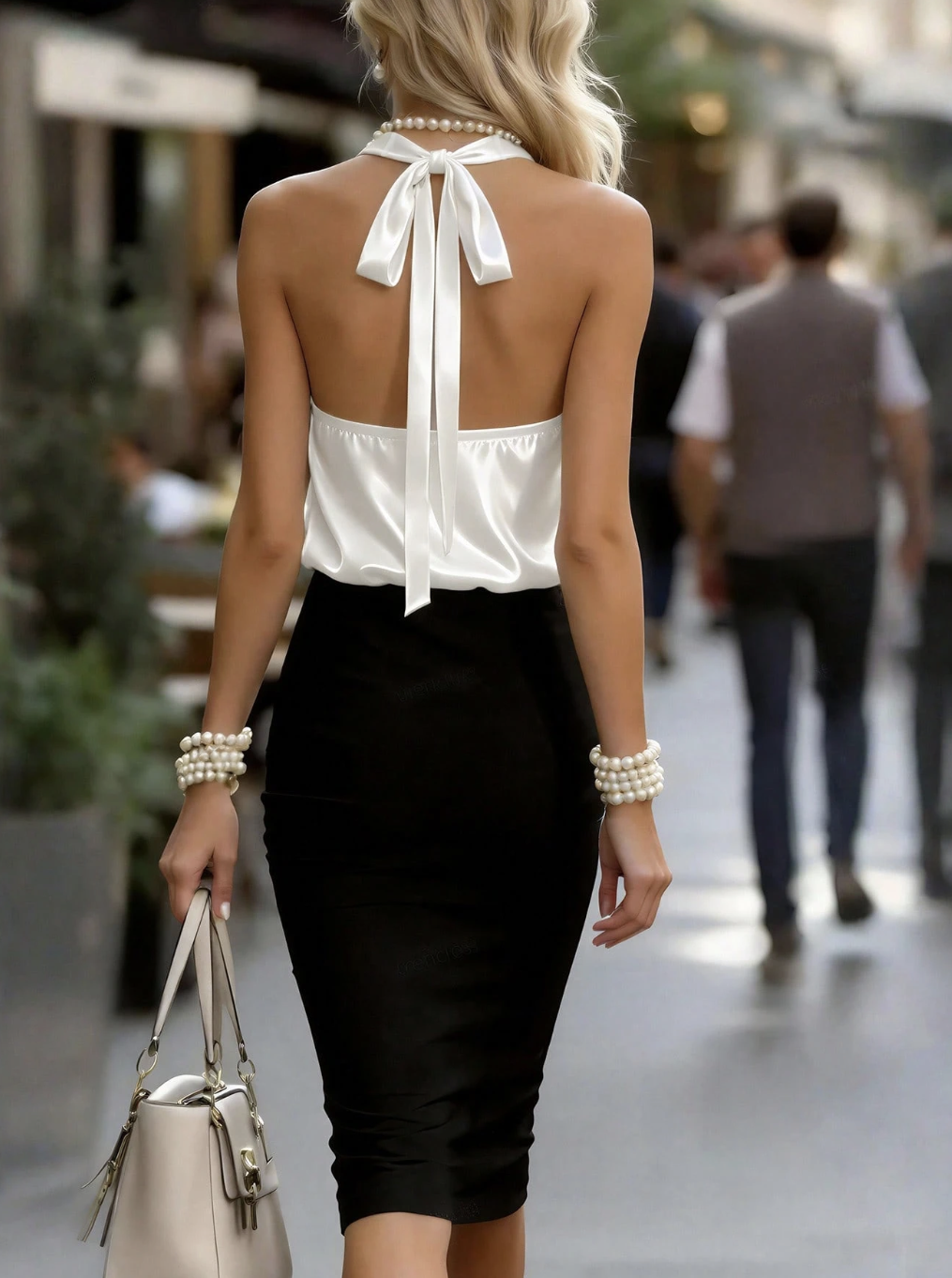
Kling Video O1 - Images Reference + Elements
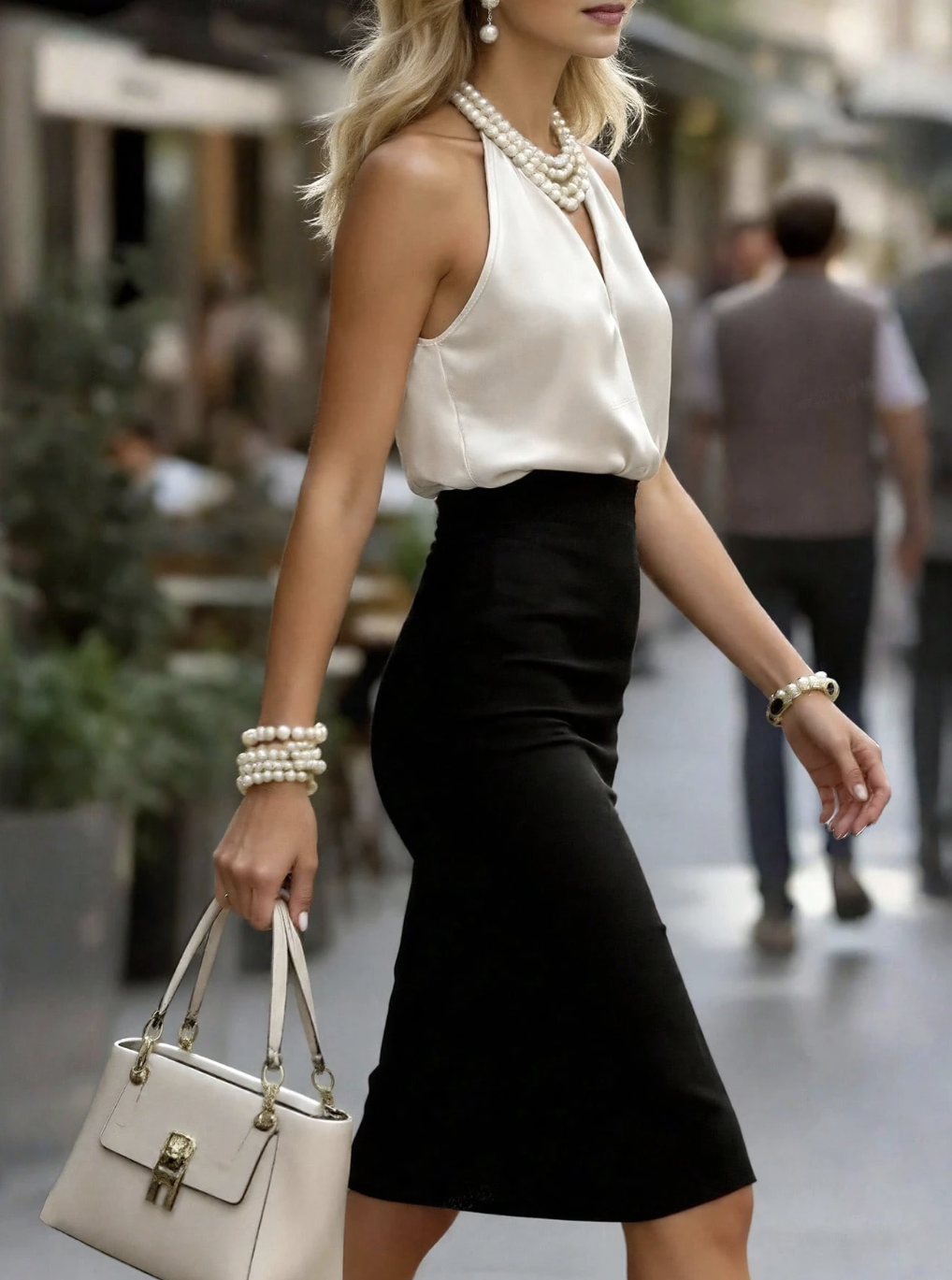
Reference Image
Element
Output with Element Binding
Reference Reference Reference
Element
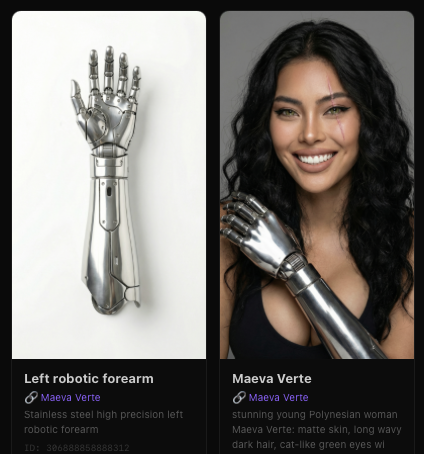
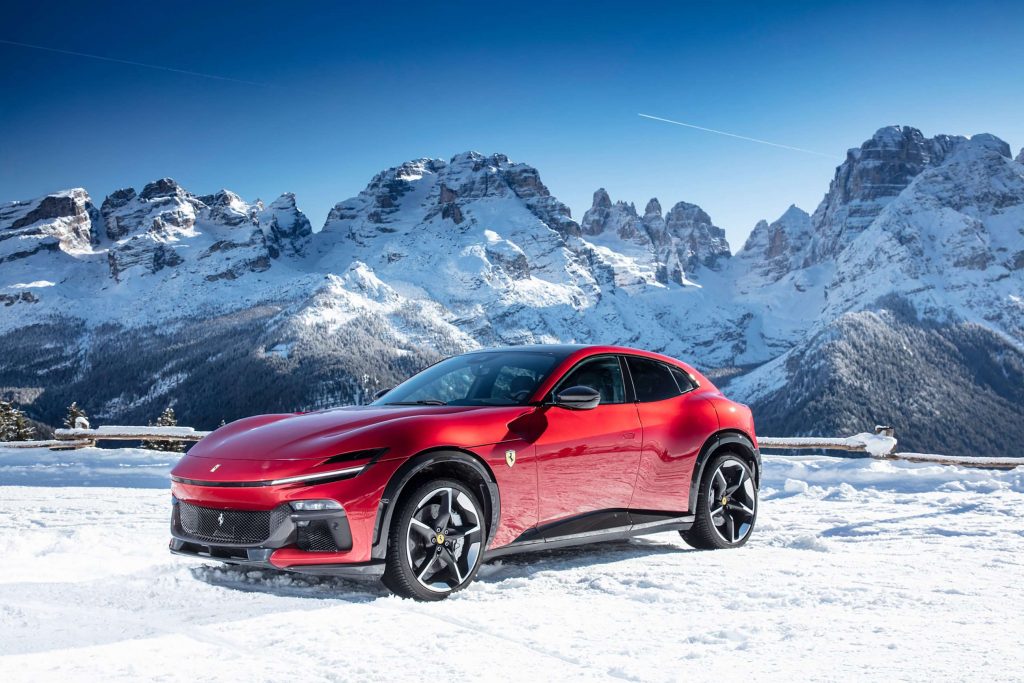
@element_1 wearing the dress from @image_1 . She is sitting on the hood of her car from @image_2 with relaxed @element_2. The scene background is from @image_3. She is looking at the camera.

King V3 Omni - Image Reference + Native Audio
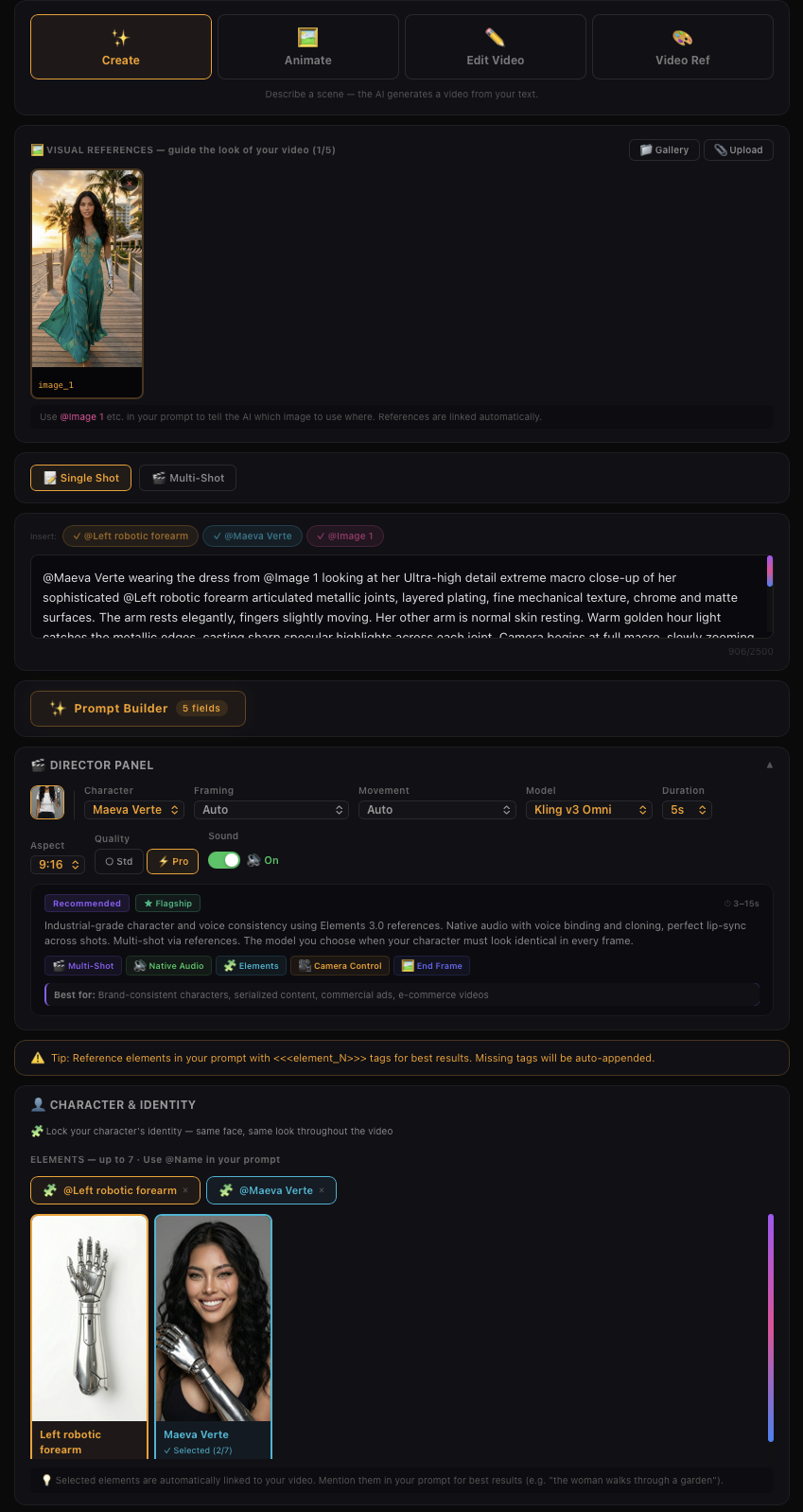
King V3 Omni - Image Reference + Native Audio
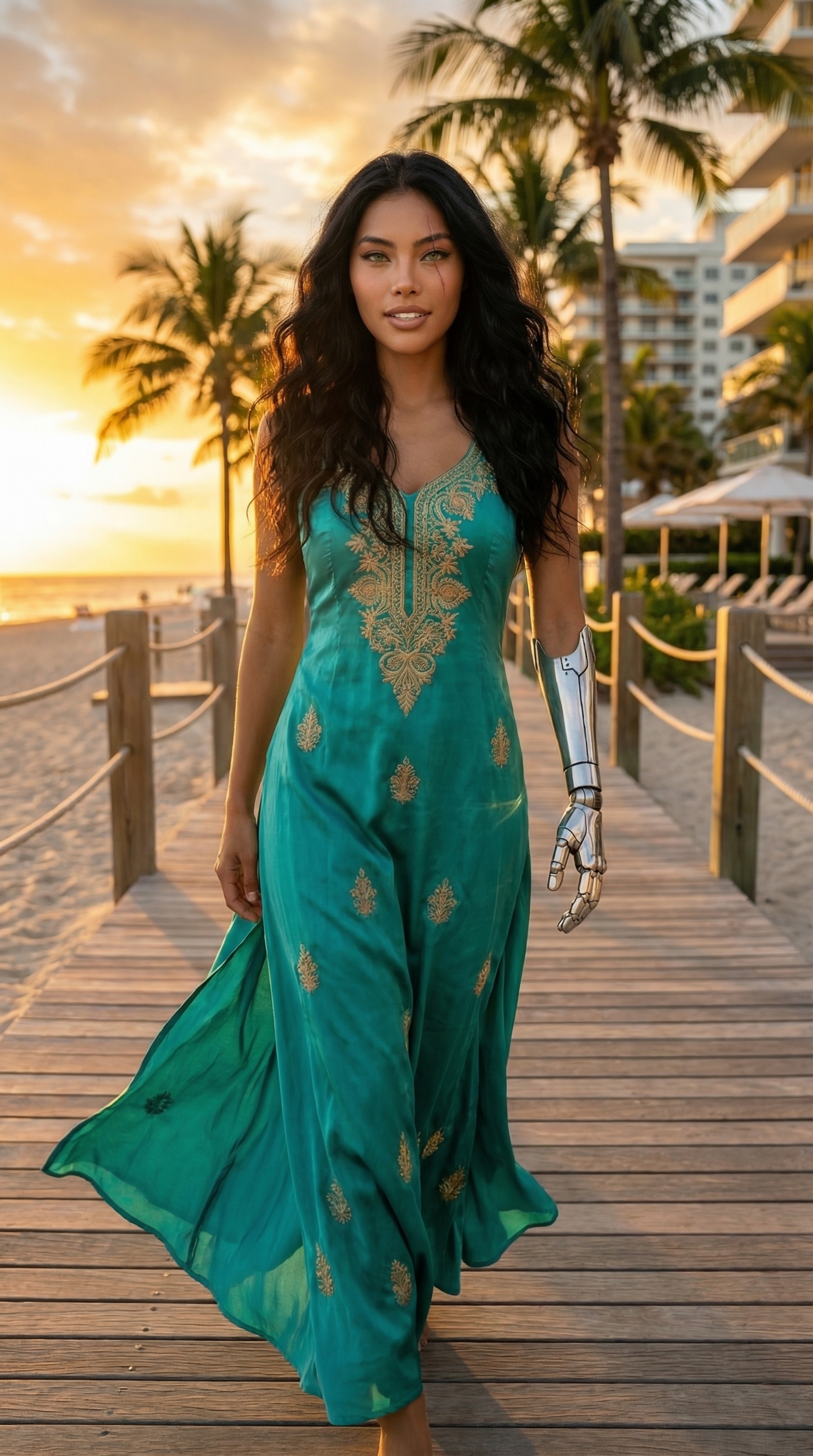
Reference Image
Element
Output with Element Binding
Reference
Element
@element_1 wearing the dress from @image_1 looking at her Ultra-high detail extreme macro close-up of her sophisticated @element_2 articulated metallic joints, layered plating, fine mechanical texture, chrome and matte surfaces. The arm rests elegantly, fingers slightly moving. Her other arm is normal skin resting. Warm golden hour light catches the metallic edges, casting sharp specular highlights across each joint. Camera begins at full macro, slowly zooming out, said: "This is my strength. Every joint, every surface — precision forged. This is what I am." White sand and crystal blue Bora Bora water softly blurred in background. Bokeh. Cinematic. Photorealistic. She is looking at her hand and then straight facing the camera for a direct contact with the viewer.

In addition to the examples above, you can also achieve the following with Kling O1's multimodal prompt input:

Image/Element Reference — Supports reference images/elements, including characters, items, backgrounds, and more, to generate with more creativity and consistency.

Input-based Modification — Supports inpainting/outpainting, or changing shot compositions or angles. It also supports localized or full-scale adjustments, such as modifying/swapping subjects, backgrounds, partial areas, styles, colors, weather, and more.

Video Reference — Supports using reference video content to generate previous or next shots within the same context or set. It can also reference video actions or camera movements for generation.

And more — Additional capabilities such as Text to Video, Start & End Frames, and more.

All-in-One Reference: Video Consistency Now Resolved
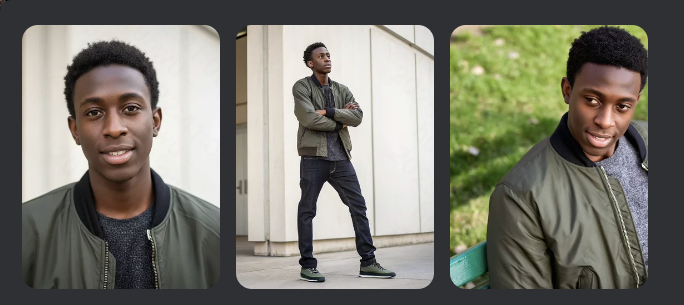
🎬 Video

All-in-One Reference: Video Consistency Now Resolved

Kling O1 comes with enhanced capabilities to understand image and video inputs better, and supports the building of elements with images from multiple angles. With reference images/elements, Kling O1 can remember your characters, props, scenes, etc, just like a human director, to maintain consistency, accuracy, and continuity regardless of how the camera moves or how the scene develops.
Prompt Close-up of the film effect, fashionable @element_1 neon cyber light and shadow projected onto his sunglasses.Suddenly, his face instantly malfunctioned and transformed into a digital data stream, which then reorganized. High contrast, fast shutter speed, intense visual impact.
Input
Input
Output
Prompt Medium shot, a rainy night in Tokyo.@element_1 is standing with a windbreaker, facing away from the camera. He slowly turns his head, and raindrops fall in slow motion. The background neon lights blur. A melancholic atmosphere.
Input
Input
Output
Prompt Close-up: @element_1 is holding a spray paint can. He sprayed at the brick wall, but what came out was not paint, but colorful, glowing flowers that quickly bloomed and grew on the wall. He stepped back to admire his masterpiece, a work of magical realism with vivid colors.
Input
Input
Output
Prompt Film-style wide-angle shot. @element_1 dressed in a stylized spacesuit, stands at the edge of the cliff on the red planet. He removed his helmet and inhaled the air of the alien planet. The camera slowly and dramatically pulls back, revealing two satellites rising above the horizon. Epic orchestral atmosphere, with exquisite texture details.
Input
Input
Output
Video O1 goes far beyond single characters or objects, featuring powerful multi-subject fusion capabilities. You have the freedom to mix and match multiple subjects or blend them with reference images. Even in complex ensemble scenes or interactions, the model independently locks onto and preserves the unique features of every character and prop. No matter how drastically the environment changes, Video O1 ensures industrial-grade consistency for each of your actor across every shot.

Powerful Combinations: More Creativity Packed in One Generation

The Kling O1 model is not limited to single tasks; it supports a combination of different tasks in one prompt, such as “adding a subject while modifying the background in the video”, or “changing the style while using elements”. This allows you to incorporate multiple creative ideas at once, exploring infinite creative possibilities.

Combine reference images + Restyle
Modify background + Add elements + Restyle

Control the Pace: Supports 3-10s for More Narrative Freedom
Every shot needs its own duration for better pacing of the story. Kling O1 supports generations anywhere between 3-10s, giving you more control on how you want your story to unfold. Whether it's a fast-paced, impactful scene, or a story with narrative arc, you get to decide the pacing of the shots.
Use Cases in different scenarios
🎬 Video

Use Cases in different scenario

With a groundbreaking unified multimodal architecture, Kling O1 integrates generation and modification to empower endless creativity. Whether you’re developing a story from scratch, or deeply reshaping existing content, Kling O1 brings versatility to a variety of creative projects from film production to advertising.

Filmmaking

With Kling O1’s exceptional consistency with references, and powerful features like the Element Library, you can lock in characters and props for each project to generate multiple scenes with consistency and continuity.

Video green screen keying
Images - Elements reference

Advertising

Traditional advertising shoots are costly and time-consuming. In Kling O1, simply upload product, model, and background images along with simple prompts to quickly generate cool shots for product showcases.

image - Elements Reference

Fashion

Shooting with models with different looks and sets could be a lot. With Kling O1, you can create a never-ending virtual runway. Upload model photos and clothing images, input prompts, and create lookbook videos with clothing details perfectly retained.

Image - Elements Reference

Film Post-production

Forget about tracking and masking. In Kling O1, post-production is as simple as having a conversation. Input natural language like “remove the bystanders in the background”, or “make the sky blue”, and the model will use deep semantic understanding to automatically complete pixel-level adjustments.

Video Element Modification
Video Content Removal
Image Element Reference
🎬 Video

Image Element Reference

Supports uploading 1–7 reference images or elements in the input area. You can combine characters, items, outfits, scenes, and other elements, and use text prompts to define their interactions, bringing static elements to life. Prompt Structure: [Detailed description of Elements] + [Interactions/actions between Elements] + [Environment or background] + [Visual directions like lighting, style, etc]

Image - Element reference

Transformation

In Kling O1, you can freely combine multimodal inputs — texts and images/elements — to easily add, modify, or remove subjects and backgrounds from the original video. You can also change the video’s style, environment, colors, shot composition, angles, and more.

Prompt Structure: Add [describe content to add] from [@Image] to [@Video]
Prompt Structure: Add [describe content to add] to [@Video]
Prompt Structure: Add [@Element] to [@Video]
Prompt Structure: Add [@Element] and [describe content to add] from [@Image] to [@Video]

Video Content Removal

Prompt Structure: Remove [describe content to remove] from [@Video]

Changing Angle or Composition

Prompt Structure: Generate [another angle/composition, e.g, close-up, wide shot] in [@Video]

Modify Subject

Prompt Structure: Change [describe specified subject] in [@Video] to [describe target subject].
Prompt Structure: Change [describe specified subject] in [@Video] to [describe target subject] from [@Image]
Prompt Structure: Change [describe specified subject] in [@Video] to [@Element]

Modify Video Background

Prompt Structure: Change the background in [@Video] with [describe specified background]
Prompt Structure: Change the background in [@Video] with [@Image]

Localized Modification

Prompt Structure: Change [describe specified content] in [@Video] to [describe target content]
Prompt Structure: Change [describe specified content] in [@Video] to [describe target content] from [@Image]

Video Restyle

Prompt Structure: Change [@Video] to [Style words: American cartoon, Japanese anime, wool felt, cyberpunk, pixel art, ink wash painting, oil painting, etc] style

American Cartoon
American Cartoon
Cyberpunk
Pixel Art
Ink Wash Painting
Watercolor style
Clay style
Figure style
Monet-inspired Style
Wool felt Style

Recolor Video Element

Prompt Structure: Change the [item] in the [@Video] to [color]
Prompt Structure: Change the [item] in the [@Video] to [color] from [@Image]

Change Weather/Environment

Prompt Structure: Change [@Video] to [describe weather, like “a rainy day”]

Green Screen Keying in Video

Prompt Structure: Change the background in [@Video] to a green screen, and keep [describe content to keep]

Video creative effects

You can directly add flames to elements in the video or freeze the environment in the video via text commands. You can also add facial textures or red-eye effects to characters in the video. Additionally, you can reimagine and redraw the image of the main subject in the video, then replace the original subject to achieve more engaging visual effects.

Video Reference
🎬 Video

Video Reference

You can upload a 3-10s video as a reference to generate the previous/next shot within the same context. Or with text, images, or elements, create a completely new scene referencing actions or camera movements in the video.

Generate Next Shot

Based on [@video], generate the next shot: from the back seat, show a medium shot of a middle-aged man and a young man in front. They angle slightly apart, forming a tense, restrained opposition as they turn to look out their windows. The background is blurred, and soft natural light creates muted olive-green and brown tones with light film grain.

Prompt Structure: Based on [@Video], generate the next shot: [describe shot content]

Generate Previous Shot

Based on [@Video], generate the previous shot: the camera tracks right, following the middle-aged man in a black suit as he walks to the driver’s door, opens it with his left hand, and gets in, causing a slight shake. The young man in the left foreground speaks while looking at him.

Prompt Structure: Based on [@Video], generate the previous shot: [describe shot content]

Reference Video for Camera Movements

Prompt Structure: Take [@Image] as the start frame. Generate a new video following the camera movement of the [@video]

Reference Video for Actions

Prompt Structure: Animate the character in [@Image 1] with the same motion as the character in the [@Video]

Frames
🎬 Video

Frames

You can specify the start and end frames, and describe scene transitions, camera movement, or character actions to control the entire video from beginning to end.

Prompt Structure:

• Take [@Image1] as the start frame, [describe changes in subsequent frames]

• Take [@Image1] as the start frame, take [@Image2] as the end frame, [describe the changes between start and end frames]

💡 You can also click the "Start & End Frames" icon to open the upload slots for the start & end images, making the workflow clearer.

Note: Generation with only an end frame is not supported for now.

Start - End Frame
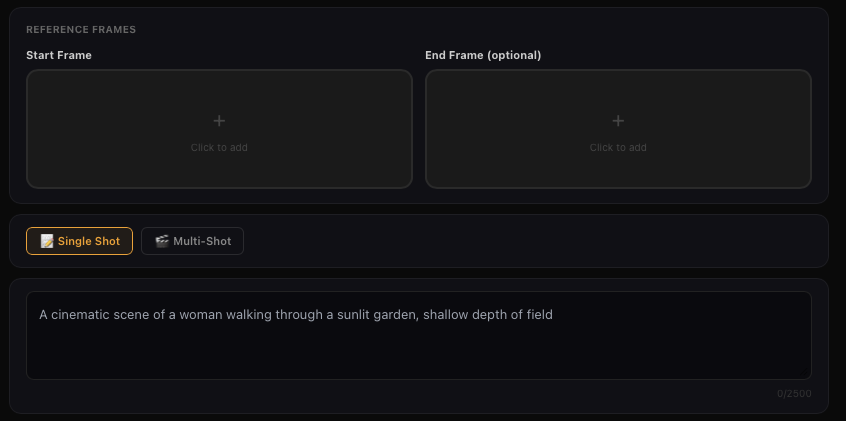
Start - End Frames

Start Frame
Start + End Frame
Text-to-Video
🎬 Video

Text To Video

Text-to-Video generation can be done by entering text in the input area without uploading any material. For text-to-video, the level of details in the prompt determines the richness of content in the generated video. Prompt Structure: Subject (subject description) + Movement + Scene (scene description) + (Cinematic Language + Lighting + Atmosphere)

American cartoon style animation. On a sunny summer afternoon, wildflowers bloom on a wide green hillside, sky blue with floating clouds. Two boys aged 8-10, wearing casual T-shirts and shorts, baseball caps, chasing butterflies on the hill. Wide-angle shot first shows them running over the rolling grass, then low-angle close-up captures determined and exaggerated expressions while swinging nets. One boy jumps to catch butterflies, another points excitedly. A car appears on the road in the background. Camera follows the car approaching, boys stop, holding nets, watching curiously. Car stops nearby, kicking up light dust, boys still in curious stance. Bright and colorful lighting, full of summer adventure joy.
Cyberpunk style, thrilling tomb-raiding yellow weasel.

More Skill Combos

Besides the abilities above, you can also combine different types of inputs and fully unleash your imagination to achieve even more surprising results. For example, 「image/subject reference + style modification」, 「remove subject + add subject」, 「background modification + add subject + style modification」, 「add subject + style modification」, etc.

Input Media Supported

Images — You can upload up to 7 images, with minimum resolution 300px, max file size 10MB, in jpg, jpeg or png format.

Videos — You can upload one video with 3s–10s duration, max file size 200MB, and max resolution 2K.

Elements — You can upload/generate multiple images from different angles (up to 4 images) to form an element, providing more reference information for the model.

💡 When a video is present, you can upload up to 4 images/elements combined. Without a video, you can upload up to 7 images/elements.

🔊 Kling Video

جرّب Kling Video