High-Key Power Pose: Bold Authority Under Studio White Light
I ran a High-Key lighting + Power Pose combo in Studio today. Here's what the form built, what it cost, and what I noticed in the result.
High-Key Power Pose: Bold Authority Under Studio White Light
I wanted to see what happens when you strip away all the drama.
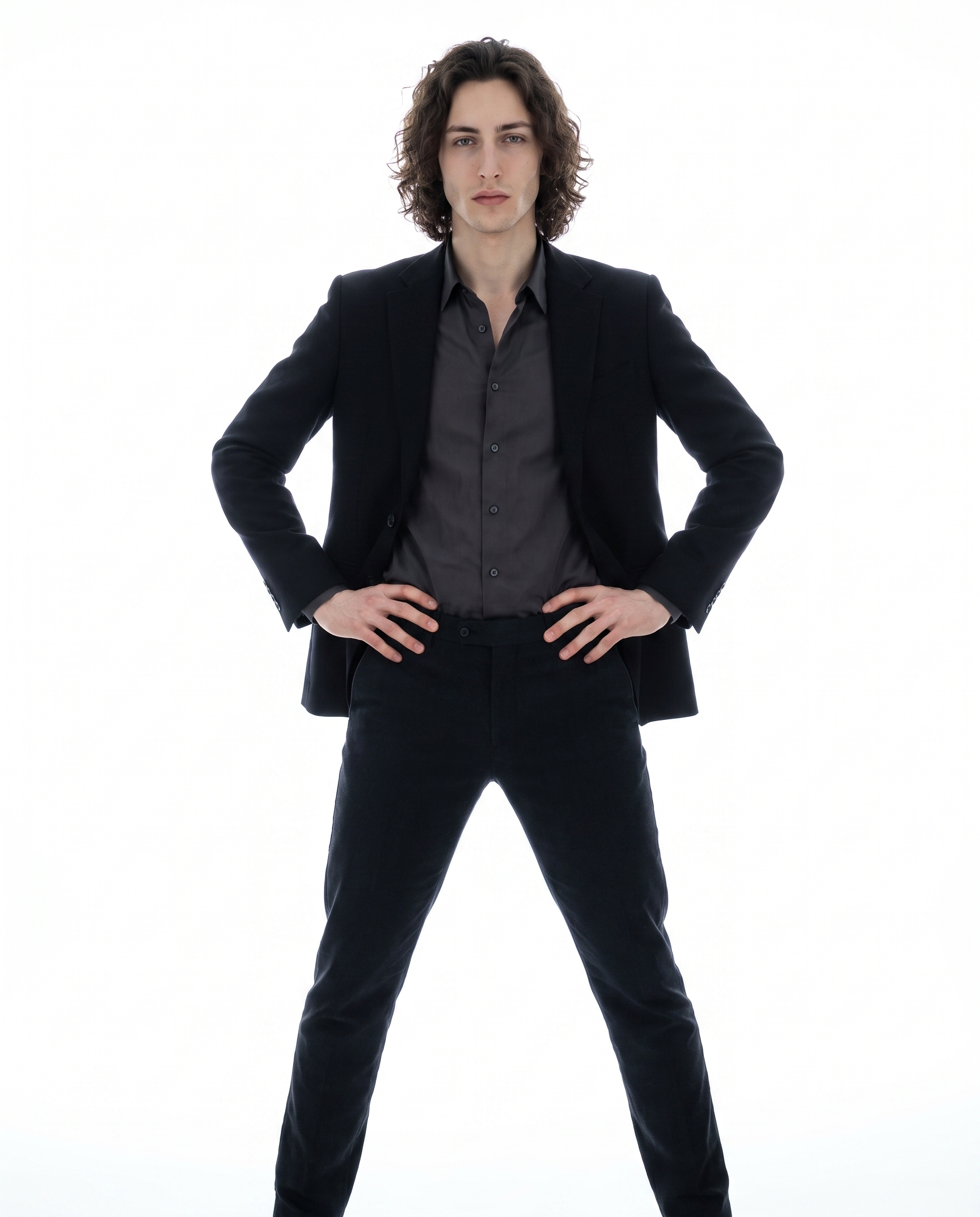
No shadows. No moody background. No Rembrandt triangle on the cheekbone. Just me, flooded in white light, standing like I own the room. The idea was editorial fashion energy — the kind of shot you see on a brand lookbook cover where the model isn't asking for your attention, they're just taking it.
I had a specific thesis going in: High-Key lighting + a Power Pose should feel dominant without feeling aggressive. Let's see if Studio agreed.
How Studio actually works
If you haven't used Studio before, here's the thing that surprised most people I've talked to: you don't have to write a prompt. You pick from the form — Camera Lab for your equipment and lighting, Pose Library for body position, Camera Angle for framing, Background for the environment, Fashion Designer for the outfit — and Studio assembles the prompt for you. The form handles how the shot is taken; your description (if you add one) handles what you're shooting. The assembled prompt is fully editable before you generate, but most users never touch it. They just pick and hit generate.
I did add a few words of my own to the assembled prompt today — but honestly, the form did 90% of the work.
What I picked from Studio
High-Key — the lighting setup I chose from Camera Lab.
The catalog describes it as: "Bright/overlit; minimal shadows. Result: airy, positive vibes." In practice, what that means is the AI simulates a wraparound fill — light coming from every angle, blown out toward the edges, near-zero shadow depth on the face and body. It's the opposite of Low-Key or Rembrandt. Those use shadow as the story. High-Key uses the absence of shadow. The result feels expensive in a very specific way: clean, clinical, and confident. I chose it because the whole concept was authority-without-aggression — and dark shadows would have pushed it toward threat instead of command.
This is what the best-results guide means when it says Lighting Sets the Mood. It's not just cosmetic. The lighting preset literally changes the shadow geometry, the perceived distance between subject and background, and the emotional register of the whole frame.
Power Pose — pulled from the Pose Library, Full Body category.
Catalog description: "Model standing with wide stance, hands on hips, shoulders squared, projecting authority and confidence." Mood tags: powerful, commanding, bold.
I picked this because a High-Key white-seamless shot with a passive pose would have looked like a medical reference photo. The Power Pose is what gives the light somewhere to land. Wide stance means the frame is earned — your body fills it. Hands on hips means there's no fidgeting, no softness. Shoulders squared to camera means you're not angling away from anything. Combined with the High-Key overexposure, it reads as editorial instead of clinical.
Worth mentioning: I picked myself as the character before building this shot, which automatically loaded my reference photos and locked my face, skin tone, and build into the generation. If you have an AI character on ArtCoreAI, the same thing works for them — select your character, and Studio pulls their saved reference images automatically. Your character's identity stays consistent across every shot you generate.
The assembled prompt
This is what the form composed for me — you don't have to write any of this yourself unless you want to.
A tall young European man with dark curly hair, porcelain skin, and green eyes stands in a wide-stance power pose — feet shoulder-width apart, hands planted firmly on hips, shoulders squared directly at the camera, jaw set with quiet authority. Flooded in high-key lighting: brilliant, overexposed white fill from every angle, near-zero shadows, airy and expansive. White seamless studio background. Sharp tailored black blazer. Full body frame. Editorial fashion energy.What I noticed in the result
What worked: The light is doing exactly what High-Key promises. There's no shadow pooling under the jaw or on the neck — the fill is total. The blazer reads sharp against the white background without competing with it. The pose came through cleanly — wide stance, hands on hips, no softness in the posture.
What surprised me: The eye contact. I didn't specify it explicitly, but the model held a direct forward gaze that felt intentional, not blank. Combined with the jaw set and squared shoulders, there's a stillness to it that I didn't expect from a single generation.
What I'd change next time: I'd add a Camera Lab lens choice — probably an 85mm equivalent — to get a touch more compression on the background and separate me from the white seamless a little more cleanly. The background reads perfectly flat right now, which is correct for the style, but a slight blur separation would push it further into editorial territory.
What it cost
- Credits spent: 2.70
- What you'd pay: $0.27
- Generation time: ~28 seconds
I ran this at 4:5 aspect ratio — the standard portrait crop for Instagram and lookbook layouts. If you're iterating and testing lighting combinations, drop to 1K resolution first; it's faster and cheaper, and you'll see the lighting character come through clearly before committing to a 4K render.
If you want to run a shot like this yourself, open Studio, select your character, pick a lighting setup from Camera Lab, choose a pose from the Pose Library, and hit generate. The form does the rest — no prompt required unless you want it.
— David
See what others are making
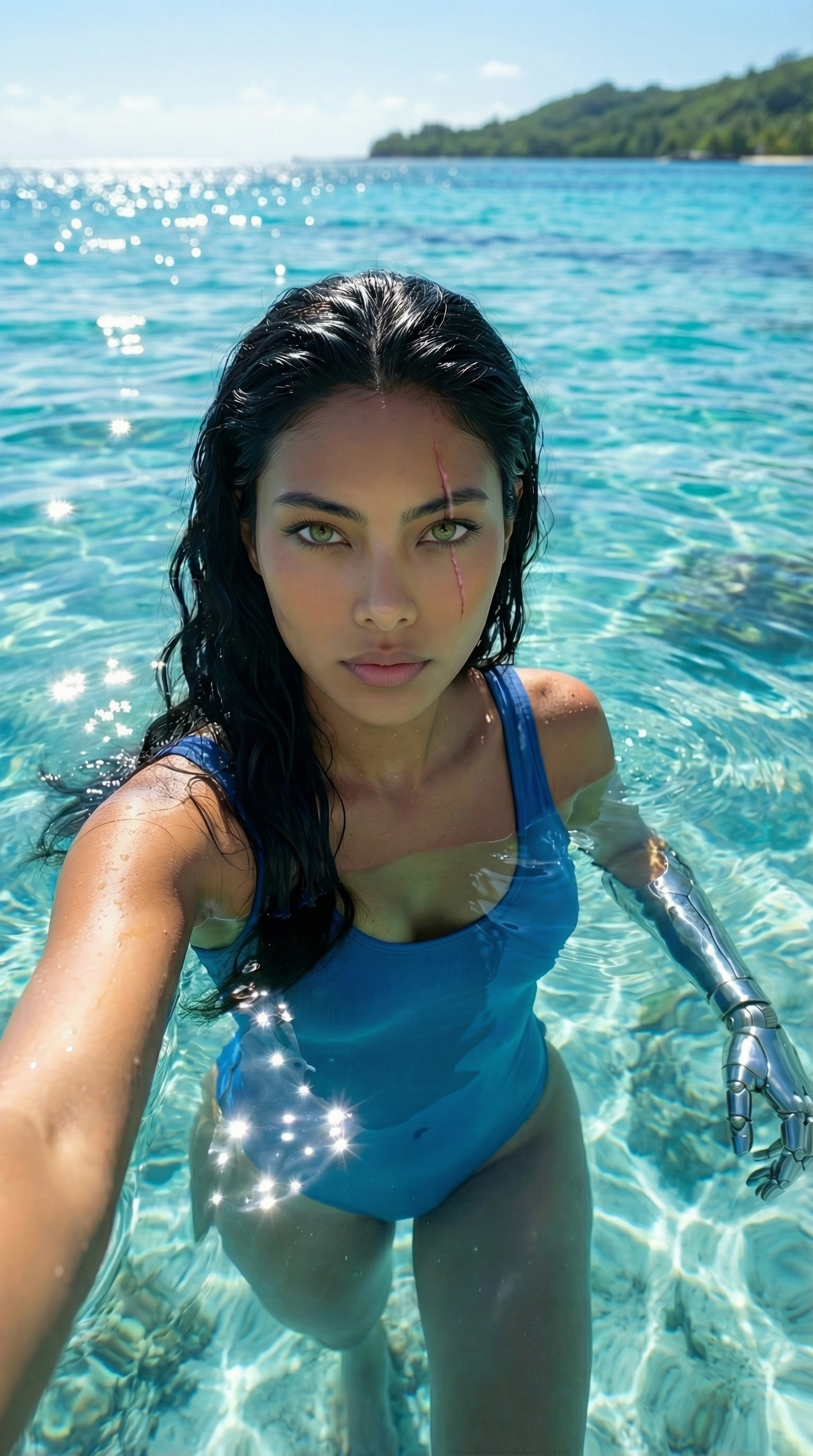

Each image links to the character's profile. The Studio — Technical Guide has the full showcase plus deeper documentation on every component.