Over-the-Shoulder in a Parisian Brasserie — Studio Editorial Demo
I wanted a magazine cover mood — late evening, amber light, the sense of a conversation just starting. Here's how I built it in Studio without writing a single line of prompt.
The idea
I wanted a shot that felt like it belonged on the opening spread of a fashion editorial — the kind of image where you don't see the full subject immediately. You see a shoulder, a silhouette, the suggestion of a person. And beyond them, something worth looking at.
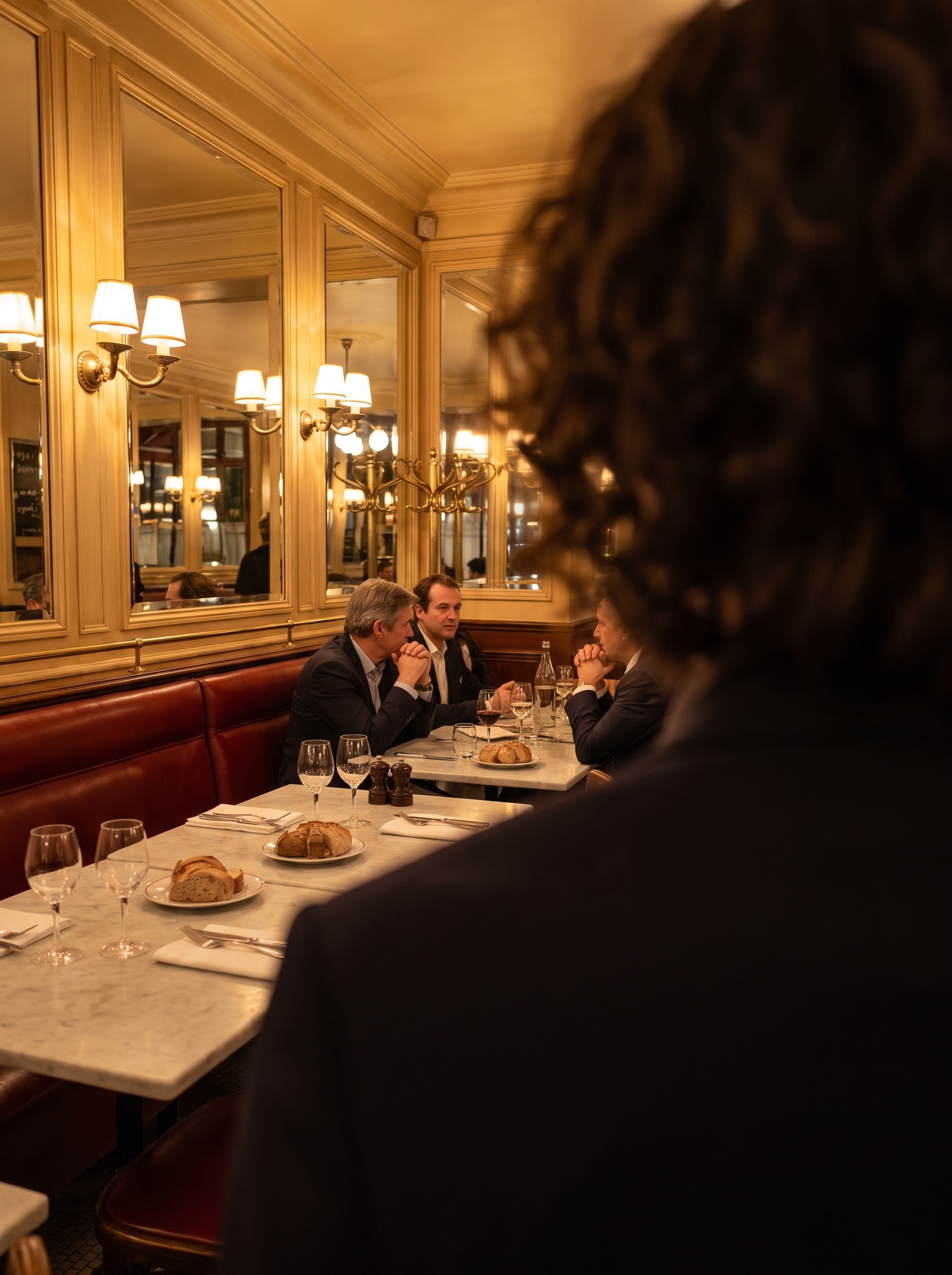
A Parisian brasserie at night felt right. Amber sconces, mirrored panels, marble tabletops. The warm, slightly melancholy light that makes everything feel like it matters. I called this one Over-the-Shoulder Dialogue — the framing implies a second person, a conversation just beginning, a scene you've walked into mid-story.
How Studio actually works
If you've never used Studio before, here's the thing to understand: you don't have to write a prompt. The entire workflow is form-first — you pick from menus (Camera Lab, Pose Library, Camera Angle, Background, Makeup, Fashion, Location, and more), and Studio assembles the prompt for you. The Camera Lab defines how the shot is taken — body, lens, focal length, aperture, lighting. Your scene description defines what's in the frame. Once all your picks are in, you can preview the assembled prompt and edit it if you want — but most users never need to touch it. You just pick, hit generate, and watch it come together.
What I picked from Studio
Over-the-Shoulder — This is a named framing in Studio's Pose Library / Camera Angle catalog. The catalog describes it plainly: implies two people, dialogue. That one-line description is doing a lot of work. An over-the-shoulder composition creates depth automatically — you get a foreground subject (me, partially visible) and a mid-ground scene (the brasserie) in a single frame. It's the kind of framing editorial photographers reach for when they want emotional context, not just a clean portrait. I picked it because I didn't want a straight-on headshot. I wanted the image to have a story in it.
Canon RF 85mm f/1.2 L USM — This is the lens I selected in Camera Lab, and it's doing the heavy lifting on the visual texture of this image. Studio's catalog describes it as a portrait prime with creamy bokeh and flattering compression — dreamy isolation, ideal for headshots and magazines. In practice, what that means is the foreground (my shoulder, my hair) dissolves into soft blur while the brasserie interior sharpens just enough to read. You get both: identity in the foreground, atmosphere in the background. This is what the operating tip Camera Equipment Matters is actually about — the AI simulates real depth-of-field behavior based on the lens you pick. An 85mm f/1.2 wide open does something specific and optically coherent that a kit zoom at f/5.6 simply doesn't.
I also paired the lens with Rembrandt warmth in the lighting setup — which ties to the Lighting Sets the Mood tip. Rembrandt lighting is dramatic and directional, with strong shadow detail. Combined with the amber brasserie interior, it kept the image from going flat or overly bright. Late-evening editorial, not a restaurant menu photo.
One more thing worth knowing: I picked myself as the character before generating. Studio auto-loaded my reference photos and locked my identity — face, hair, build — into the result. If you've built an AI character on ArtCoreAI, you get the same thing: pick your character, and Studio handles the visual continuity across every shot you generate.
The assembled prompt
This is what the form composed for me — you don't have to write any of this yourself unless you want to:
Over-the-shoulder shot from behind a tall young man with dark curly hair, framing a warmly lit Parisian brasserie interior beyond — amber wall sconces, mirrored paneling, white marble tabletops. Shot on Canon RF 85mm f/1.2 L USM: the foreground shoulder and hair fall into creamy bokeh while the mid-distance brasserie scene sharpens just enough to read. Late-evening editorial tone, Rembrandt warmth, sense of quiet conversation just beginning. Magazine-quality composition, rich shadow detail, 4K.What I noticed
The bokeh separation came out better than I expected. There's a real optical coherence to it — the foreground blur isn't just a Gaussian smear, it has the rounded quality you get from a fast prime wide open. That's the 85mm f/1.2 doing its job.
The Rembrandt lighting read clearly in the brasserie reflections — you can see the directionality in how the wall sconces fall across the mirrored panels. It gives the scene weight without going dark.
If I ran this again, I'd push the scene radius slightly wider on the Location component — pulling more of the brasserie depth into the mid-ground. The current crop is tight on the over-shoulder framing, which works editorially, but there's more atmosphere available in that room.
What it cost
- Credits spent: 2.70
- What you'd pay: $0.27
- Generation time: ~28 seconds
I generated at 4K — which is the resolution you'd want for anything editorial or print. For iteration and testing, 1K is fine at a fraction of the cost. Once you've locked your composition, step up to 4K for the final.
Try it yourself
Head to Studio, pick your character, drop in the Over-the-Shoulder framing, load the Canon RF 85mm f/1.2 L USM in Camera Lab, and hit generate. You don't need to write the prompt — pick from the form and let Studio build it.
— David
See what others are making


Each image links to the character's profile. The Studio — Technical Guide has the full showcase plus deeper documentation on every component.