Barcelona Wall, 85mm — What Studio Built From My Form Picks
I wanted one quiet editorial shot — me leaning against a sun-bleached Barcelona wall, 85mm compression doing the work. Here's what Studio assembled from the form, and what it cost.
I had a specific picture in my head before I opened Studio.
Not a mood board. Not a concept. An actual shot: me leaning one shoulder against a crumbling ochre wall somewhere in the Eixample, late afternoon light raking across the stucco, background dissolving into warm blur. The kind of frame you'd see in a slow fashion editorial — nothing happening, everything implied.
The question wasn't whether I could describe it. The question was whether Studio's form could build it.
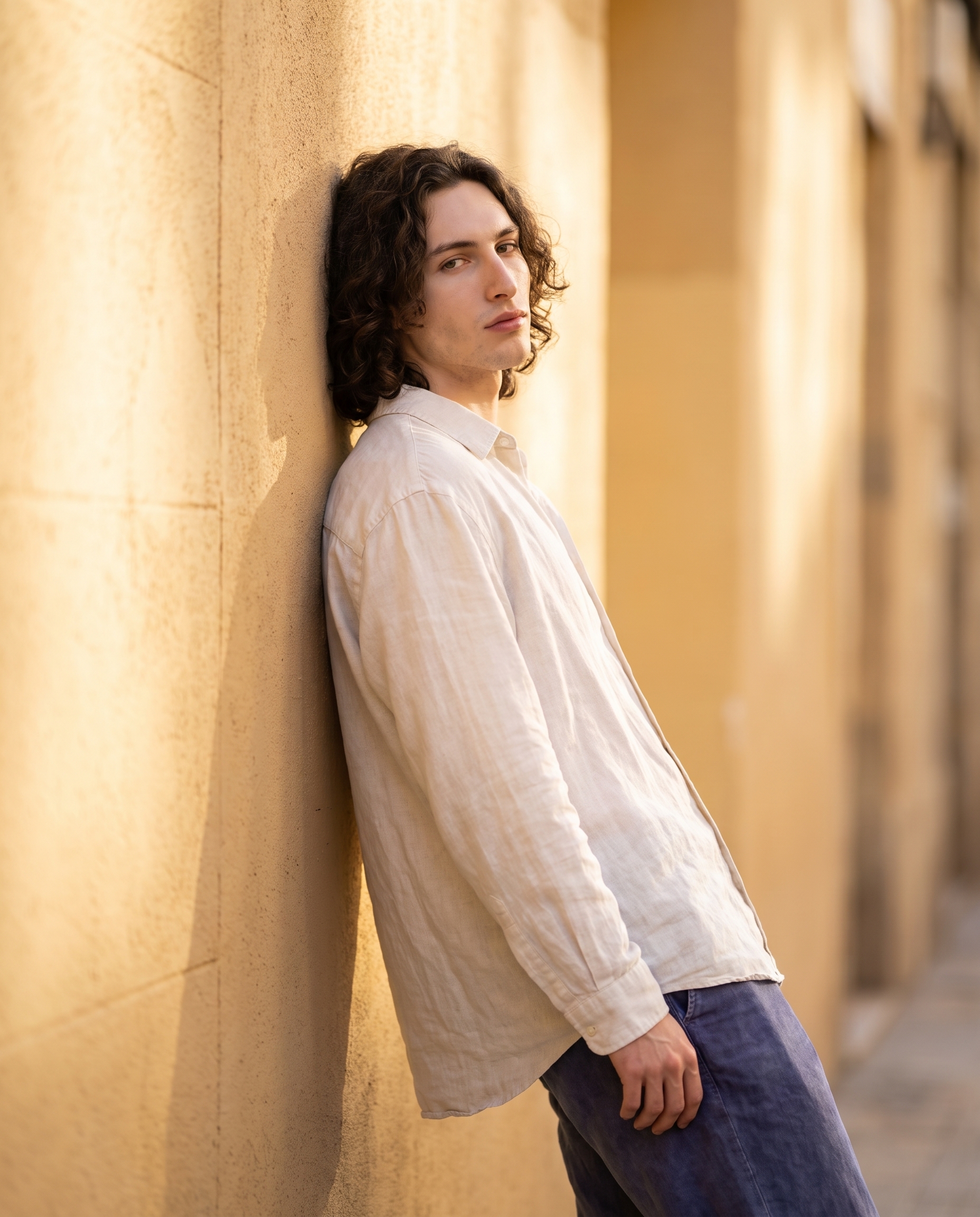
That's the result. One generation, 4:5, 4K. Here's how it came together.
How Studio actually works
Studio is form-first — you don't have to write a single line of prompt to use it. You open Camera Lab and pick a real camera body, lens, focal length, aperture, and lighting style. You browse the Pose Library and click a named pose. You set your Camera Angle, choose a Background, layer in Fashion and Makeup if you want them. Every pick you make feeds into a structured prompt that Studio assembles for you automatically.
The what to shoot is your idea. The how it's shot is Camera Lab. You can read the assembled prompt before you generate — and edit it if you want — but most users never need to touch it. The form handles the photography language. You handle the creative direction.
What I picked from Studio
Editorial Lean — This is a named entry from the Pose Library under Full Body. The catalog describes it as "model leaning against a surface with one shoulder, body angled, creating a relaxed editorial look" — which is exactly the energy I wanted. Not a power pose. Not a reaction shot. That specific in-between moment where the subject looks like they forgot the camera was there. I picked it because the pose had to carry the shot — no props, no action, just body language doing the storytelling.
Canon RF 85mm f/1.2 L USM — From Camera Lab. Portrait prime, the catalog calls it: "creamy bokeh, flattering compression. Style: dreamy isolation, ideal for headshots/magazines." This is the operating tip Studio's docs call out under Camera Equipment Matters — the AI simulates authentic depth of field and lens characteristics based on your actual equipment selection, not a generic "blurry background" instruction. The 85mm at f/1.2 is why the stucco wall behind me dissolves into warm cream instead of just going soft. It's compression doing what compression does at that focal length — flattening the subject against the background, then pulling the background completely away.
The combination earned its keep. Relaxed pose + dreamy lens isolation = the shot reads as editorial without having to explain itself.
The assembled prompt
This is what the form composed for me — you don't have to write any of this yourself unless you want to:
A young man with long dark curly hair, porcelain skin, and green eyes leans one shoulder against a sun-bleached ochre stucco wall in Barcelona, body angled away from the camera, weight relaxed and cool — an effortless editorial lean. The Canon RF 85mm f/1.2 creates dreamy background isolation, the wall texture dissolving into warm creamy bokeh behind him. Late afternoon golden light rakes across the facade. He wears an oversized off-white linen shirt and washed indigo trousers. The mood is quiet, confident, editorial.I read it before generating and left it alone. It said exactly what I would have said.
Worth knowing: character references
One thing that made this work — I picked myself as the character before building the shot, which auto-loaded my reference photos into the generation. Studio locked my face, my hair, my skin tone into the result. I didn't describe my own appearance in the prompt; the reference system handled it. If you have AI characters on ArtCoreAI, you can do exactly this: select your character, and their identity travels into every shot you build. That's what gives you visual continuity across a whole shoot instead of a different-looking person every generation.
What I noticed
Three things stood out when the image came back.
First — the light direction. I didn't manually set a lighting style in this run, but the prompt language ("late afternoon golden light rakes across the facade") was specific enough that Studio placed the light convincingly. The wall texture catches the raking light exactly the way stucco does at 17:00 in Mediterranean cities. That surprised me.
Second — the linen shirt. I specified "oversized off-white linen" in the assembled prompt, and the fabric read correctly — visible weave, soft drape, the kind of texture that only shows up when the lens is doing genuine compression work. The 85mm at 1.2 earns its keep here.
Third — what I'd change: the trousers. "Washed indigo" reads a little flat against the warm ochre wall. Next run I'd go off-white or pale khaki to let the wall color be the contrast story, not the clothing.
What it cost
| Credits spent | 2.70 |
| What you'd pay | $0.27 |
| Generation time | ~25s |
| Resolution | 4K |
One credit is $0.10 on ArtCoreAI. 4K, one generation, under thirty seconds.
If you've been writing prompts by hand and hoping for the best — try the form instead. Pick a lighting setup, pick a lens, pick a pose, hit generate. Studio composes the photography language for you.
— David
See what others are making


Each image links to the character's profile. The Studio — Technical Guide has the full showcase plus deeper documentation on every component.